Gift ideas
3D printed map gifts
Turn the places that matter into gifts: a heart on the spot you met, your first home, a trail you hiked, a city keychain, a Christmas ornament or a name spelled in map letters. Made in your browser and ready for your 3D printer.
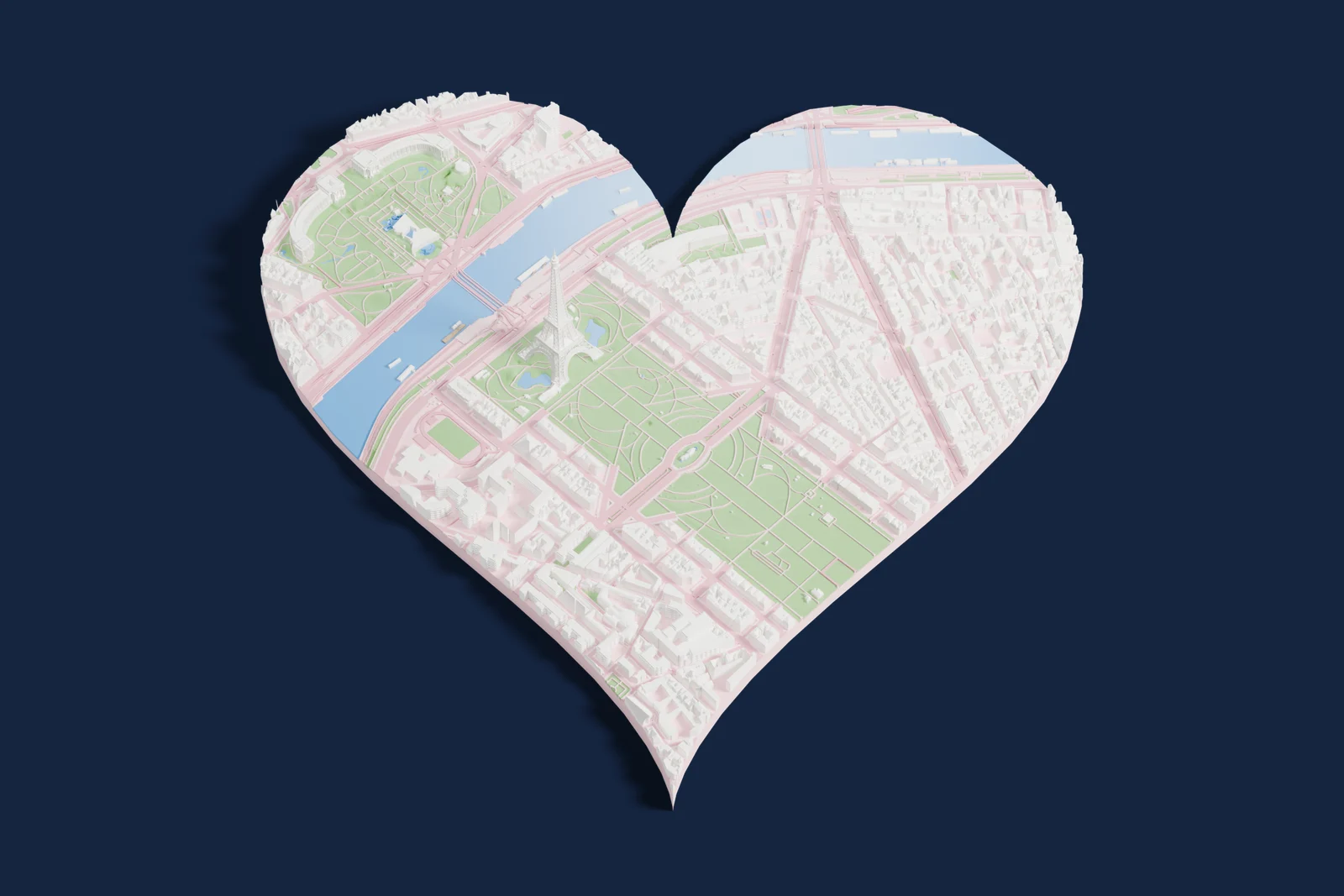
Map gift ideas
Every idea is a real setting in the app. Pick a place, follow the steps and download a print-ready 3MF.
-
 Place with a heart
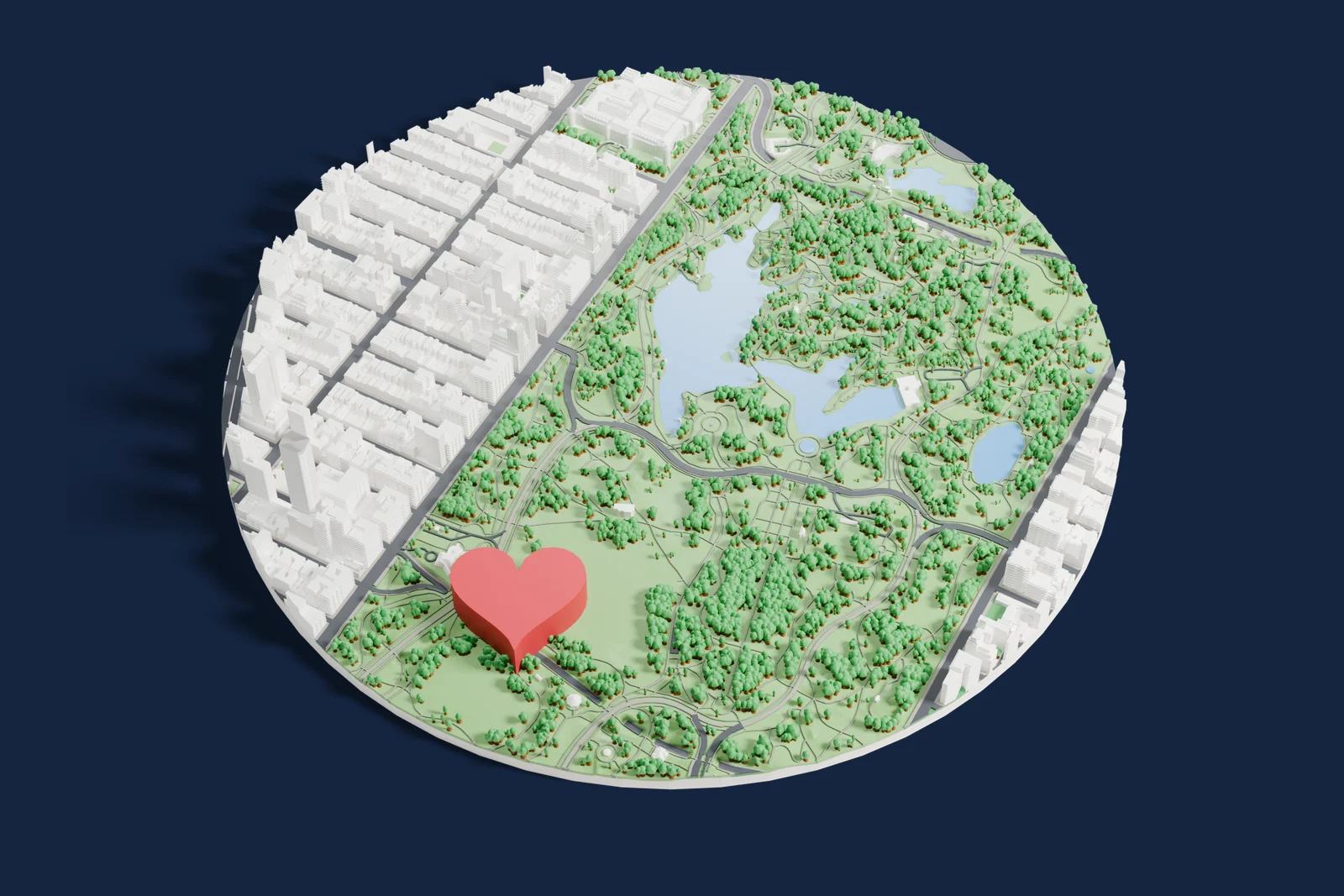
A 3D map of the place you met, got engaged or said yes, with a raised heart on the exact spot.
Place with a heart
A 3D map of the place you met, got engaged or said yes, with a raised heart on the exact spot.
-
 Place with a home
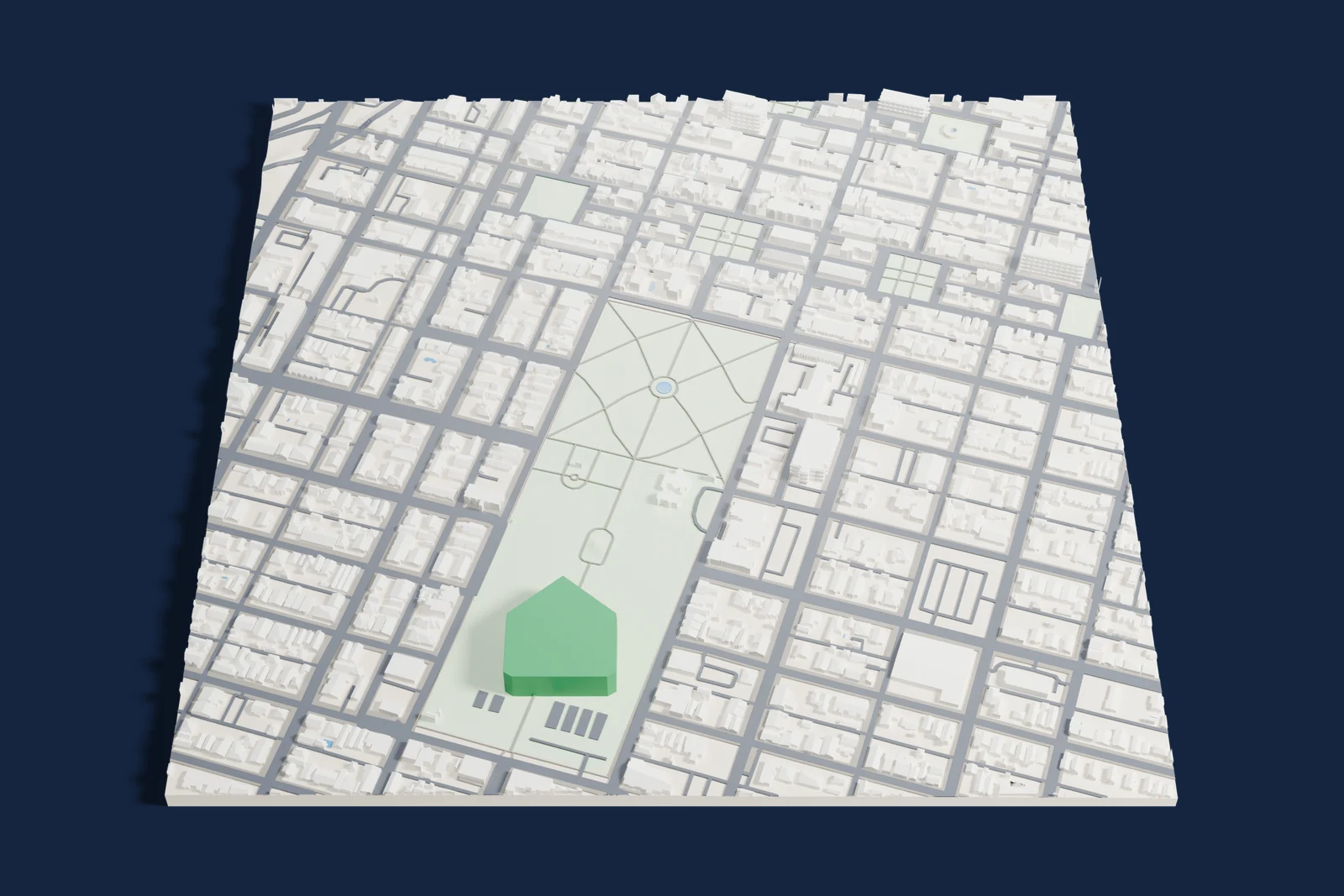
Your street in 3D with a little house on your home. A housewarming or first-home gift that is about the place, not just the keys.
Place with a home
Your street in 3D with a little house on your home. A housewarming or first-home gift that is about the place, not just the keys.
-
 Trail print
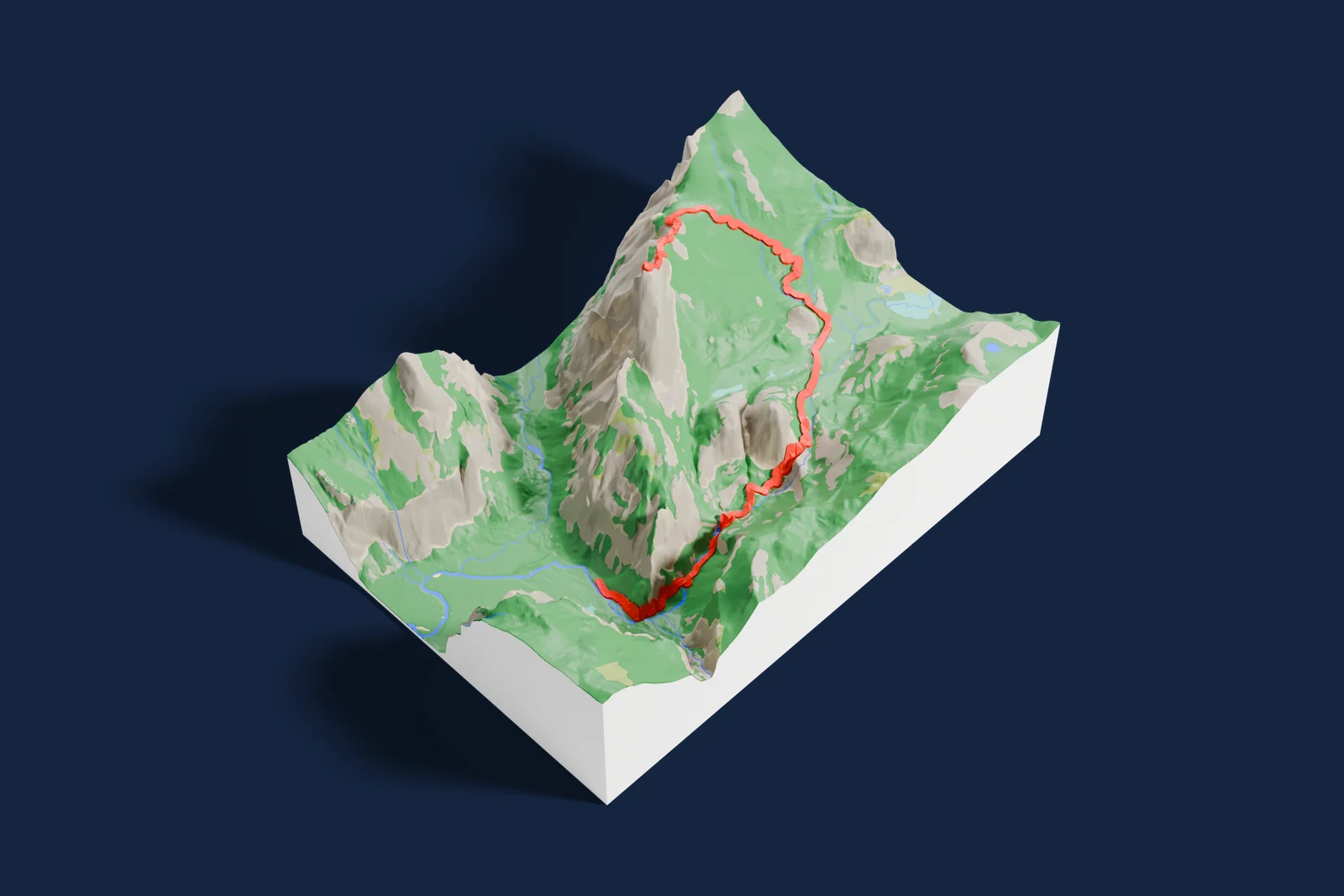
Real mountains and valleys with the trail raised in its own color. For hikers, runners, cyclists and anyone who finished something hard.
Trail print
Real mountains and valleys with the trail raised in its own color. For hikers, runners, cyclists and anyone who finished something hard.
-
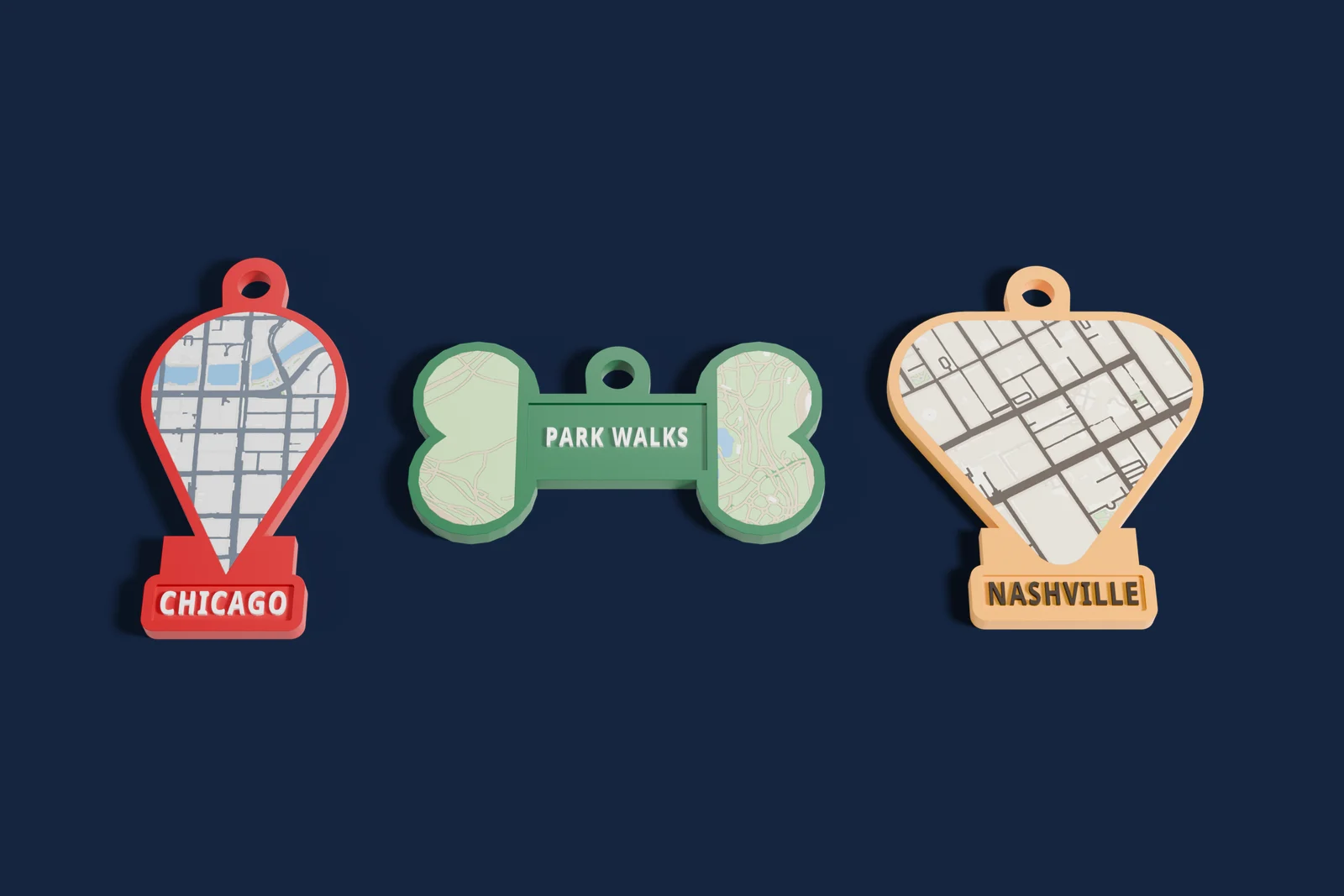 Map keychain
A tiny 3D map of a hometown, campus or favorite city with a key ring and a name. Small, quick to print and easy to make in batches.
Map keychain
A tiny 3D map of a hometown, campus or favorite city with a key ring and a name. Small, quick to print and easy to make in batches.
-
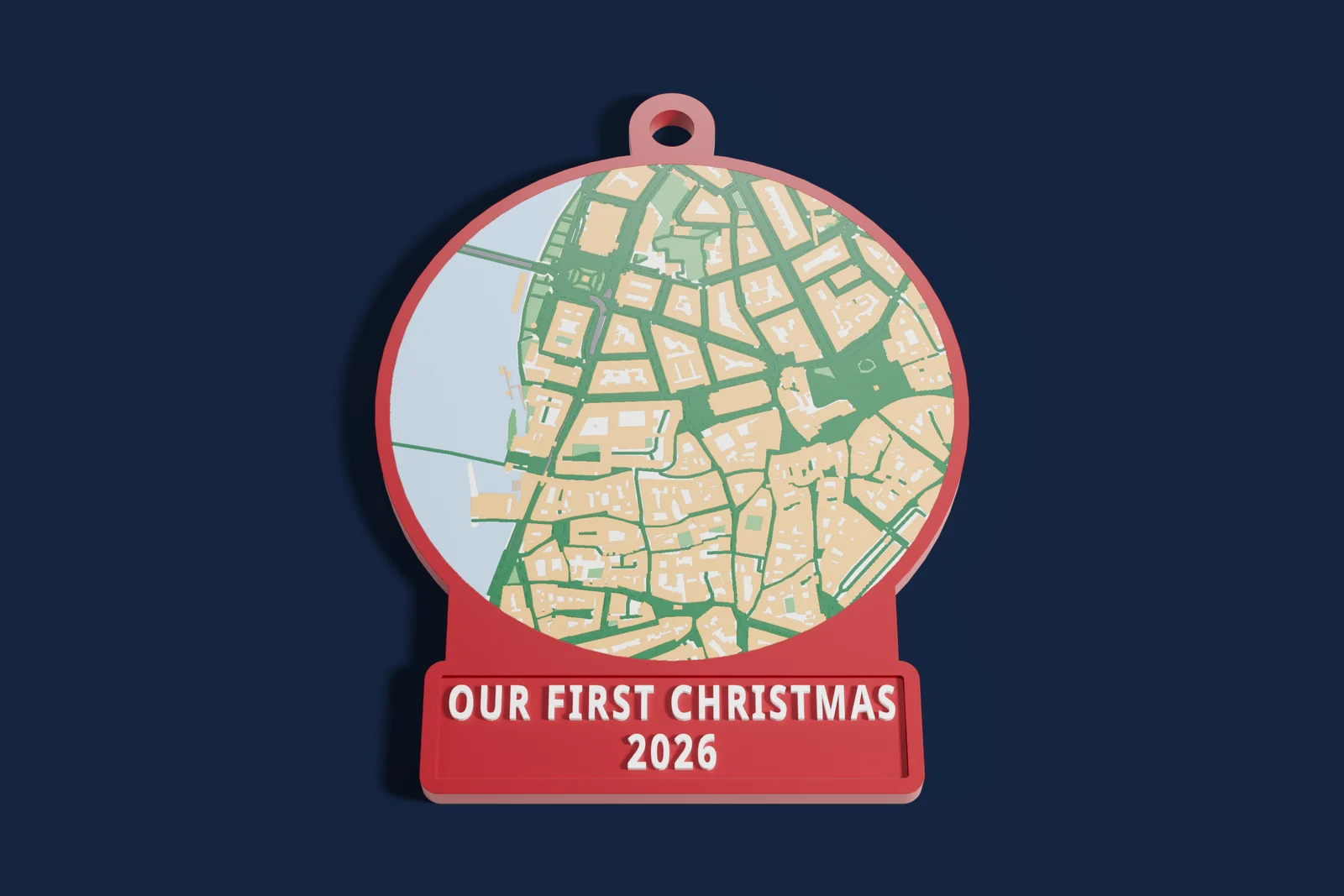 Christmas ornament
A map ornament with a loop at the top and the year on it: our first Christmas, a first home, or a hometown far away.
Christmas ornament
A map ornament with a loop at the top and the year on it: our first Christmas, a first home, or a hometown far away.
-
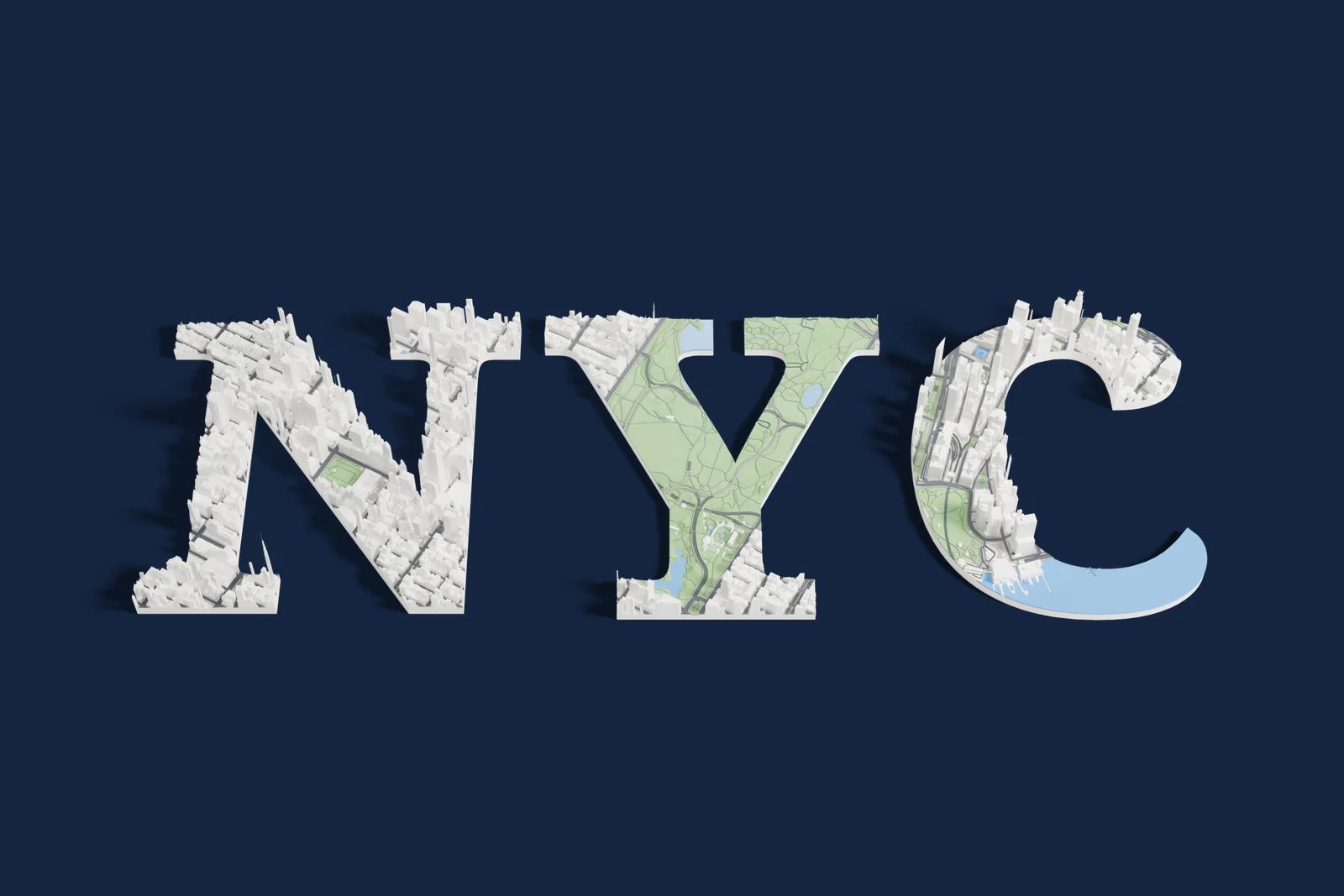 Name in map letters
Each letter is its own 3D map. Spell a city with letters cut from that city, or a name with a letter from each place that matters.
Name in map letters
Each letter is its own 3D map. Spell a city with letters cut from that city, or a name with a letter from each place that matters.
-
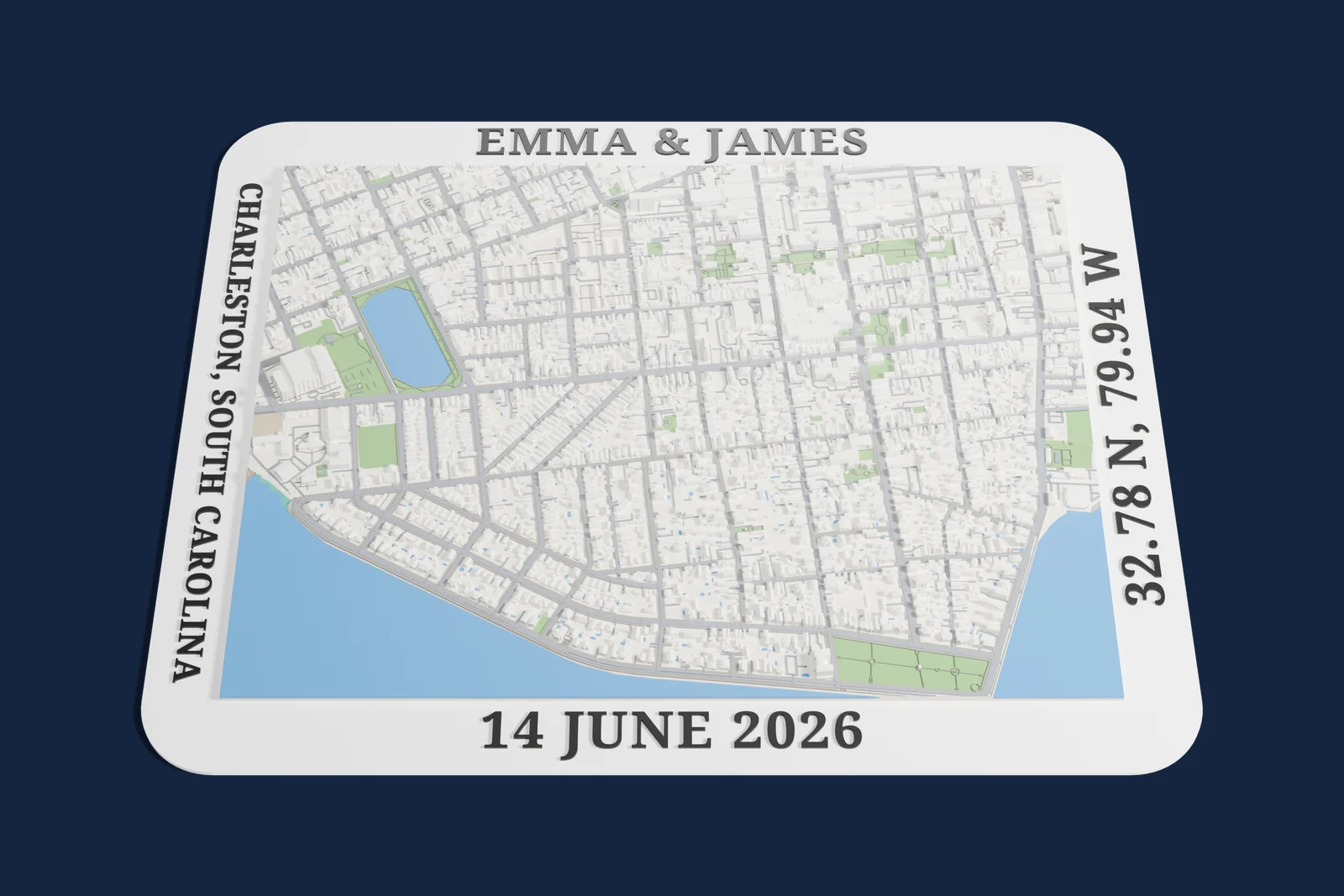 Names and a date
A city or venue in 3D with words on the frame: two names on top, the date and the coordinates on the sides.
Names and a date
A city or venue in 3D with words on the frame: two names on top, the date and the coordinates on the sides.
Every picture is a studio render of a real Mini Skyline export. Map data © OpenStreetMap contributors.
A place with a heart
A 3D map of the place you met, got engaged or said yes, with a raised heart on the exact spot.
Choose the neighborhood, generate the model, then put a heart on the café, street corner or park bench where it happened. The heart prints raised on the map, so it stands out even in a busy downtown.
For a bolder gift, cut the whole map into a heart: pick Heart under More shapes and the city itself becomes the heart, streets and all.
How to make it
- Search for the place and draw a square or circle around it.
- Press Generate.
- Open Edit model, choose Markers, pick the heart and click the spot. Press Apply.
- Download the 3MF and print it.
Good for
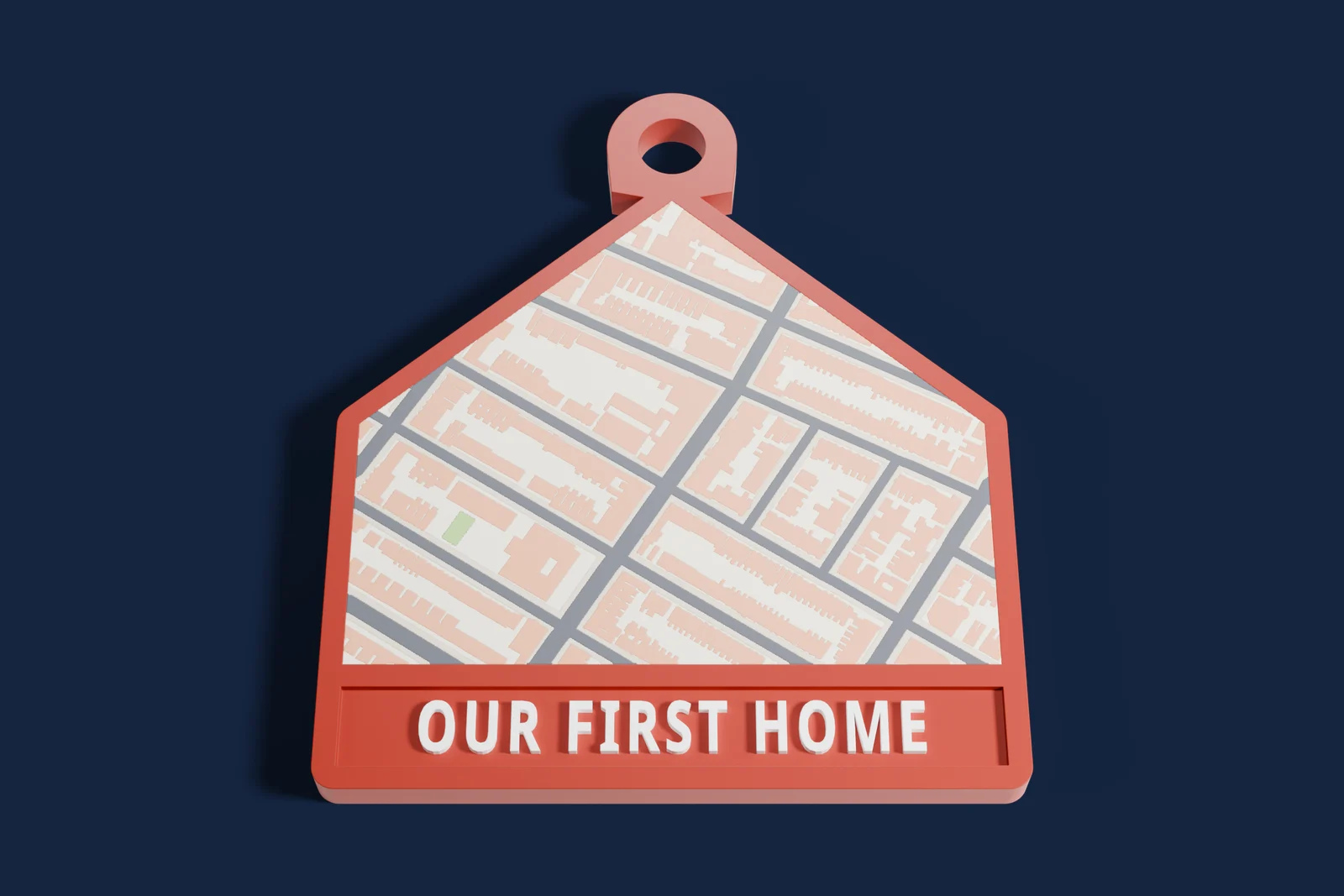
A place with a home
Your street in 3D with a little house on your home. A housewarming or first-home gift that is about the place, not just the keys.
Put a home marker on the house, then add the street name or the move-in date to the frame. It also makes a thoughtful closing gift from a real estate agent, or a going-away present for a friend who is moving.
Or cut the map itself as a house: the House outline is under More shapes, in Keychain shapes. Turn on Keychain mode and add Our first home under it for a key ring that goes with the new keys.
How to make it
- Search the address and select the streets around it.
- Press Generate.
- Open Edit model, choose Markers, pick the home and click the house. Press Apply.
- Add a frame with the street name or the date if you like, then download the 3MF.
Good for
Trail print: the hike, run or ride in 3D
Real mountains and valleys with the trail raised in its own color. For hikers, runners, cyclists and anyone who finished something hard.
Search a named trail or a marathon course, or import the GPX file from Strava, Garmin, AllTrails or Komoot. The route prints on top of the real terrain in its own color, or as a separate thin fin that slots into the map.
Most national park and mountain pages on this site also have a ready-made trail map you can open and print.
How to make it
- Open Trails and routes, then search Trails or Running courses, or press Import GPX or KML.
- Frame the area around the route.
- Press Generate, check the route color, and download the 3MF.
Good for
Custom map keychain
A tiny 3D map of a hometown, campus or favorite city with a key ring and a name. Small, quick to print and easy to make in batches.
Keychain mode adds a rim, a ring on a tab or through the map, and up to two lines of text under the map, above it or on the back. Pick a keychain shape (map pin, house, shield, tag, dog bone or guitar pick) or any map shape, such as a circle or a heart.
Keep the 3D buildings, print it in low relief, or as a flat picture with every color level with the top. Keychains start at 15 mm wide and are 44 mm by default.
How to make it
- Select the area.
- In Model, set Special prints to Keychain.
- In the Keychain tab, pick the shape, the ring and the text.
- Press Generate and download the 3MF.
Good for
Christmas ornament map
A map ornament with a loop at the top and the year on it: our first Christmas, a first home, or a hometown far away.
Make it in Keychain mode at ornament size, about 60 to 80 mm. Choose a circle, star or heart, put the ring at the top and write two lines, such as OUR FIRST CHRISTMAS and the year. The hole can be 3 to 10 mm wide, so it takes a hook or a ribbon.
Print one for every year, or a set of the places your family comes from.
How to make it
- Select the area as a circle, a star or a heart.
- In Model, set Special prints to Keychain and the size to about 70 mm.
- In the Keychain tab, put the ring at the top and type the two lines.
- Press Generate and download the 3MF.
Good for
Map letters: spell a name or a place
Each letter is its own 3D map. Spell a city with letters cut from that city, or a name with a letter from each place that matters.
Choose Letter under More shapes, type a letter, pick a font and drag it over the map. Each letter prints as its own model, so you can spell HOME from four towns you have lived in, or a child’s name for a nursery shelf.
Letters with holes, like A, B, O and R, print with the holes open. The stroke weight slider makes thin letters thicker so they print sturdy.
How to make it
- In More shapes, choose Letter.
- Type the letter, choose the font and drag it over the place.
- Press Generate and download the 3MF.
- Repeat for each letter, then line them up.
Good for
Framed city map with names, a date and coordinates
A city or venue in 3D with words on the frame: two names on top, the date and the coordinates on the sides.
Frame text puts words along each side of the frame. Ready-made text fills in the place name, the coordinates or the date, and you can type anything else.
Print the frame with the map, or as a separate frame that clips around it.
How to make it
- Select the area.
- In the Frame tab, set Frame to Inside or Outside.
- Open Text and type the words for each side, or fill them with the place, the coordinates or the date.
- Press Generate and download the 3MF.
Good for
Gift ideas by occasion
-
Valentine’s Day and anniversaries
Where you met, with a heart on the spot, or the city cut as a heart.
-
Weddings and engagements
The venue with both names and the date on the frame.
-
Housewarming and first homes
The new street with a home marker, or a house-shaped keychain for the new keys.
-
Christmas
A map ornament with the year, and keychains as stocking stuffers.
-
Father’s Day and Mother’s Day
Their hometown, a favorite hike, or the course they always play.
-
Graduation
The campus as a 3D map, or a keychain of the college town.
-
New baby
Their name in map letters, or the town they were born in with the date.
-
Retirement and moving away
Every place they lived spelled in letters, or the street they are leaving.
-
Hikers, runners and riders
The trail, race or ride they finished, raised over the real terrain.
More gifts from real places
- Graduation gift A university campus in 3D, with its landmark buildings.
- Gift for a golfer A famous golf course with every fairway, green and bunker.
- Gift for a sports fan Their team’s stadium in the middle of its city.
- Gift for a race fan A racetrack with the lap printed in its own color.
- Gift for a pilot or traveler An airport with its runways, taxiways and terminals.
- Gift for a space fan A Moon landing site or a crater on Mars.
- Backlit city plate Turn on Backlit roads in Model: the streets glow when the plate sits in a 144 × 108 mm lithophane frame.
- Gift for a gamer Part of their Minecraft Java world, printed in color.
For makers who sell gifts
-
You can sell what you print
No license fee and no revenue share for selling prints, on Etsy, at craft fairs or anywhere else. Credit Mini Skyline in your listing. Commercial use
-
One file, every color
The 3MF keeps buildings, roads, water, parks and text as separate named parts with their own colors, so it works on a multicolor printer or in one color.
-
Nothing to install
It runs in your browser with no account, so a custom order is a search, a few settings and a download.
-
Test before a big order
Short test prints check frame clips on your printer before you print a batch. Test prints
Common questions
What is a good 3D printed gift for an anniversary or Valentine’s Day?
A 3D map of the place you met with a heart on the exact spot. Generate the area in Mini Skyline, open Edit model, choose Markers and place the heart. You can also cut the whole map as a heart, or put both names and the date on the frame.
Can I make a map keychain of my hometown?
Yes. Select your hometown, set Special prints to Keychain in Model, and pick a shape, a ring and up to two lines of text. Keychains start at 15 mm wide and come out as a 3MF ready for your slicer.
Can I make a Christmas ornament from a map?
Yes. Use Keychain mode at about 70 mm in a circle, star or heart shape, put the ring at the top and write a line such as Our first Christmas with the year underneath. The hole can be 3 to 10 mm wide for a hook or a ribbon.
How do I 3D print a hiking trail or a marathon route?
Open Trails and routes and search Trails or Running courses, or import a GPX file from Strava, Garmin, AllTrails or Komoot. The route prints raised over the real terrain in its own color, or as a separate fin that slots into the map.
Can I spell a name with map letters?
Yes. Choose Letter under More shapes, pick the letter and the font, and drag it over a place. Each letter is its own model, so every letter can be a different town, and letters like A, B and O print with their holes open.
Can I sell the map gifts I print?
Yes. There is no license fee and no revenue share for selling prints, on Etsy or anywhere else. Credit Mini Skyline in your listing and check the commercial-use note the export dialog gives for each model.
Do I need a multicolor 3D printer?
No. The 3MF keeps every color as its own named part, so a multicolor printer prints it in color and a single-color printer prints it in one filament.
Does it cost anything, and do I need an account?
No. Mini Skyline runs in your browser with no account and no paywall, and the 3MF downloads straight to your computer.