3D print the National Museum (Prague)
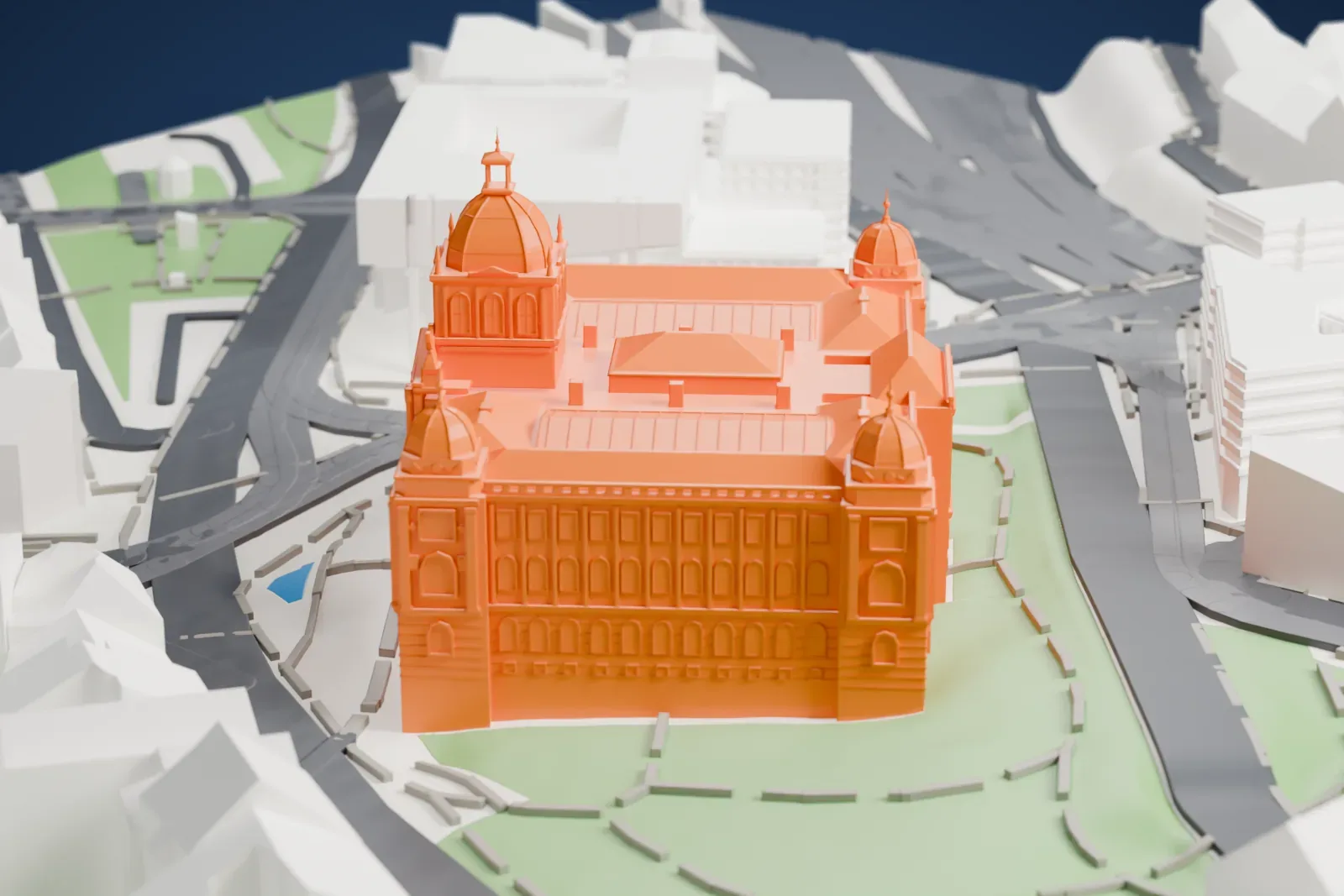
A free, printable model of the National Museum in Prague, with its central dome and smaller corner domes, beside green lawns and city streets, generated from real map data in your browser.
Free, in your browser. Exports a slicer-ready 3MF.
About the National Museum (Prague)
The National Museum, called Národní muzeum in Czech, is a public museum for the Czech Republic's natural-science and historical collections. Kašpar Maria Šternberg founded it in 1818, and the historian František Palacký was strongly involved in its creation. The museum holds nearly 14 million items covering natural history, history, the arts, music and librarianship, spread across dozens of museum buildings.
The main building stands on Wenceslas Square in downtown Prague. It went up on a site that had held several noblemen's palaces, after the collections outgrew first the Sternberg Palace and then the Nostitz Palace. Josef Schulz, a prominent Czech neo-Renaissance architect, built it between 1885 and 1891. It dominates the busiest intersection in Prague and is often a gathering place for protests, rallies and public events.
A bomb damaged the building in 1945, though the collections had been moved to secured storage sites, and the museum reopened in 1947. A major reconstruction kept it closed between July 7, 2011 and October 28, 2018. Seven million items went into depositories, a transfer described as the largest museum collection move in Czech history. The dome first opened to visitors in February 2019.
How it prints
Make this print opens the generator on a 600 m square around the landmark. Buildings print at close to true scale, so the landmark grows with the print size.
| Print size | Landmark height | Scale |
|---|---|---|
| 160 mm default | 20 mm | 1:3,750 |
| 200 mm | 25 mm | 1:3,000 |
| 256 mm | 32 mm | 1:2,344 |
-
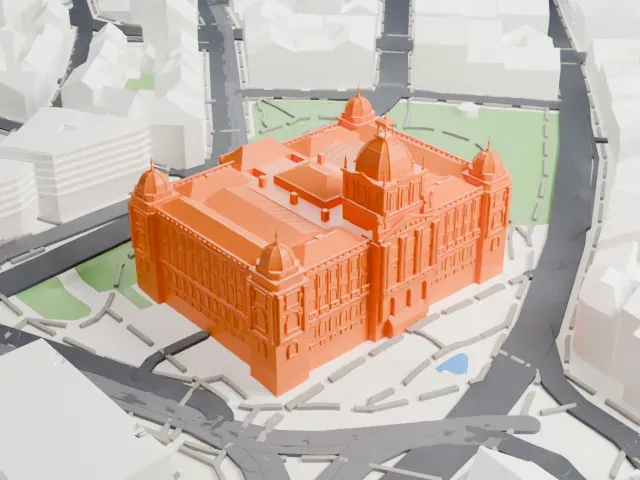 North
North
-
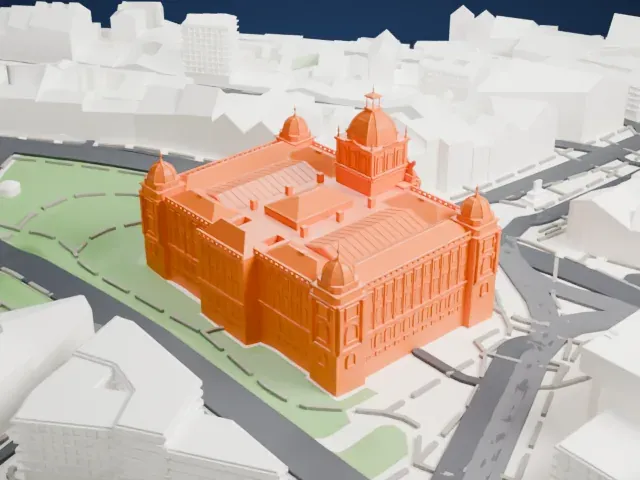 East
East
-
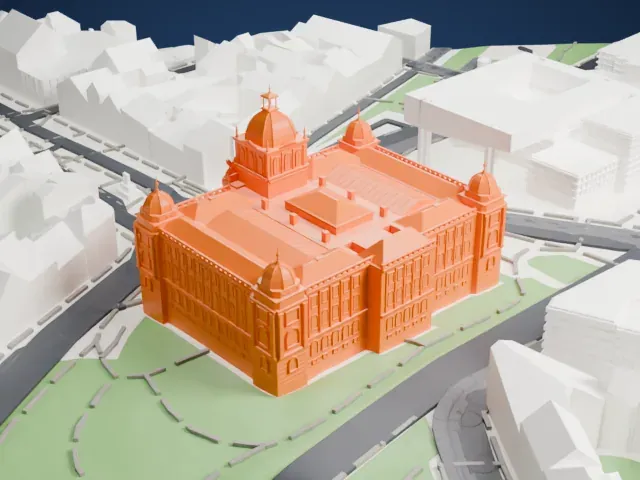 South
South
-
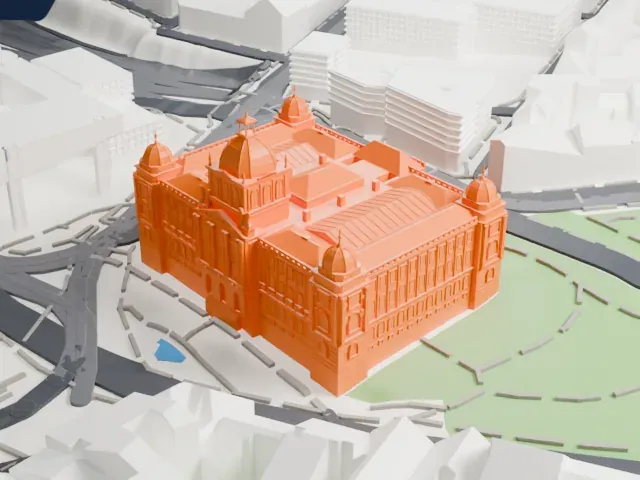 West
West
- Domes with thin spires
- A larger central dome and smaller corner domes end in thin spires. Print friendly adapts these small tips to the print scale; Full detail keeps them, which suits a larger print or a fine nozzle.
- Dense facade detail
- Rows of arched windows, columns and ornament cover the walls. A larger print size keeps them, and layers of 0.12 to 0.16 mm keep the fine lines crisp.
- One piece with the ground
- The National Museum (Prague) is joined to the ground in the exported file, and the four-side check found no floating parts, so nothing needs gluing.
- Pick the detail for your nozzle
- In the Buildings settings, set Landmark detail to Print friendly to adapt thin parts and small details to the print scale. Full detail keeps every modeled feature, for larger prints or a finer nozzle.
- Colors
- Buildings, roads, water and ground arrive as separate filament slots in the 3MF. The National Museum (Prague) takes the building color.
- File format
- You get a 3MF for Bambu Studio, OrcaSlicer or PrusaSlicer. Any of them can save it as STL if you need one.
About this model
The National Museum (Prague) is one of more than 2,300 landmark models in Mini Skyline. They are made with AI, and each one is checked from four sides in its real surroundings before release. Everything around it is built from OpenStreetMap and Overture map data. If you would rather print the shape from map data, turn off Landmark models in the Buildings settings.
Common questions
Is there a National Museum (Prague) STL I can download?
Mini Skyline builds the file for you in your browser and exports 3MF, which every major slicer opens. If you need an STL, open the 3MF in your slicer and export it from there.
How big can I print it?
Any print size from 40 mm across. The National Museum (Prague) grows with the print: about 20 mm tall on the default 160 mm print. For a model larger than your printer bed, Project Mode splits the area into tiles.
Is it free?
Yes. Generation runs in your browser, with no account and nothing behind a paywall.