3D print the Obelisco
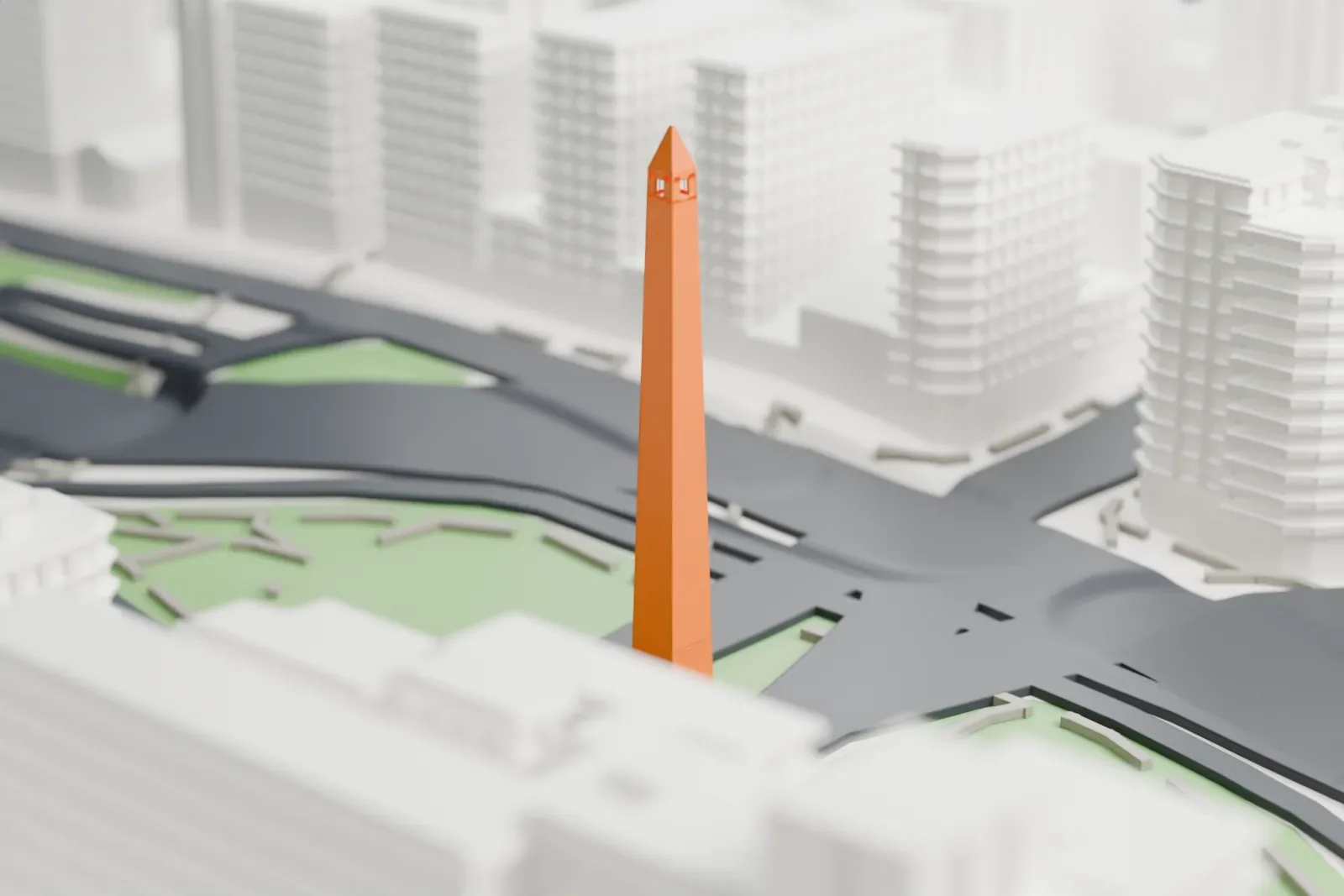
A free, printable model of the Obelisco, a tall slender obelisk on a green traffic island, with the wide roads and buildings around it, generated from real map data in your browser.
Free, in your browser. Exports a slicer-ready 3MF.
About the Obelisco
A national historic monument, the Obelisco de Buenos Aires stands in the Plaza de la República, where the avenues Corrientes and 9 de Julio cross. The reinforced concrete structure was raised in 1936 to mark the quadricentennial of the city's first foundation. Work started on March 20, 1936, and ended on May 23 of that year. A German company built it, with 157 workers. Alberto Prebisch designed it, at the request of mayor Mariano de Vedia y Mitre.
The Egyptian-style obelisk is 67.5 m (221 ft) tall, and 63 m (207 ft) of that rises to the start of the apex, which measures 3.5 by 3.5 m (11 by 11 ft). The blunt tip measures 40 cm (16 in) and holds a lightning rod that is too high to see. The build used 680 cubic meters of reinforced concrete (24,000 cu ft), plus white Olaen stone facing from Córdoba covering 1,360 square meters, or 14,600 sq ft.
The obelisk has a single entrance, on its west side. The only way up to the four windows near the top is a straight stair with 206 steps and 7 breaks. The ground was once home to a church dedicated to Saint Nicholas of Bari, and in 1812 that church was where the Argentine flag was first raised officially in Buenos Aires. It was decided in 1943 to take off the stone cladding, and polished cement replaced it. The Obelisco was the site of the 2018 Summer Youth Olympics opening ceremony.
How it prints
Make this print opens the generator on a 600 m square around the landmark. Buildings print at close to true scale, so the landmark grows with the print size.
| Print size | Landmark height | Scale |
|---|---|---|
| 160 mm default | 18 mm | 1:3,750 |
| 200 mm | 23 mm | 1:3,000 |
| 256 mm | 29 mm | 1:2,344 |
-
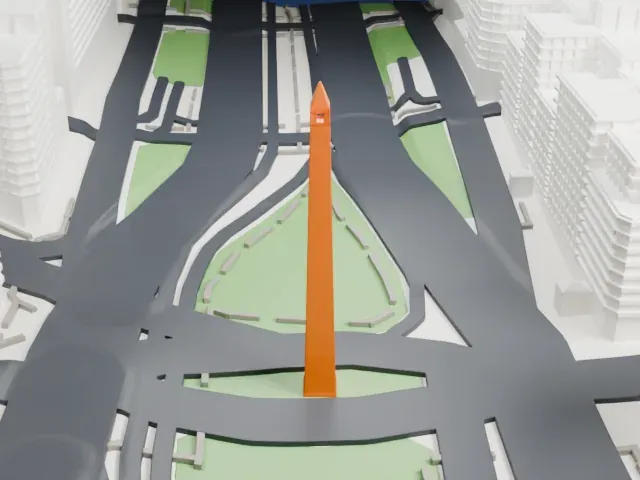 North
North
-
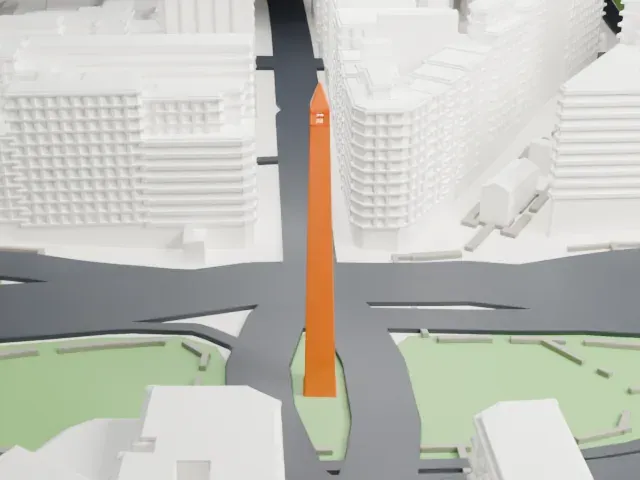 East
East
-
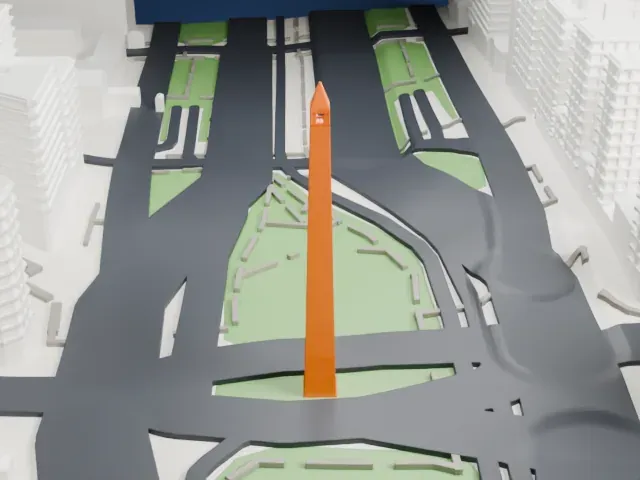 South
South
-
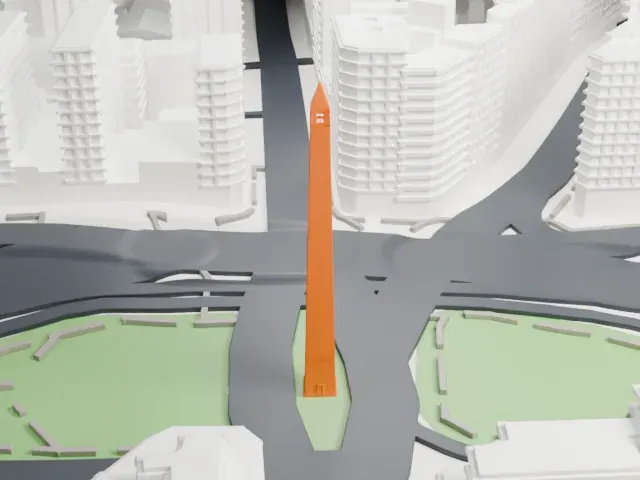 West
West
- Tall slender shaft and tip
- The shaft is very slim for its height and ends in a sharp pointed tip. Printing slowly and letting each layer cool keeps the tip clean; a layer height of 0.12 to 0.16 mm keeps it crisp.
- Small windows near the top
- A tiny window opening sits below the tip. Full detail keeps it, which suits a larger print; Print friendly may adapt it to the print scale.
- One piece with the ground
- The Obelisco is joined to the ground in the exported file, and the four-side check found no floating parts, so nothing needs gluing.
- Pick the detail for your nozzle
- In the Buildings settings, set Landmark detail to Print friendly to adapt thin parts and small details to the print scale. Full detail keeps every modeled feature, for larger prints or a finer nozzle.
- Colors
- Buildings, roads, water and ground arrive as separate filament slots in the 3MF. The Obelisco takes the building color.
- File format
- You get a 3MF for Bambu Studio, OrcaSlicer or PrusaSlicer. Any of them can save it as STL if you need one.
About this model
The Obelisco is one of more than 2,300 landmark models in Mini Skyline. They are made with AI, and each one is checked from four sides in its real surroundings before release. Everything around it is built from OpenStreetMap and Overture map data. If you would rather print the shape from map data, turn off Landmark models in the Buildings settings.
Common questions
Is there an Obelisco STL I can download?
Mini Skyline builds the file for you in your browser and exports 3MF, which every major slicer opens. If you need an STL, open the 3MF in your slicer and export it from there.
How big can I print it?
Any print size from 40 mm across. The Obelisco grows with the print: about 18 mm tall on the default 160 mm print. For a model larger than your printer bed, Project Mode splits the area into tiles.
Is it free?
Yes. Generation runs in your browser, with no account and nothing behind a paywall.