3D print the Old Port Columbus Terminal
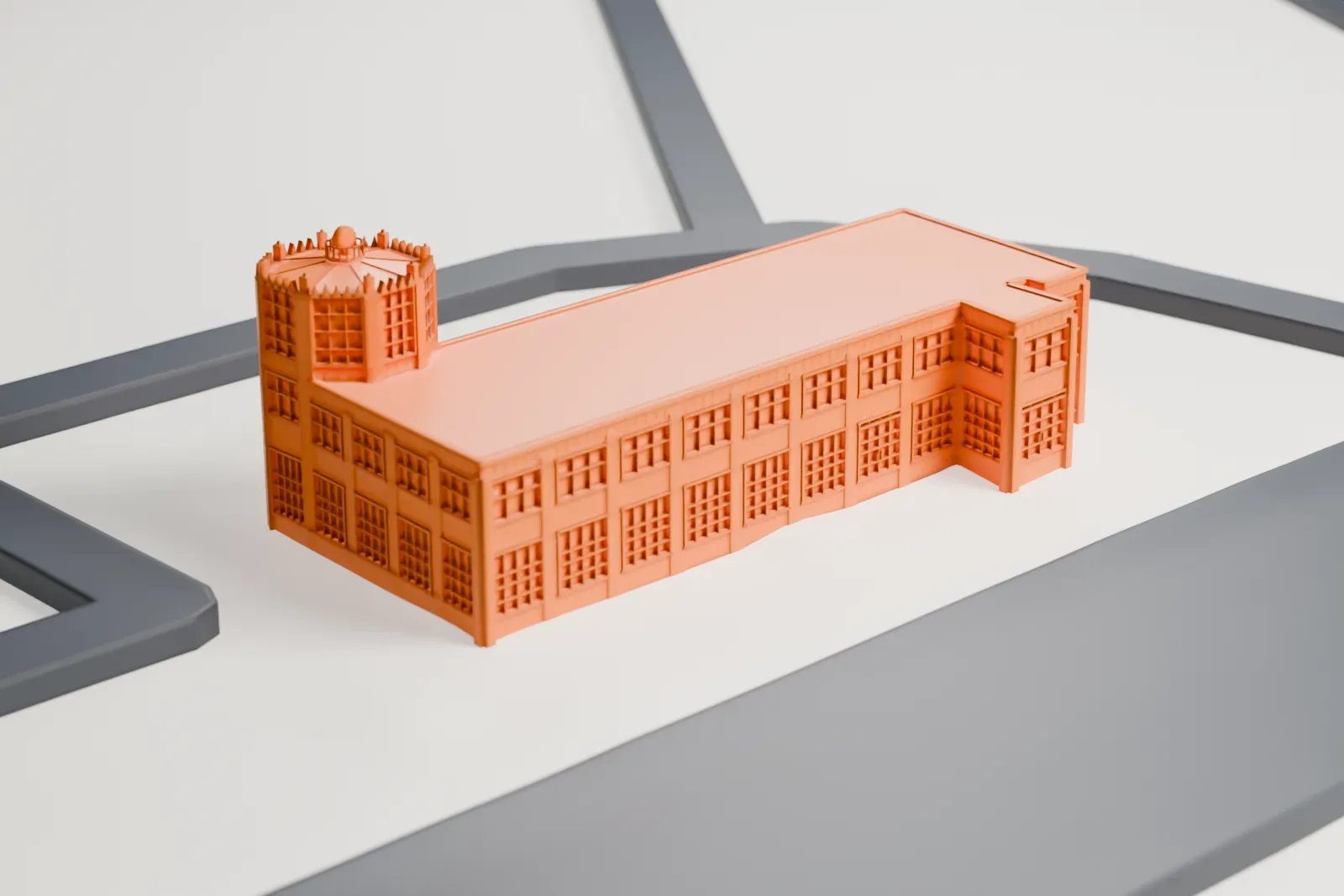
A free, printable model of the Old Port Columbus Terminal, a long, low building with a many-sided tower, and the open ground and roads around it, generated from real map data in your browser.
Free, in your browser. Exports a slicer-ready 3MF.
About the Old Port Columbus Terminal
Columbus, Ohio, has a historic airport building in the Old Port Columbus Terminal. Dating from 1929, it ranks among the earliest airport buildings in the country. Newer facilities took its place in 1958, and a National Register of Historic Places listing came in 1979. The airport that surrounds it, John Glenn Columbus International Airport, was formerly Port Columbus International Airport; the terminal is in its southeast corner.
The Allied Architects Association designed the terminal in the Art Deco style, and Robert Harris Simpson, who was a prominent civil engineer in Columbus, handled the engineering. Construction took place in 1929, and the terminal opened on July 8, 1929; aviator Charles Lindbergh had chosen the site. Those at the dedication ceremony included Harvey Firestone, Henry Ford, Amelia Earhart and Charles Lindbergh. The building has 1,100 m2 (12,000 square feet).
On opening, it was the easternmost airport on the coast-to-coast route of Transcontinental Air Transport (later TWA). Travelers from New York rode a train to Columbus, flew to Oklahoma, took another train to New Mexico and boarded a second plane to Los Angeles. In 2015 the building was on Columbus Landmarks' Most Endangered Sites list, and its roof was replaced and mold removed in 2016.
How it prints
Make this print opens the generator on a 600 m square around the landmark. Buildings print at close to true scale, so the landmark grows with the print size.
| Print size | Landmark height | Scale |
|---|---|---|
| 160 mm default | 3 mm | 1:3,750 |
| 200 mm | 4 mm | 1:3,000 |
| 256 mm | 5 mm | 1:2,344 |
-
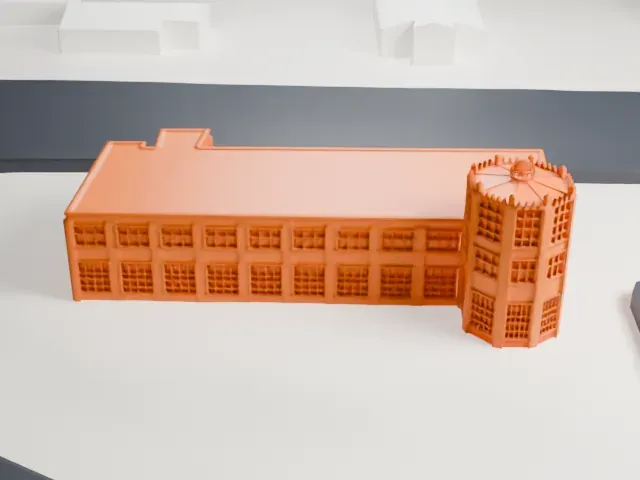 North
North
-
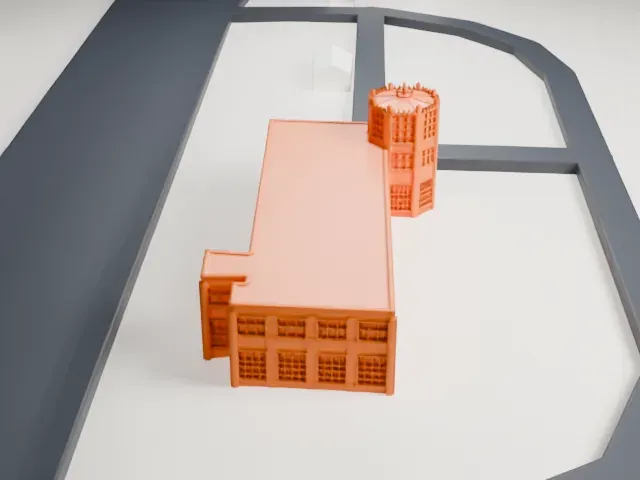 East
East
-
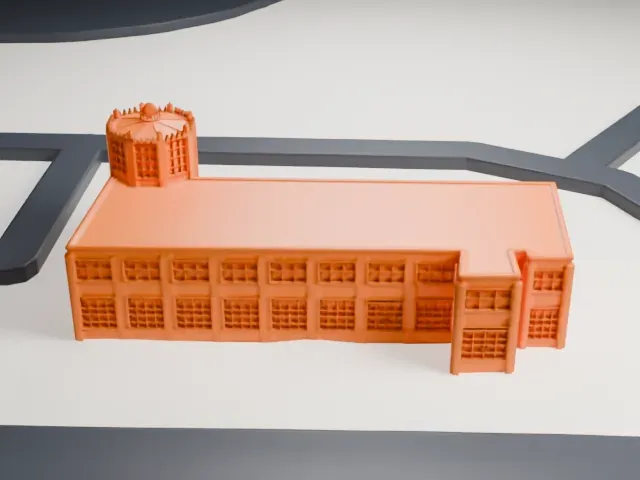 South
South
-
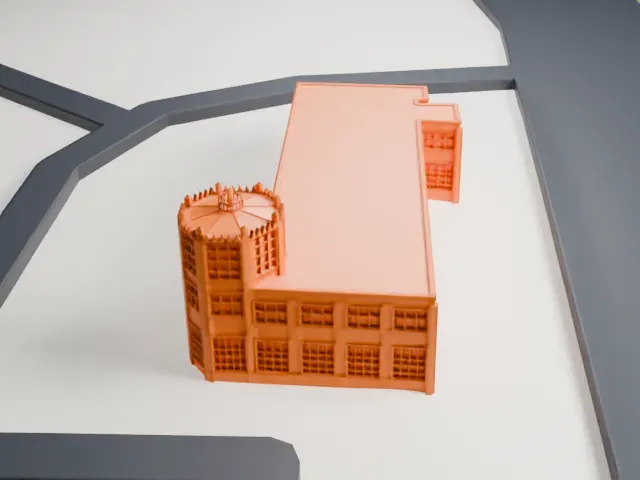 West
West
- Many-sided tower, toothed crown
- A many-sided tower at one end ends in a ring of tiny points around a small dome. Print friendly adapts them to the print scale; Full detail keeps them, which suits a larger print.
- Fine window grids
- Rows of narrow window frames cover the long walls. A larger print size keeps more of them, and layers of 0.12–0.16 mm help the grids stay crisp.
- One piece with the ground
- The Old Port Columbus Terminal is joined to the ground in the exported file, and the four-side check found no floating parts, so nothing needs gluing.
- Pick the detail for your nozzle
- In the Buildings settings, set Landmark detail to Print friendly to adapt thin parts and small details to the print scale. Full detail keeps every modeled feature, for larger prints or a finer nozzle.
- Colors
- Buildings, roads, water and ground arrive as separate filament slots in the 3MF. The Old Port Columbus Terminal takes the building color.
- File format
- You get a 3MF for Bambu Studio, OrcaSlicer or PrusaSlicer. Any of them can save it as STL if you need one.
About this model
The Old Port Columbus Terminal is one of more than 2,300 landmark models in Mini Skyline. They are made with AI, and each one is checked from four sides in its real surroundings before release. Everything around it is built from OpenStreetMap and Overture map data. If you would rather print the shape from map data, turn off Landmark models in the Buildings settings.
Common questions
Is there an Old Port Columbus Terminal STL I can download?
Mini Skyline builds the file for you in your browser and exports 3MF, which every major slicer opens. If you need an STL, open the 3MF in your slicer and export it from there.
How big can I print it?
Any print size from 40 mm across. The Old Port Columbus Terminal grows with the print: about 3 mm tall on the default 160 mm print. For a model larger than your printer bed, Project Mode splits the area into tiles.
Is it free?
Yes. Generation runs in your browser, with no account and nothing behind a paywall.