Every Mini Skyline release, with a side-by-side look at how the same places print today compared with earlier versions.
See the same place across five releases
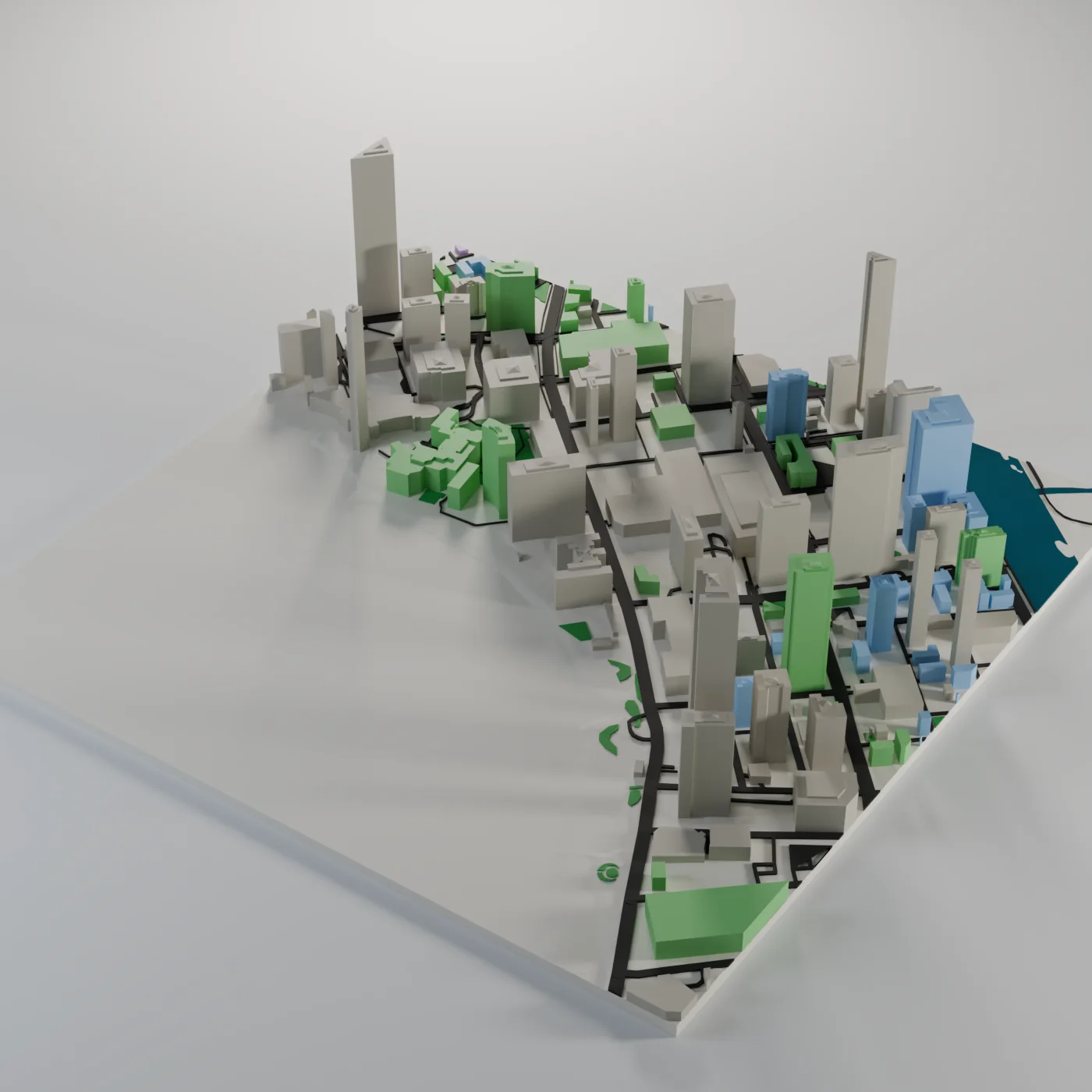
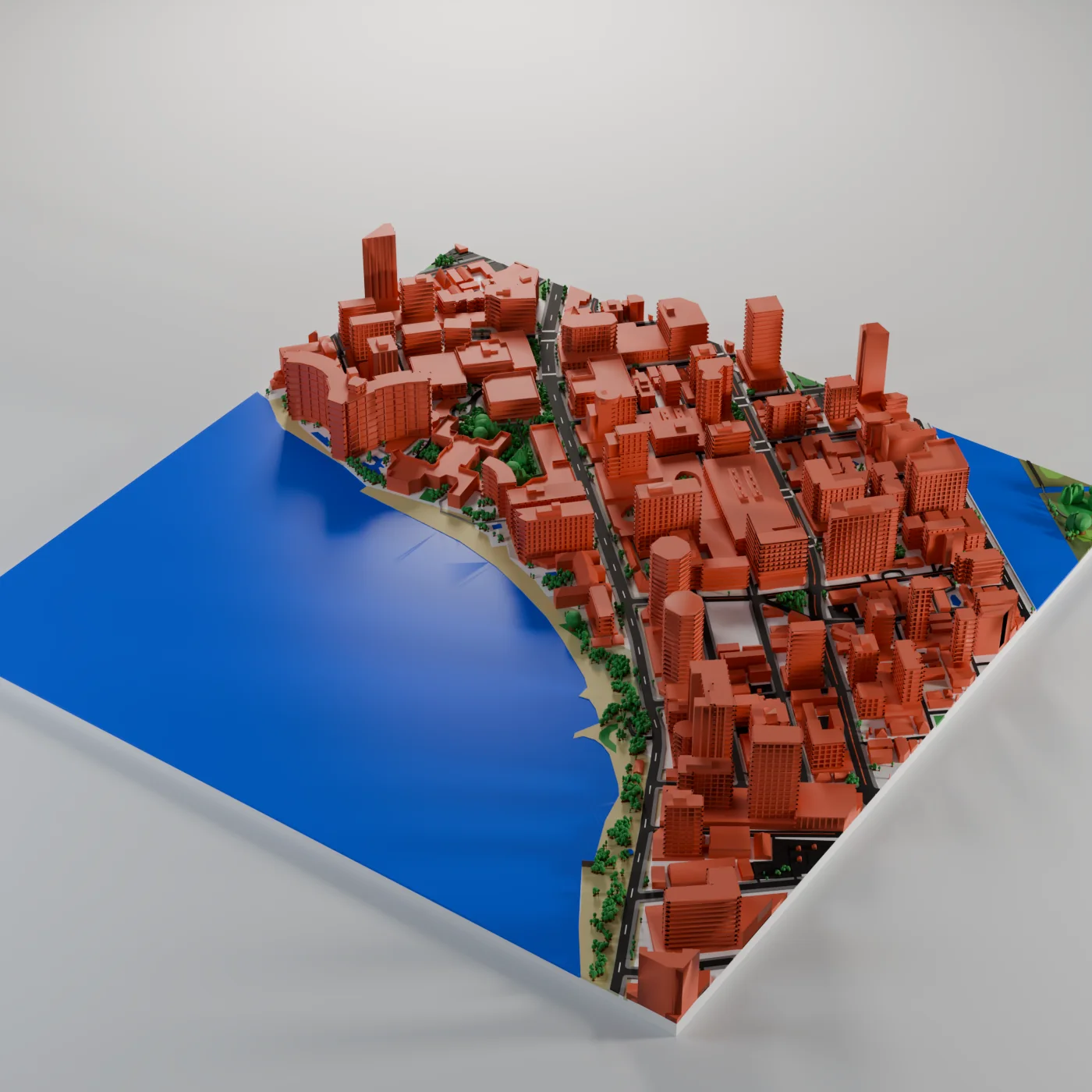
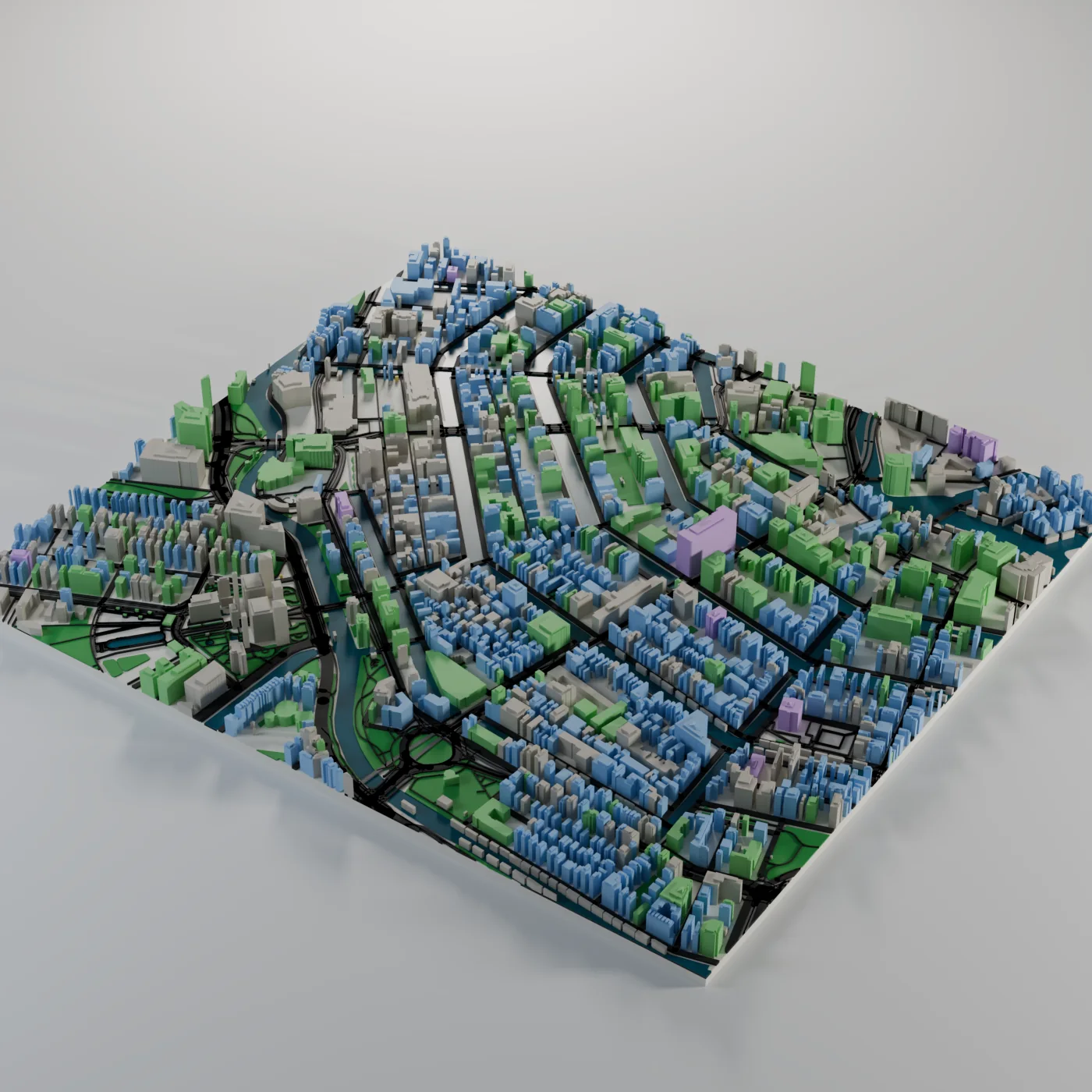
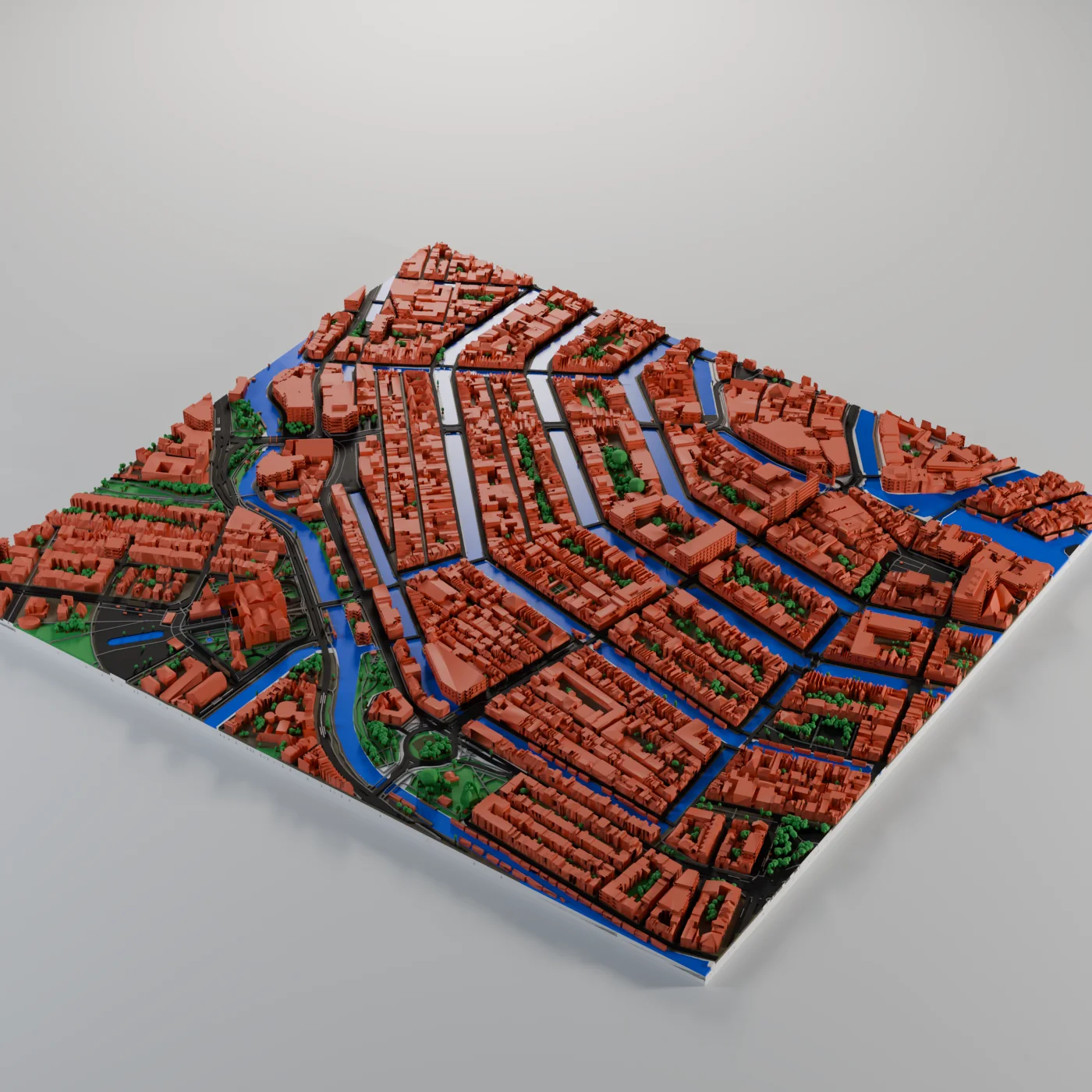
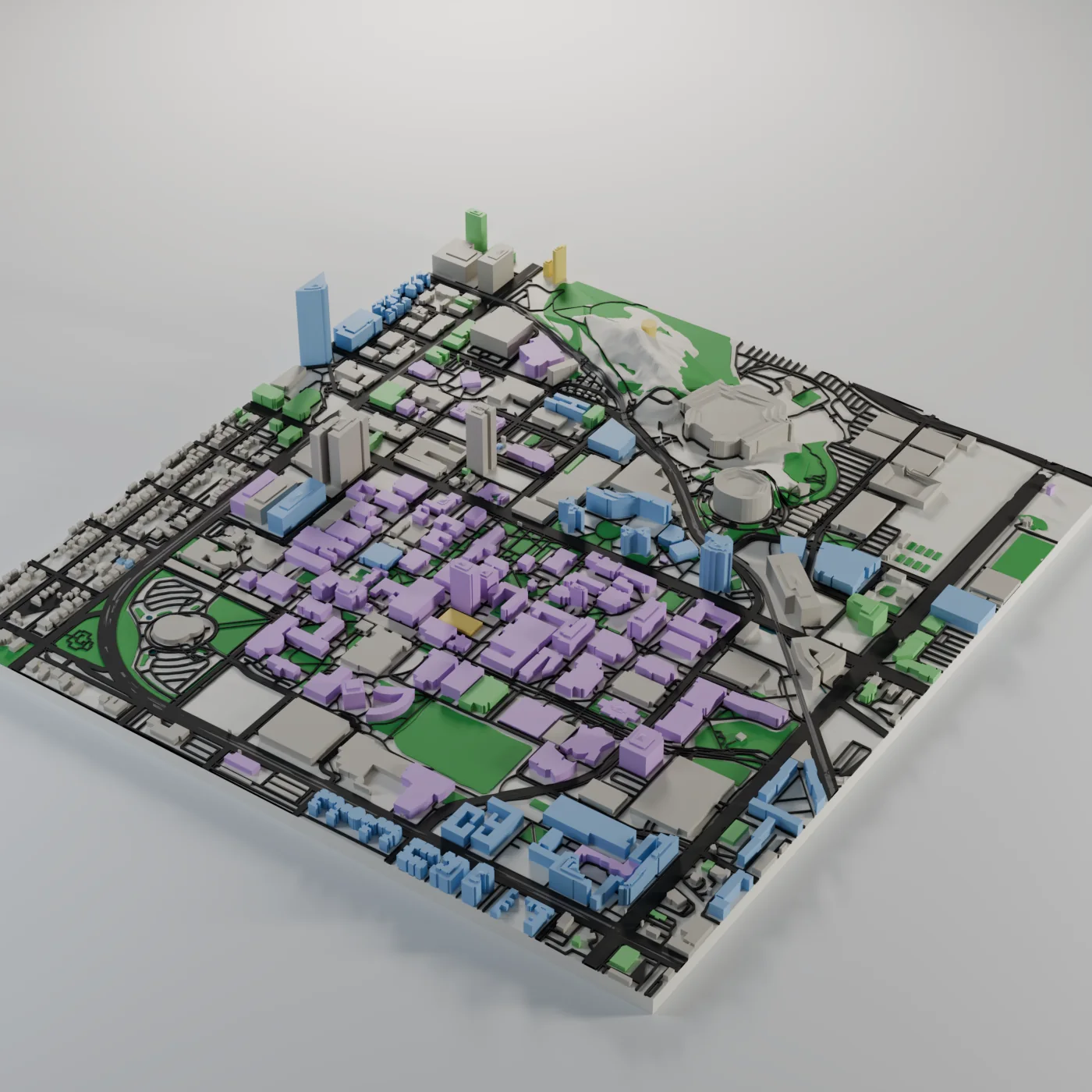
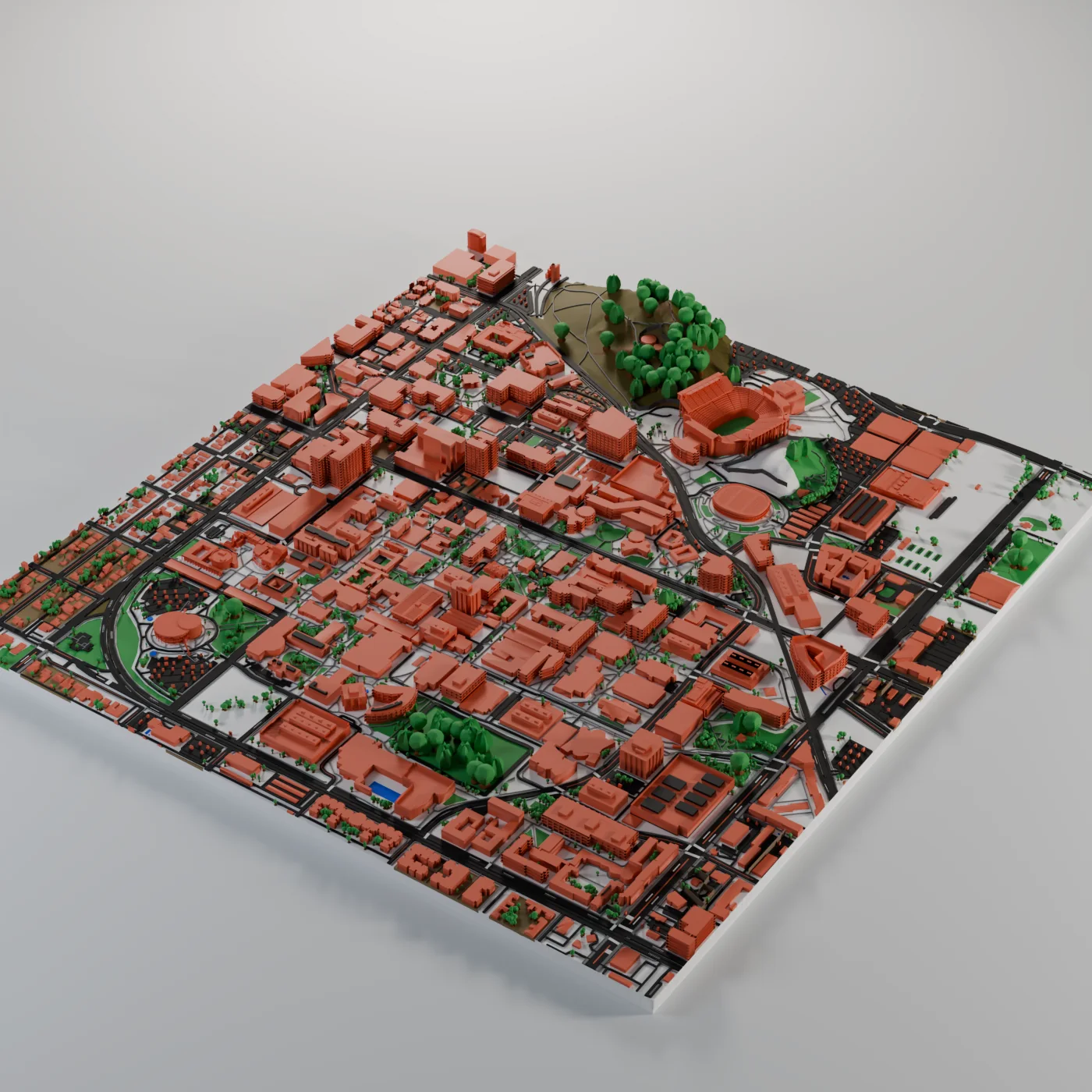
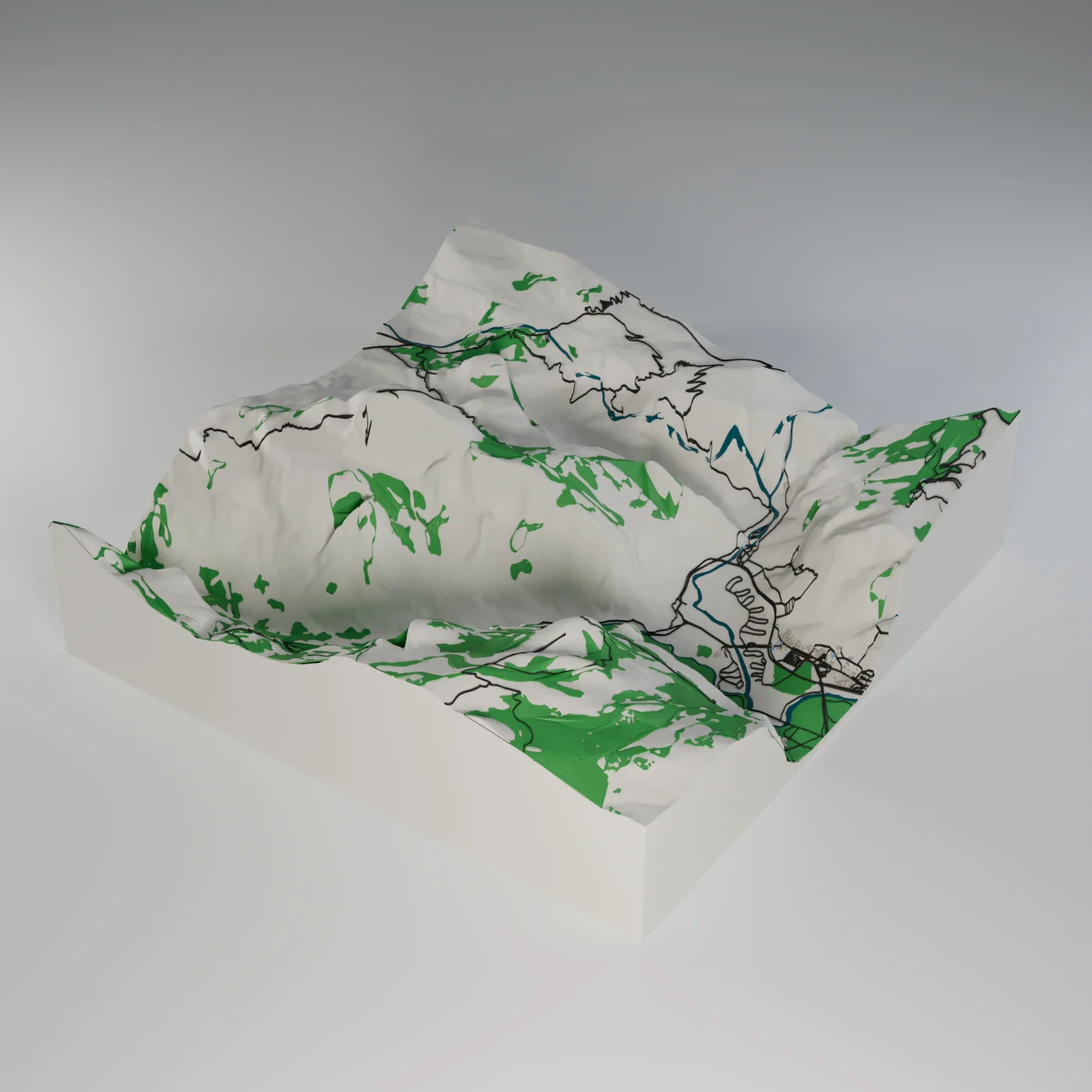
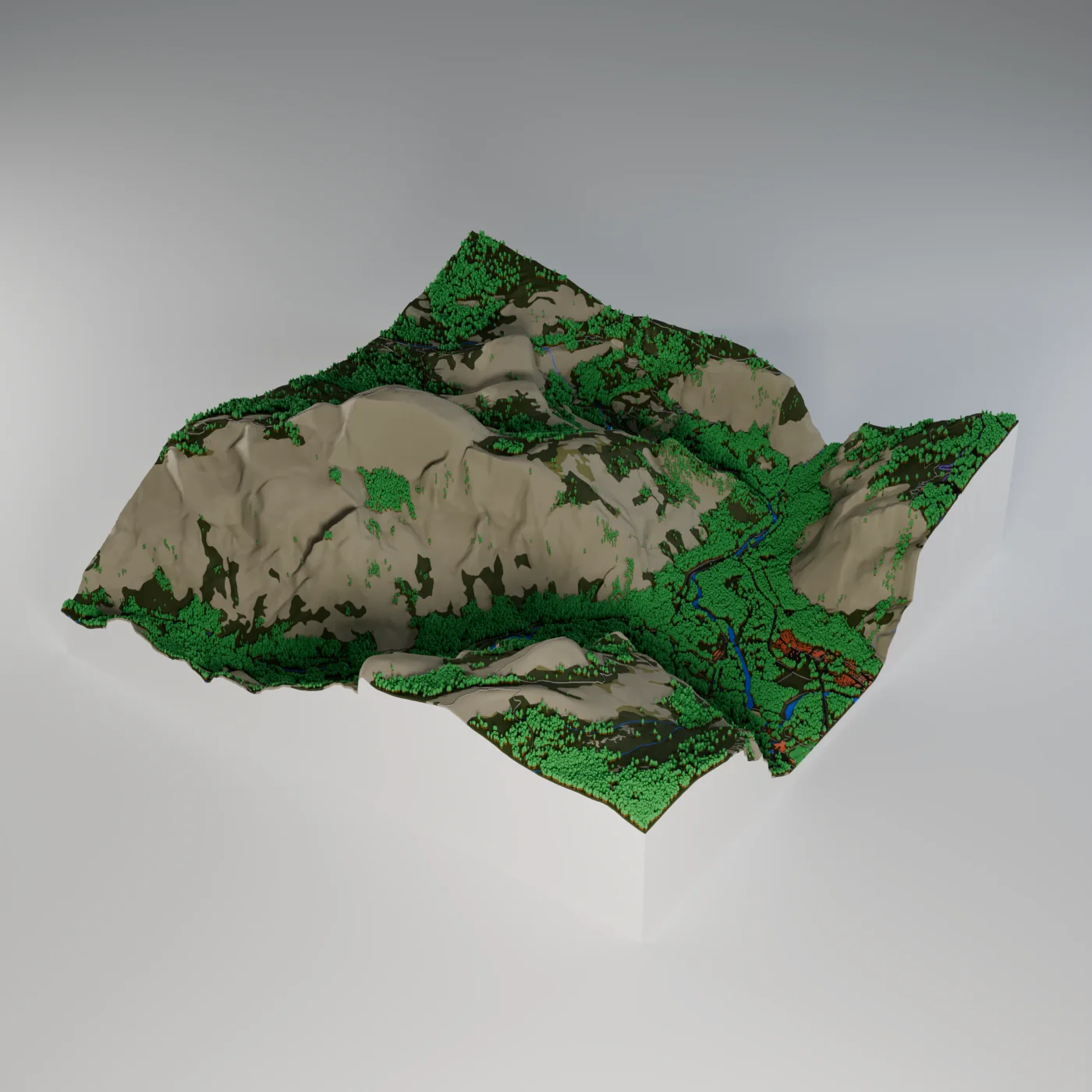
Waikiki, the Amsterdam canal ring, the Arizona State campus in Tempe and Half Dome in Yosemite were each built by V1.0, V1.100, V1.213, V1.300 and V1.400 with every detail option switched on, then rendered from one camera per place. Drag the line to compare any two releases. V1.400 was built twice, with and without Colors from satellite, so you can switch between them.
What changed between releases
V1.0 launched with buildings colored by use and no trees. V1.100 added trees and real ground cover such as sand, rock and shrubs. V1.213 added landmark models, sidewalks, lane markings, cars and pools. V1.300 added window and floor detail on buildings and roads that match real street widths. V1.400 added Colors from satellite, which colors the ground from a satellite photo.
How the comparison was made
Each release built the same square at High quality with trees, street details and scenery switched on where it offered them. All five used today's map data, because the data the older releases shipped with has since been taken down, so the differences come from how Mini Skyline turns map data into a printable model. V1.100 had no true-scale height yet, so it flattens Half Dome to about a quarter of its real relief.
Waikiki, Honolulu, Hawaii
Waikiki, Honolulu · 1.0 × 1.0 km · 160 mm print · 1:6,250
Amsterdam, Canal ring
Canal ring, Leidseplein to Vijzelstraat · 1.4 × 1.2 km · 160 mm print · 1:8,500
ASU Tempe, Arizona State campus
Arizona State Tempe campus · 1.6 × 1.7 km · 160 mm print · 1:10,400
Half Dome, Yosemite Valley
Half Dome and the east end of Yosemite Valley · 5.0 × 5.0 km · 160 mm print · 1:31,250
- V1.0 The launch. Buildings colored by use: homes blue, shops green. No trees, and no sea at Waikiki. Towers stood about twice as tall.
- V1.100 Trees and real ground cover. Trees grow on parks and forest. Sand, rock, shrub and grass get their own colors. The sea and beaches are filled in.
- V1.213 Landmarks and street detail. Landmark models, like the Rijksmuseum and Gammage. Sidewalks, lane markings and centre lines. Cars, pools, fences and walls.
- V1.300 Windows on every building. Window and floor detail on buildings. Road widths match real streets. Big buildings print as a podium under their towers.
- V1.400 Colors from satellite. The ground can take its colors from a satellite photo. Rock, forest and dry ground match what is really there. Streets and buildings keep their usual colors.
V1.400 - October 24, 2026
MAJOR UPDATE
560 more landmarks, rally stages and airports to print, and Realistic lighting in the preview.
New places to print
- Added 560 more landmarks, mostly stadiums and towers, with 15 new countries.
- Added pages for 43 famous rally stages, each ready to print with its forest.
- Added pages for 68 airports, most with a picture of their print.
- Added every hole to the golf course pages, each ready to print.
- Added pages for 58 more golf courses, each with all 18 holes to print.
- Added Widzew Łódź Stadium to the landmarks, as asked for on Discord.
- Added Castles N' Coasters in Phoenix: its castle, coasters, log flume and rides.
- Added pages for 582 more landmarks, mostly the new stadiums and towers.
Making models
- Added Realistic lighting to the preview, on by default: sun and soft shadows.
- Added a Low and High quality switch to the preview; Low is faster on phones.
- Added Colors from satellite, coloring the ground from a satellite photo.
- Added a Golf flag marker to place on any green.
- Added Tee Boxes as their own golf course feature, printed as raised, level tees.
- Added a golf ball on a tee to every tee box, under Small details.
- Added a No ring choice for keychains, with no hole or loop.
- Added a One color or By type building colors choice to the Buildings tab.
- Added Type colors: a color each for homes, shops, industry and civic buildings.
- Added a Shortcuts button beside the light and dark switch on the map.
- Added a link to each landmark's page in the map's Landmarks list.
- Added a one-file-per-color export for any slicer, under File type.
- Added a Same color as the terrain choice for contour lines: no extra filament.
- Added hints that show what each click and key does in Edit model and on the map.
- Added moving cars, people and hikers to the 3D preview, on by default.
- Added a Photo switch to the preview that lays the satellite photo on the ground.
- Added a map view switch on every planet, like Photo, Detailed photo or Relief.
- Added the Colors tab on planets, to color the terrain by its height.
- Improved the preview's bottom bar to be slimmer, with more room for the model.
- Improved trail and GPX routes to cut a clear path through printed trees.
- Improved Colors from satellite to tint water toward the photo too.
- Improved Colors from satellite to use up to 12 colors, matched to filaments.
- Improved planet maps to show each one's sharpest picture, with Mars in color.
- Updated the Map view switch to show a small picture of Map and Satellite.
- Updated map search to show names in your language, like Munich, not München.
- Updated the keyboard shortcuts panel: click a key to change it.
- Updated Model info under the preview to always start minimized.
Pages and guides
- Added a slider comparing old and new prints to Updates & Patch Notes.
- Added a pixel-art timelapse of a city's history to Updates & Patch Notes.
- Added a gift ideas page: hearts, homes, trails, keychains and ornaments.
- Added a guide for makers switching from Map2Model.
- Added a moving pixel scene atop park, golf, airport and other place pages.
- Added a 3D view of the model you print to every landmark page.
- Updated Patch Notes to Updates & Patch Notes at /updates; old links still work.
- Updated Features, Tutorials and other pages to one look with a pixel scene.
- Updated every page to the same fonts, campus and landmark pages included.
- Updated the Desktop page with a pixel scene from download to finished print.
- Updated patch notes into sections, with pictures of new places to print.
- Updated the homepage with feature cards, real model pictures and our map data.
Around the site
- Added a Halloween look to the homepage and loading scene until November 1.
- Added the Map2Model guide to the menu, under Info.
- Added "Did you know?" tips about the map data to the loading screen.
- Improved race, airport and golf loading scenes to show at once and fade in.
- Improved how quickly pictures load on landmark and place pages.
- Improved how quickly park, golf, peak and other place pages open.
- Improved how quickly a missing or mistyped page shows Page not found.
- Updated the menu's version, help and shortcut buttons into one tidy row.
- Updated the privacy notice: supporter code emails are kept with the code.
- Removed Check for updates from the web menu; the site updates by itself.
Fixes
- Fixed the Italian label on the preview's Hide button.
- Fixed the 3D preview opening too far from the model at some window sizes.
- Fixed area selections jumping around on the tilted map when zoomed in.
- Fixed street circuits like Monaco opening on the wrong loading scene.
- Fixed the loading scene switching to another partway through making a model.
- Fixed some buildings beside towers printing as one tall block, as in Waikiki.
- Fixed cooling towers printing as plain cylinders; they now narrow at the waist.
- Fixed golf captions counting every course at a club, like Bethpage's 90 holes.
- Fixed government aerial photos not loading in Satellite view.
- Fixed boats moored in canals printing as buildings, as in Utrecht.
- Fixed lakes and ponds staying on the base when rivers print as separate pieces.
- Fixed Forest painted over built-up land growing no trees.
- Fixed the progress message looking stuck on road supports over water.
- Fixed Mars turning grey in Detailed photo and at the poles; it now stays red.
V1.300 - October 22, 2026
MAJOR UPDATE
- Added a Satellite map view with photos of the whole world.
- Added small details: pools, courts, helipads, solar panels, cars and ships.
- Added trail maps to 172 park and mountain pages, each ready to print.
- Added pages for 58 golf courses, each ready to print.
- Added pages for 21 university campuses.
- Added pages for 9 lakes, with the lake bed shaped from real depths.
- Added Brazilian Portuguese as a language for the app.
- Added ski lifts, and gave ski runs and lifts their own color and part.
- Added Fairways and Tees as their own golf course feature.
- Added an airfield and a golf course scene while those models build.
- Overhauled the settings into 12 tabs, with every setting in grouped rows.
- Updated every place page, from landmarks to golf, to one shared look.
- Improved road widths to match real streets in each country.
- Improved roads to sit on the real street, with cleaner splits and junctions.
- Improved the map to show 3D buildings from farther out.
- Improved drawn lines to ride on bridge decks instead of sinking under them.
- Updated Flat roads to lay footbridges over water on the ground too.
- Updated the supporter code entry to a clear button under the coffee receipt.
- Fixed the editor going blank when every feature was switched off.
V1.213 - October 21, 2026
MAJOR PATCH
- Added 183 stadiums and arenas as landmarks.
- Added pages for 169 racetracks, most with a picture of their print.
- Added keyboard shortcuts you can change; press ? to see them all.
- Added Import and Export menus to the File tab.
- Added GeoJSON files for routes and area outlines.
- Added hill shading to the Earth map, and real 3D terrain when you tilt it.
- Added Open settings and Turn off for anything you right-click in the preview.
- Added a Stadiums page with all 509 stadium and arena pages, by country.
- Added pages for 181 stadiums and arenas and 27 more cities.
- Added a quick draft model on screen while the printable one builds.
- Added picture previews to more settings across ten tabs.
- Added Click to edit text on the map frame, with a font for each side.
- Added a picture of the print to 77 park pages, cut to the park's border.
- Added Tianjin CTF Finance Centre and Changsha IFS Tower as landmarks.
- Added a close button to the desktop download link.
- Added supporter codes that hide the donation prompts after you donate.
- Added a Top-down view button that levels the map after you tilt it.
- Added the menu's bottom bar to every public page, pinned to the screen.
- Added a Patch notes link beside the version number in the menu.
- Improved exports so buildings, roads and more are one slicer part each.
- Improved model building, up to twice as fast in cities with lots of water.
- Improved how quickly Generate starts after you click it.
- Improved building speed in landmark-heavy cities such as New York.
- Improved map data loading so one slow download no longer stalls a build.
- Improved how soon the full model replaces the quick draft in big cities.
- Improved how soon Export is ready, especially in cities with many landmarks.
- Improved rebuild speed when you change a setting or generate an area again.
- Improved how quickly the map and 3D preview respond to clicks.
- Improved the Relief and Colors switches in the 3D preview to respond at once.
- Improved public pages so they download about half as much.
- Improved how fast the map editor opens.
- Improved memory use for big models, so phones run out of memory less often.
- Improved the loading animations so the page stays smooth while models build.
- Improved building and roof color modes to repaint the preview at once.
- Improved hover help so it names each control's keyboard shortcut.
- Improved greyed-out frame clip options so they say why.
- Improved keyboard shortcuts to work on German, Spanish and French keyboards.
- Improved the shortcuts panel to explain a clash beside the key you pressed.
- Improved the map bar to stay on one row on smaller desktop screens.
- Updated new models to print at true scale; Printable stays on the Model tab.
- Updated the Earth map to always show buildings in 3D; right-drag to tilt it.
- Updated the map to tilt when you drag up; Invert controls swaps it back.
- Updated map place names to use the site language, such as Mailand in German.
- Updated the City and Terrain tile choice on the map bar to a Map type menu.
- Updated the quick draft to open from its own Early preview tab.
- Updated public page headers to match the menu, with Help and Support.
- Updated shared links to the home and city pages to show a Manhattan print.
- Updated the comparison page with a fuller city.
- Updated the map page to show a simple loading screen while it starts.
- Updated the browser tab icon to the MS mark.
- Restored the planet picker to the ribbon: Earth, the Moon, Mars and more.
- Restored the Find, Select area, Map type and Build labels above the map bar.
- Fixed bays and straits covering islands and river deltas with water.
- Fixed about 60 places where panels, menus or notices hid, stuck or overlapped.
- Fixed canceling an export clearing the model you already had.
- Fixed rounded corners on an inside frame leaving the base square.
- Fixed very large selections at High detail crashing or failing to build.
- Fixed color pickers lagging behind while you drag.
- Fixed the planet surface color Reset rebuilding the whole model.
- Fixed drop-in water hanging on narrow canals.
- Fixed the map page jumping as it opens on tablets.
- Fixed Ctrl+Z area undo doing nothing in narrow windows.
- Fixed the selection highlight turning inside out on a tilted map.
- Fixed right-click Turn off removing the wrong feature or nothing at all.
- Fixed settings search for road width finding the sidewalk width.
- Fixed Ctrl+K and / not opening settings search on narrow screens.
- Fixed a long press not opening the preview's menu on iPhones.
- Fixed the home page taking on the phone map's look after leaving the map.
- Fixed the phone Landmarks button's icon sitting to one side.
V1.212.1 - October 20, 2026
HOTFIX
- Fixed GLB and OBJ exports downloading as the wrong file type.
V1.212 - October 19, 2026
MAJOR PATCH
- Added states and provinces as area shapes, such as Michigan and Colorado.
- Added frame face designs: raised corners and patterns cut into the frame.
- Added filament weight and print time estimates to Model info.
- Added GLB and OBJ exports, under File type in the export window.
- Added Mac and Linux versions of the desktop app.
- Added faceted and stepped frame edges, on the outer edge, inner edge or both.
- Added KML and KMZ files for routes and area outlines, also in the File tab.
- Added property lines: lot outlines from KML files print as raised lines.
- Added thirteen requested landmarks, including LEGO House and Markthal.
- Added a Rivers and streams switch to hide rivers but keep lakes and the sea.
- Added moving examples to the road, path, water and trail fin menus.
- Added a notice when a large area has to build at a lower quality.
- Improved how fast the first model appears when map data is slow.
- Improved how soon Export is ready after the model appears.
- Improved how fast the home, landmark and park pages load.
- Updated the support and download popups with Joey and his cats.
- Updated the Compare page header to print the city up in stages.
- Updated the home page to link the landmark, mountain and park pages.
- Fixed large Terrain tiles filling with small water spots.
- Fixed street circuits such as Monaco printing only part of the lap.
- Fixed Parliament House, Canberra printing half as a plain block.
- Fixed castle turrets and hollow towers showing rows of windows.
- Fixed edited roofs in Edit model showing a color they don't print in.
- Fixed drop-in water sitting above the shore at proper elevation.