3D print the Bayonne Community Museum
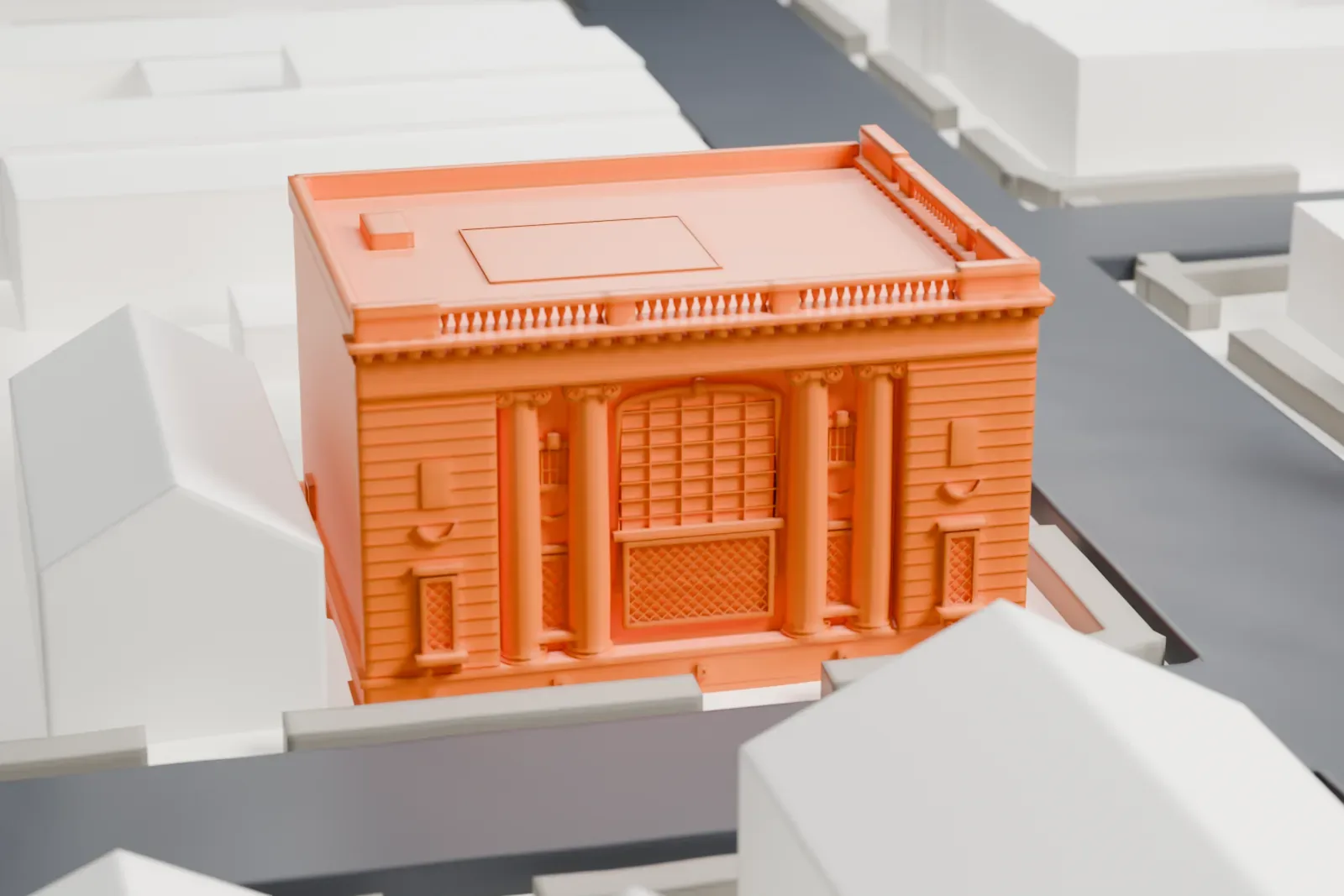
A free, printable model of the Bayonne Community Museum, a two-story building with columns at its entrances, and the low buildings and streets around it, generated from real map data in your browser.
-
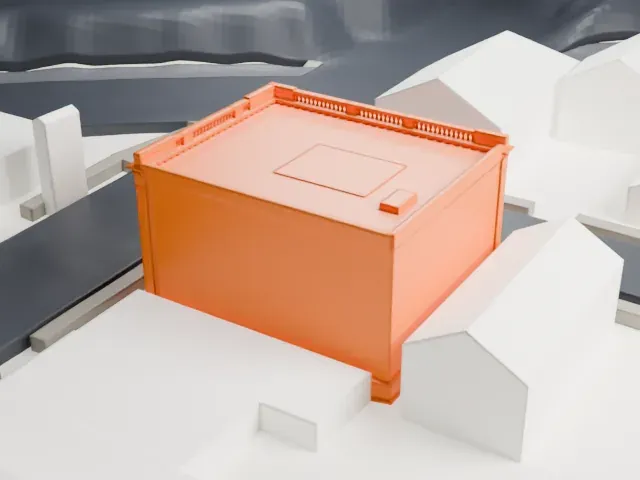 North
North
-
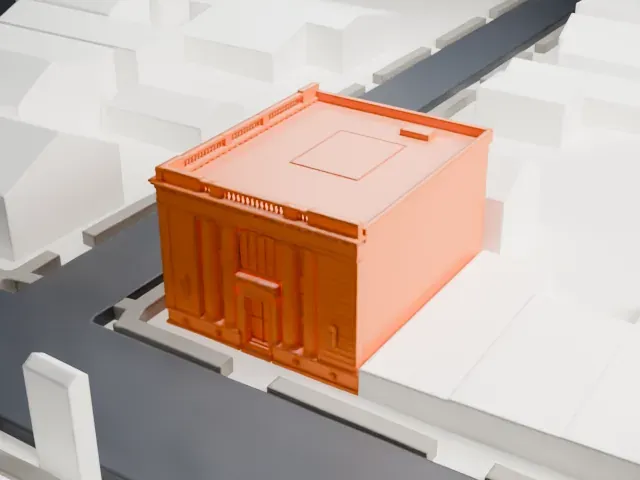 East
East
-
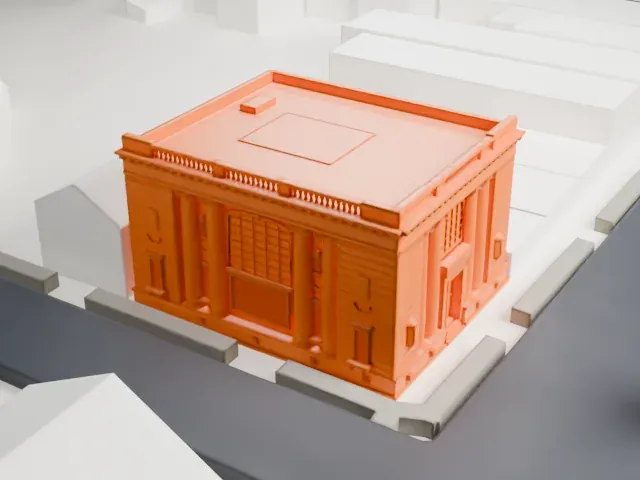 South
South
-
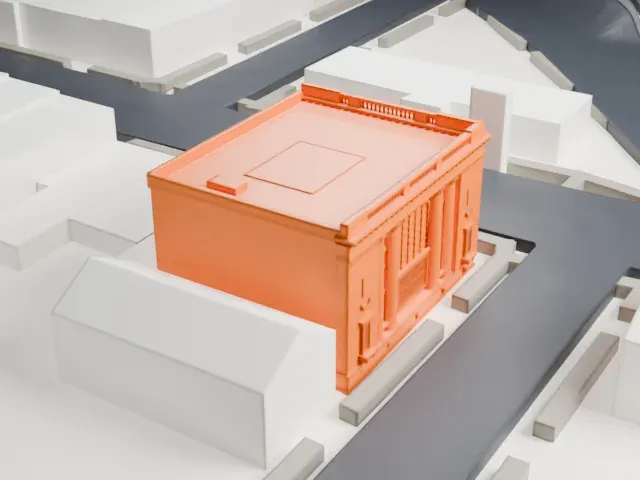 West
West
- On a 160 mm print
- 4 mm
- Scale
- 1:3,750
4 mm tall on a 160 mm print
Make this print opens the generator on a 600 m square around the landmark. Buildings print at close to true scale, so the landmark grows with the print size.
- Fluted entrance columns
Tall, slim columns flank the entrances and stand close to the wall. Print friendly adapts them to the print scale; Full detail keeps their fluting on a larger print, and a layer height of 0.12–0.16 mm keeps the edges crisp.
- Fine roofline trim
A decorative band runs along the roofline, and a small raised box sits on the flat roof. A larger print size keeps this trim readable.
- One piece with the ground
The Bayonne Community Museum is joined to the ground in the exported file, and the four-side check found no floating parts, so nothing needs gluing.
- Pick the detail for your nozzle
In the Buildings settings, set Landmark detail to Print friendly to adapt thin parts and small details to the print scale. Full detail keeps every modeled feature, for larger prints or a finer nozzle.
- Colors
Buildings, roads, water and ground arrive as separate filament slots in the 3MF. The Bayonne Community Museum takes the building color.
- File format
You get a 3MF for Bambu Studio, OrcaSlicer or PrusaSlicer. Any of them can save it as STL if you need one.
About the Bayonne Community Museum
The Bayonne Community Museum sits in Bayonne's Bergen Point section, in Hudson County, New Jersey. The building was first the Bayonne Trust Company bank. Architect Lansing C. Holden Sr. designed it, and it is described as an excellent example of the Beaux-Arts style. Wells & Marvin of New York was the general contractor, and the George Brown Company did the granite work.
Work started on May 1, 1912. The budget was $100,000, yet the finished cost was $150,000. It opened as a bank on November 8, 1913. Until the City of Bayonne purchased it, the building was used as a bank, which helped preserve its architectural integrity. On August 8, 2006, the building joined the National Register of Historic Places.
The two-story structure is clad in Vermont granite. Pairs of fluted Ionic columns stand on either side of the front door, beneath segmented arch windows. The entrance sits within a pediment portico, and a large gilt lamp stands on each side of it. The stone lintel over the door carries the engraving "Incorporated 1902." A remodeling in the 1970s added drop ceilings that hid three stained glass windows.
About this model
The Bayonne Community Museum is one of more than 4,300 landmark models in Mini Skyline. They are made with AI, and each one is checked from four sides in its real surroundings before release. Everything around it is built from OpenStreetMap and Overture map data. If you would rather print the shape from map data, turn off Landmark models in the Buildings settings.
Same skyline