3D print Pearson Air Museum
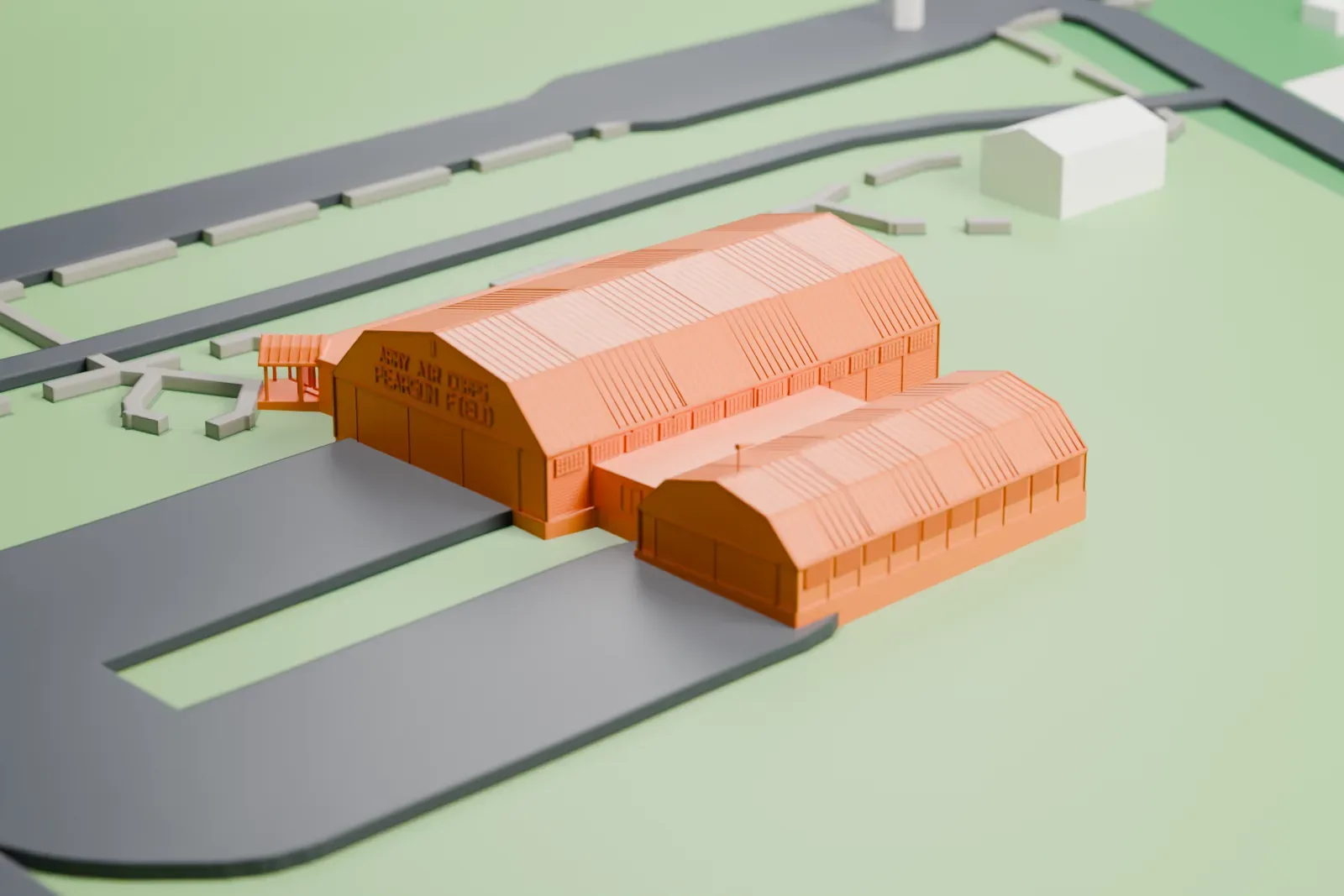
A free, printable model of Pearson Air Museum, with its broad low roofs and small gabled porch, and the open green ground around it, generated from real map data in your browser.
Free, in your browser. Exports a slicer-ready 3MF.
About Pearson Air Museum
Pearson Air Museum, a place-based aviation museum, stands on Pearson Field in Vancouver, Washington. The National Park Service operates it within Fort Vancouver National Historic Site. Exhibits help visitors trace aviation history connected with Pearson Field and the Vancouver Barracks, using objects and artifacts from National Park Service collections, along with loans from community members and other museums, to tell the story of flying in the Pacific Northwest.
The collection includes the first plane that Leah Hing flew; she earned a pilot's license as the first Chinese American woman to do so. The "Straight-Grained Soldiers" exhibit covers World War I aviation history in the Pacific Northwest, when spruce was in great demand for airplanes. The military set up a Spruce Production Division with its headquarters at Vancouver Barracks, and at its peak the Spruce Mill ran around the clock, turning out 1 million board feet of lumber every day. The exhibit runs from the United States entering the war in 1917 to the war's close and the start of the Army Air Service.
How it prints
Make this print opens the generator on a 600 m square around the landmark. Buildings print at close to true scale, so the landmark grows with the print size.
| Print size | Landmark height | Scale |
|---|---|---|
| 160 mm default | 4 mm | 1:3,750 |
| 200 mm | 5 mm | 1:3,000 |
| 256 mm | 6 mm | 1:2,344 |
-
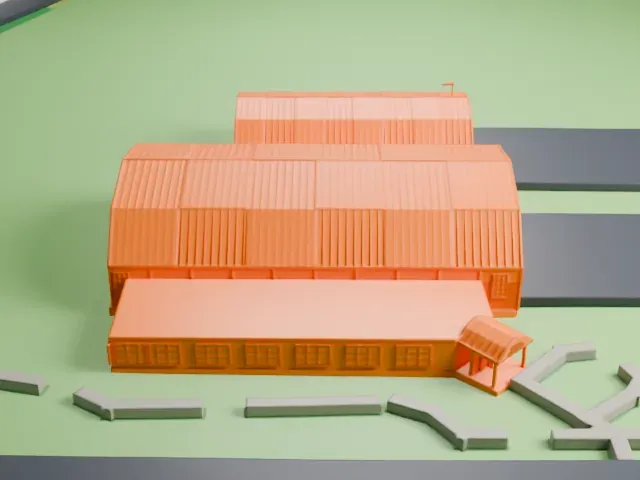 North
North
-
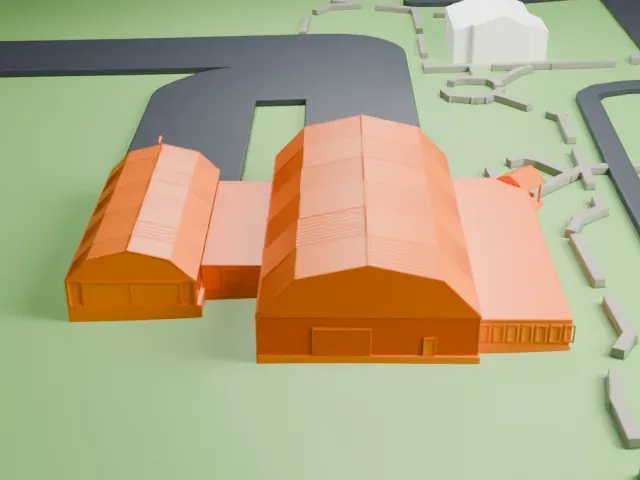 East
East
-
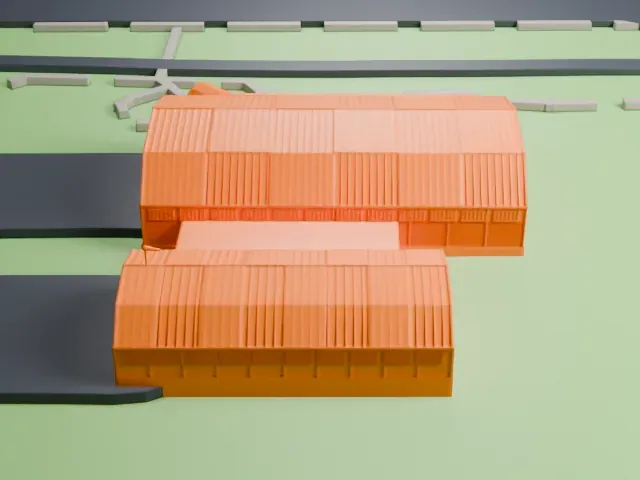 South
South
-
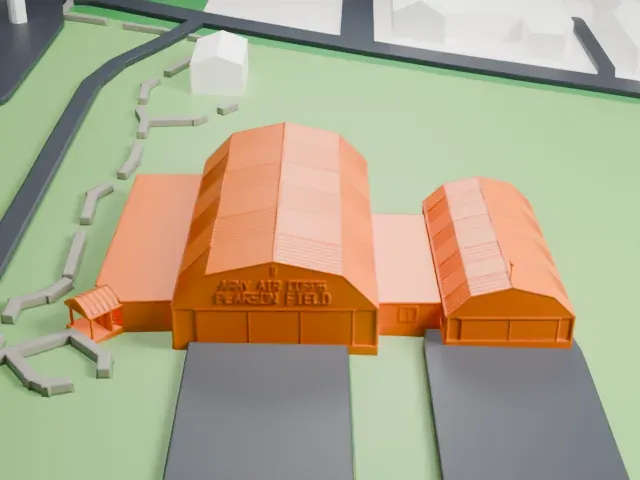 West
West
- Broad low roofs
- Wide, low roofs cover the main buildings. A bigger print size keeps their fine roof lines, and layers of 0.12 to 0.16 mm keep the edges crisp.
- Small gabled porch
- A small gabled porch with thin posts stands by the entrance. Print friendly adapts thin parts to the print scale; Full detail keeps them, which suits a larger print.
- One piece with the ground
- Pearson Air Museum is joined to the ground in the exported file, and the four-side check found no floating parts, so nothing needs gluing.
- Pick the detail for your nozzle
- In the Buildings settings, set Landmark detail to Print friendly to adapt thin parts and small details to the print scale. Full detail keeps every modeled feature, for larger prints or a finer nozzle.
- Colors
- Buildings, roads, water and ground arrive as separate filament slots in the 3MF. Pearson Air Museum takes the building color.
- File format
- You get a 3MF for Bambu Studio, OrcaSlicer or PrusaSlicer. Any of them can save it as STL if you need one.
About this model
Pearson Air Museum is one of more than 2,300 landmark models in Mini Skyline. They are made with AI, and each one is checked from four sides in its real surroundings before release. Everything around it is built from OpenStreetMap and Overture map data. If you would rather print the shape from map data, turn off Landmark models in the Buildings settings.
Common questions
Is there a Pearson Air Museum STL I can download?
Mini Skyline builds the file for you in your browser and exports 3MF, which every major slicer opens. If you need an STL, open the 3MF in your slicer and export it from there.
How big can I print it?
Any print size from 40 mm across. Pearson Air Museum grows with the print: about 4 mm tall on the default 160 mm print. For a model larger than your printer bed, Project Mode splits the area into tiles.
Is it free?
Yes. Generation runs in your browser, with no account and nothing behind a paywall.