3D print 200 Clarendon (John Hancock Tower)
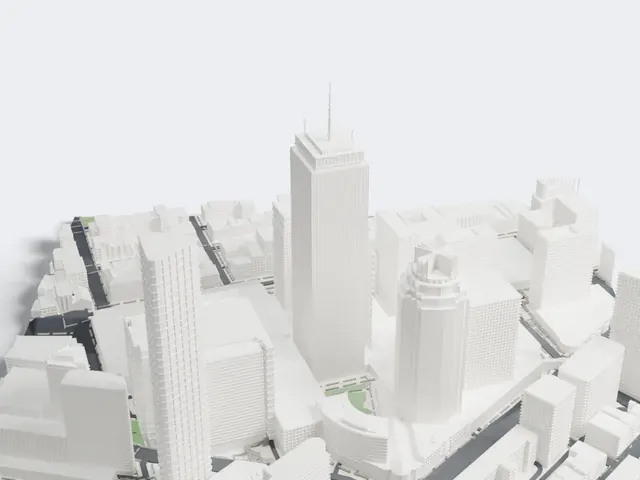
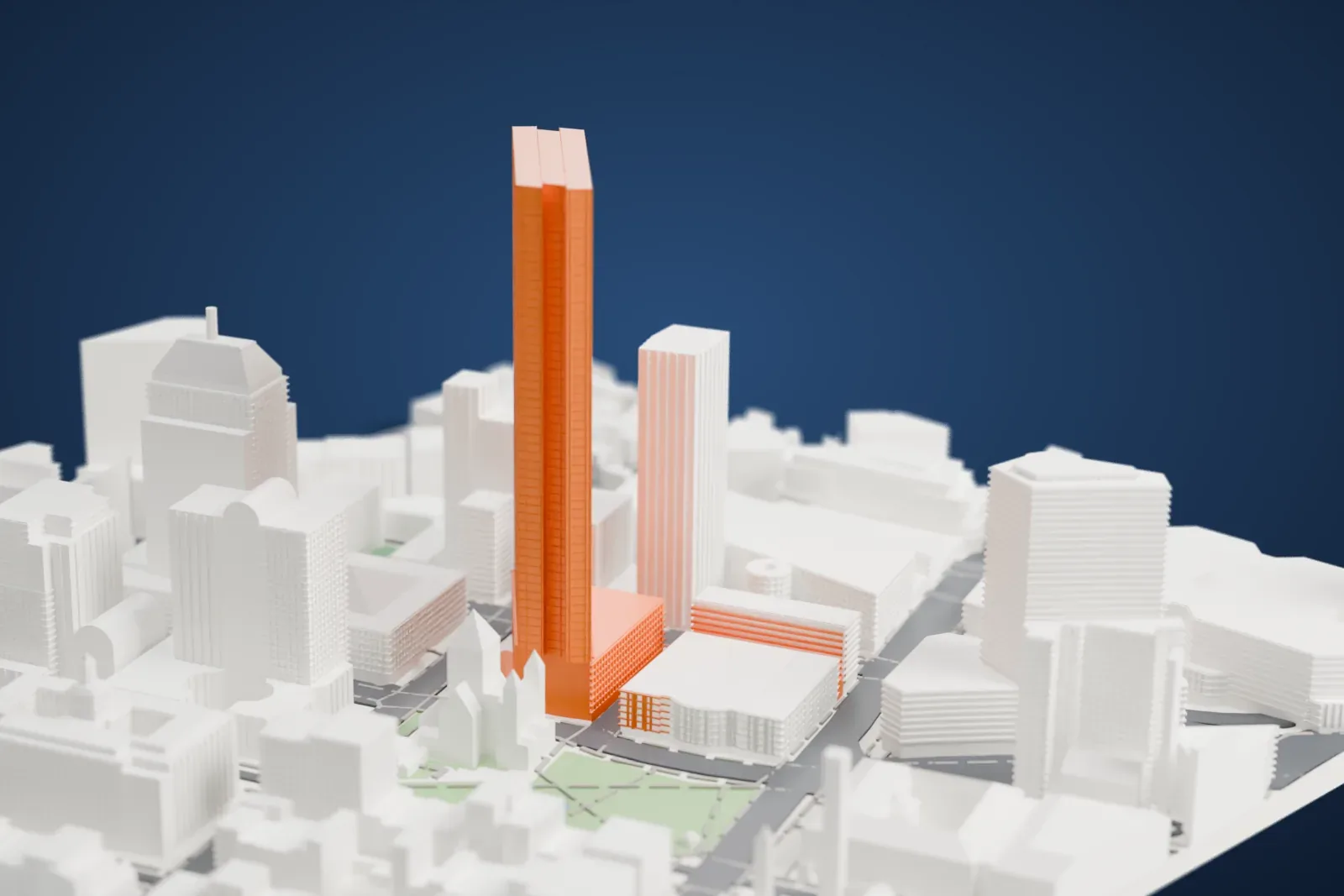
A free, printable model of 200 Clarendon, a tall slab, with the neighboring towers and green square around it, generated from real map data in your browser.
Free, in your browser. Exports a slicer-ready 3MF.
About 200 Clarendon (John Hancock Tower)
200 Clarendon, long known as the John Hancock Tower, is a skyscraper of 60 stories in Boston's Back Bay neighborhood. The tower rises 790 feet (240 m), or 852 feet (260 m) to the pinnacle when its antennas are included. Henry N. Cobb of I. M. Pei & Partners designed it, and since its completion in 1976 it has held the title of tallest building in New England. It was renamed for its street address in 2015, once the lease of its namesake insurer, John Hancock Mutual Life Insurance Company, ended.
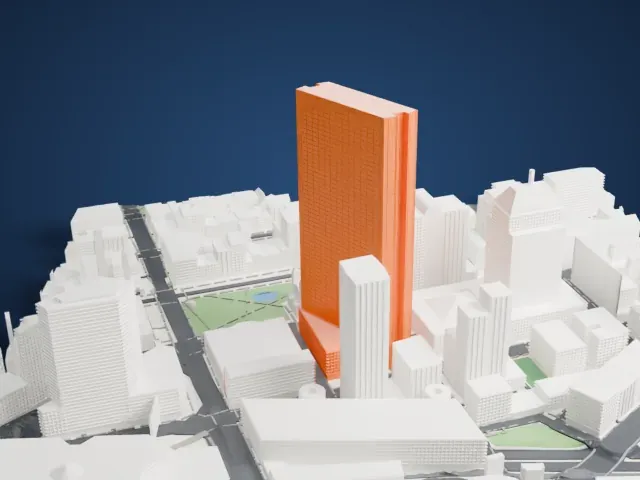
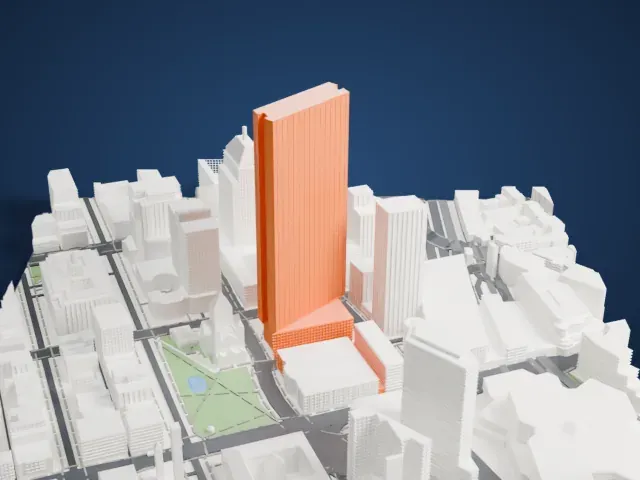
Minimalism guided the design. The glass panes are as large as possible, spandrel panels are absent, and the mullions are slight. Cobb gave the floor plan a parallelogram shape, which makes the corners look very sharp from the most common views, and cut a deep vertical notch into each short side to break up the mass and stress the building's verticality. The glass is tinted slightly blue, so the tower contrasts only subtly against a clear sky. The architects reworked the plans after a public outcry over the shadow the tower would cast on nearby Trinity Church, a National Historic Landmark.
In the 1970s the building was known for engineering problems along with its architectural success, and its opening was delayed from 1971 to 1976. Window panes in the signature blue glass could detach and fall, and in October 1973 the firm announced that all 10,344 of them would be replaced with single-paned, heat-treated panels. On the 58th floor, a tuned mass damper reduces sway. The American Institute of Architects gave the building a National Honor Award in 1977 and its Twenty-five Year Award in 2011.
How it prints
Make this print opens the generator on a 600 m square around the landmark. Buildings print at close to true scale, so the landmark grows with the print size.
| Print size | Landmark height | Scale |
|---|---|---|
| 160 mm default | 64 mm | 1:3,750 |
| 200 mm | 80 mm | 1:3,000 |
| 256 mm | 103 mm | 1:2,344 |
-
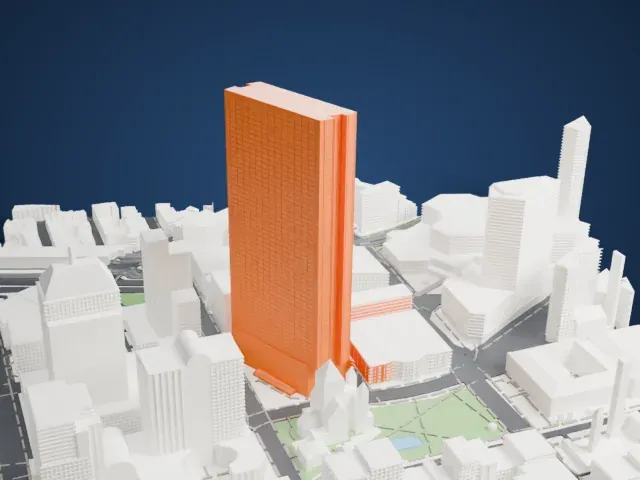 North
North
-
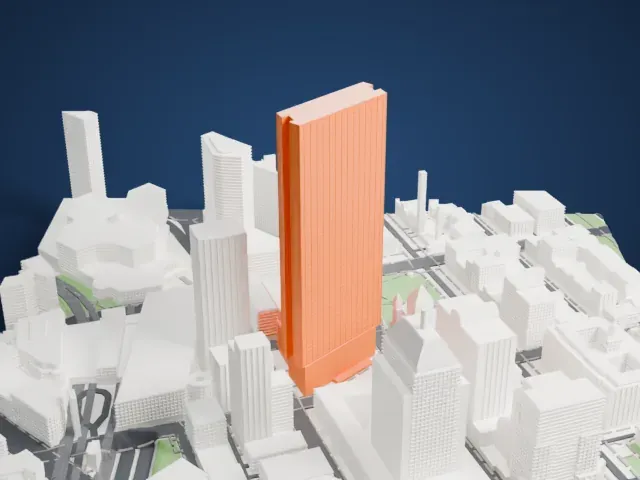 East
East
-
 South
South
-
 West
West
- Sharp corners on a tall slab
- The tower is a tall, narrow slab with sharp corners and a vertical notch on each short side. Slow printing with good cooling and 0.12 to 0.16 mm layers keep the long edges clean.
- Dense window grid
- A fine grid of window lines covers every face. Print friendly adapts small details like these to your print scale; Full detail keeps every line and suits a larger print.
- One piece with the ground
- 200 Clarendon (John Hancock Tower) is joined to the ground in the exported file, and the four-side check found no floating parts, so nothing needs gluing.
- Pick the detail for your nozzle
- In the Buildings settings, set Landmark detail to Print friendly to adapt thin parts and small details to the print scale. Full detail keeps every modeled feature, for larger prints or a finer nozzle.
- Colors
- Buildings, roads, water and ground arrive as separate filament slots in the 3MF. 200 Clarendon (John Hancock Tower) takes the building color.
- File format
- You get a 3MF for Bambu Studio, OrcaSlicer or PrusaSlicer. Any of them can save it as STL if you need one.
About this model
200 Clarendon (John Hancock Tower) is one of more than 2,300 landmark models in Mini Skyline. They are made with AI, and each one is checked from four sides in its real surroundings before release. Everything around it is built from OpenStreetMap and Overture map data. If you would rather print the shape from map data, turn off Landmark models in the Buildings settings.
Common questions
Is there a 200 Clarendon (John Hancock Tower) STL I can download?
Mini Skyline builds the file for you in your browser and exports 3MF, which every major slicer opens. If you need an STL, open the 3MF in your slicer and export it from there.
How big can I print it?
Any print size from 40 mm across. 200 Clarendon (John Hancock Tower) grows with the print: about 64 mm tall on the default 160 mm print. For a model larger than your printer bed, Project Mode splits the area into tiles.
Is it free?
Yes. Generation runs in your browser, with no account and nothing behind a paywall.