3D print the Alcázar of Toledo
A free, printable model of the Alcázar of Toledo, with its four corner towers and the dense buildings and streets around it, generated from real map data in your browser.
Free, in your browser. Exports a slicer-ready 3MF.
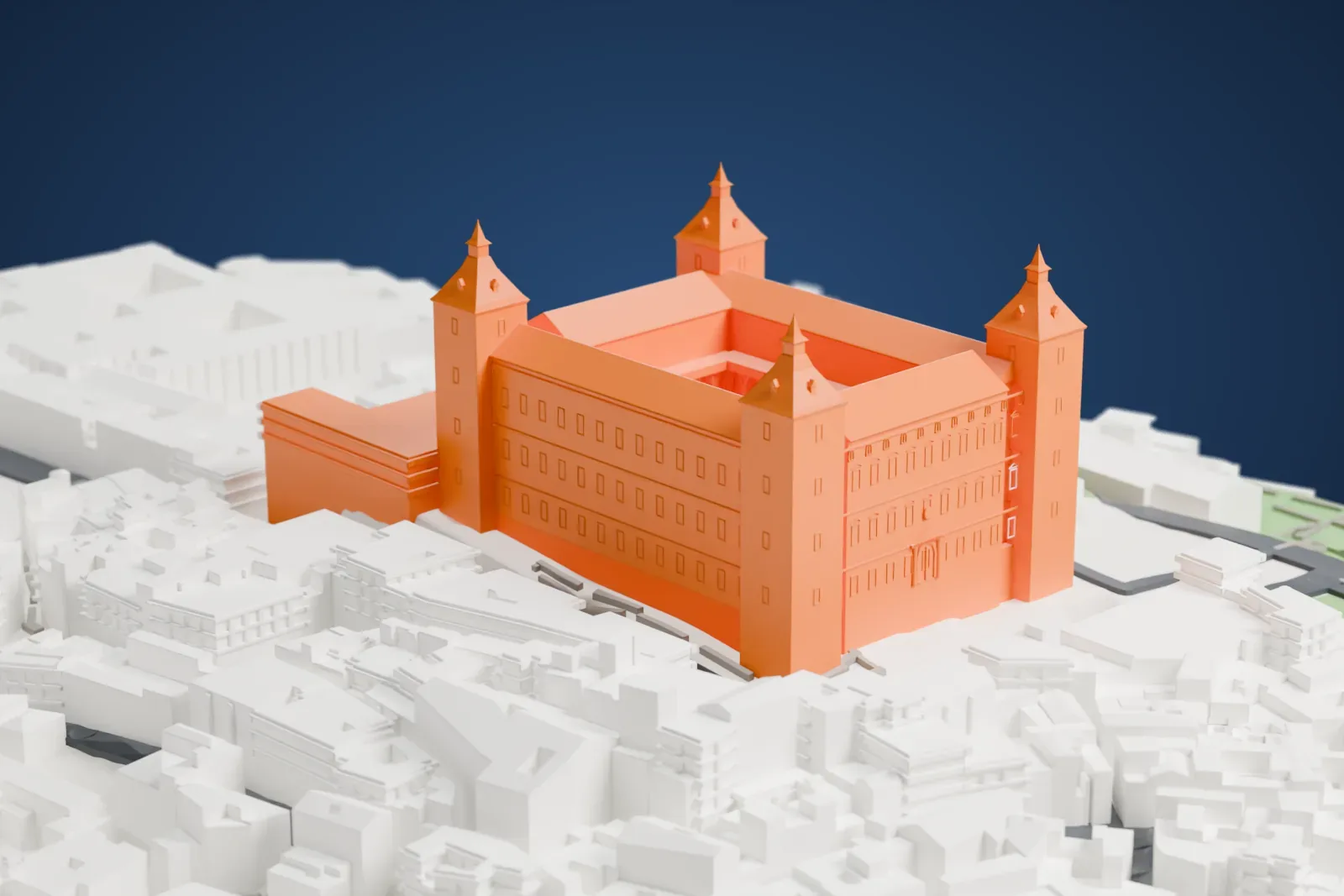
About the Alcázar of Toledo
The Alcázar of Toledo is a stone fortification crowning the highest part of the city of Toledo, in Spain. The large quadrangular building is 60 meters on each side, with four large towers that are 60 meters high, each capped with the typical Madrid spire. The name comes from the Arabic al-qasr, meaning "the castle", which ultimately derives from the Latin castrum.
In the 3rd century the site was a Roman palace, and it became a fortress in the 10th century, in the reign of the Cordoba Caliph Abd ar-Rahman III. In 1521, Charles I received Hernán Cortés at the Alcázar, after Cortés had conquered the Aztecs. A restoration took place in the 1540s under Charles I and under his son, Philip II of Spain.
Republican forces besieged the Alcázar in the Spanish Civil War, and Colonel José Moscardó Ituarte defended the building against them. The structure became a symbol of Spanish Nationalism. The siege left the building severely damaged, and most of it was rebuilt between 1939 and 1957. The rebuilt Alcázar houses the Mancha Regional Library and the Museum of the Army.
How it prints
Make this print opens the generator on a 600 m square around the landmark. Buildings print at close to true scale, so the landmark grows with the print size.
| Print size | Landmark height | Scale |
|---|---|---|
| 160 mm default | 19 mm | 1:3,750 |
| 200 mm | 23 mm | 1:3,000 |
| 256 mm | 30 mm | 1:2,344 |
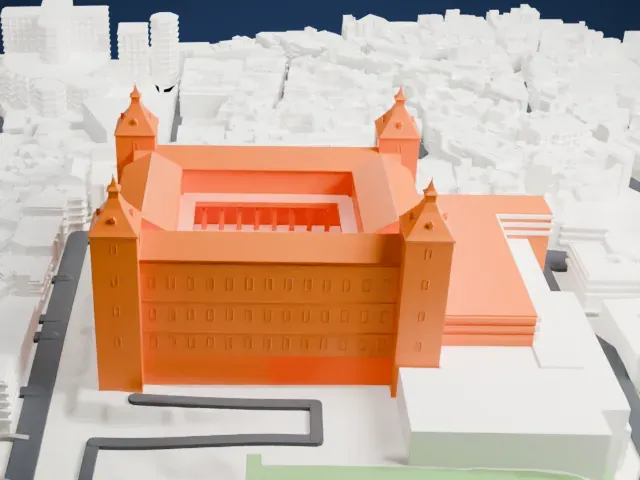
-
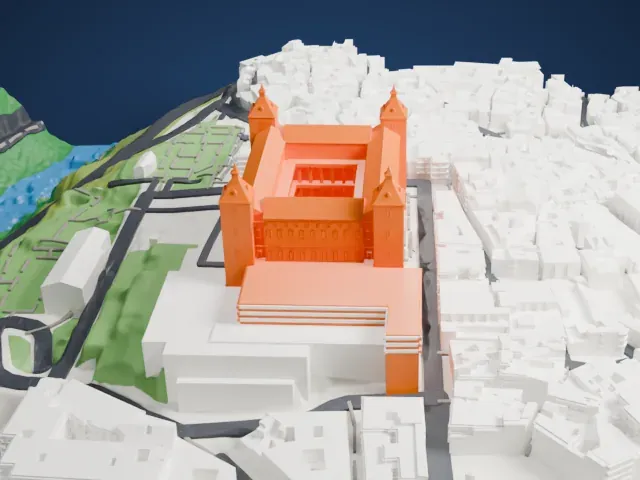 North
North
-
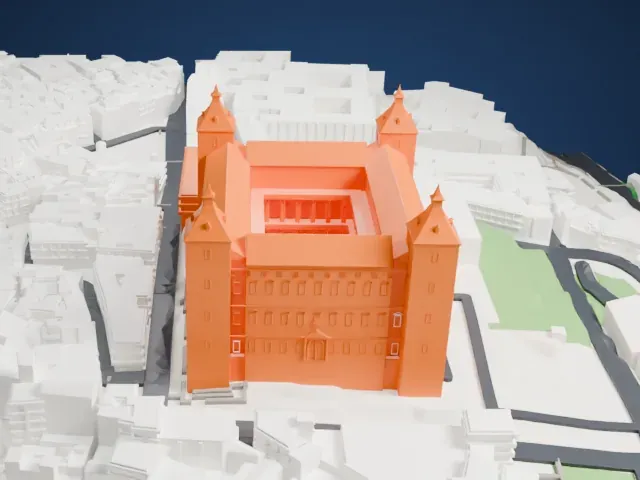
 East
East
-
 South
South
-
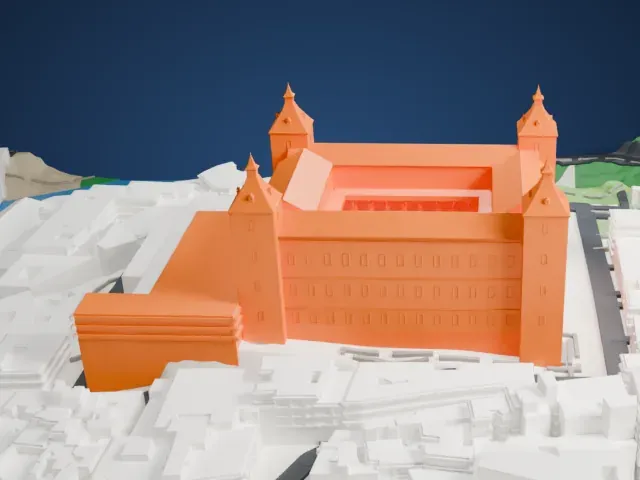 West
West
- Four needle-tipped spires
- Each corner tower ends in a slim spire with a pointed tip. Print slowly with good cooling, and use Print friendly to adapt the tips to the print scale or Full detail on a larger print.
- Rows of tiny windows
- The long facades carry regular rows of small window recesses. Layers of 0.12–0.16 mm keep them crisp, and a bigger print size makes them easier to see.
- Pick the detail for your nozzle
- In the Buildings settings, set Landmark detail to Print friendly to adapt thin parts and small details to the print scale. Full detail keeps every modeled feature, for larger prints or a finer nozzle.
- Colors
- Buildings, roads, water and ground arrive as separate filament slots in the 3MF. The Alcázar of Toledo takes the building color.
- File format
- You get a 3MF for Bambu Studio, OrcaSlicer or PrusaSlicer. Any of them can save it as STL if you need one.
About this model
The Alcázar of Toledo is one of more than 2,300 landmark models in Mini Skyline. They are made with AI, and each one is checked from four sides in its real surroundings before release. Everything around it is built from OpenStreetMap and Overture map data. If you would rather print the shape from map data, turn off Landmark models in the Buildings settings.
Common questions
Is there an Alcázar of Toledo STL I can download?
Mini Skyline builds the file for you in your browser and exports 3MF, which every major slicer opens. If you need an STL, open the 3MF in your slicer and export it from there.
How big can I print it?
Any print size from 40 mm across. The Alcázar of Toledo grows with the print: about 19 mm tall on the default 160 mm print. For a model larger than your printer bed, Project Mode splits the area into tiles.
Is it free?
Yes. Generation runs in your browser, with no account and nothing behind a paywall.