3D print the Basilica of San Vitale
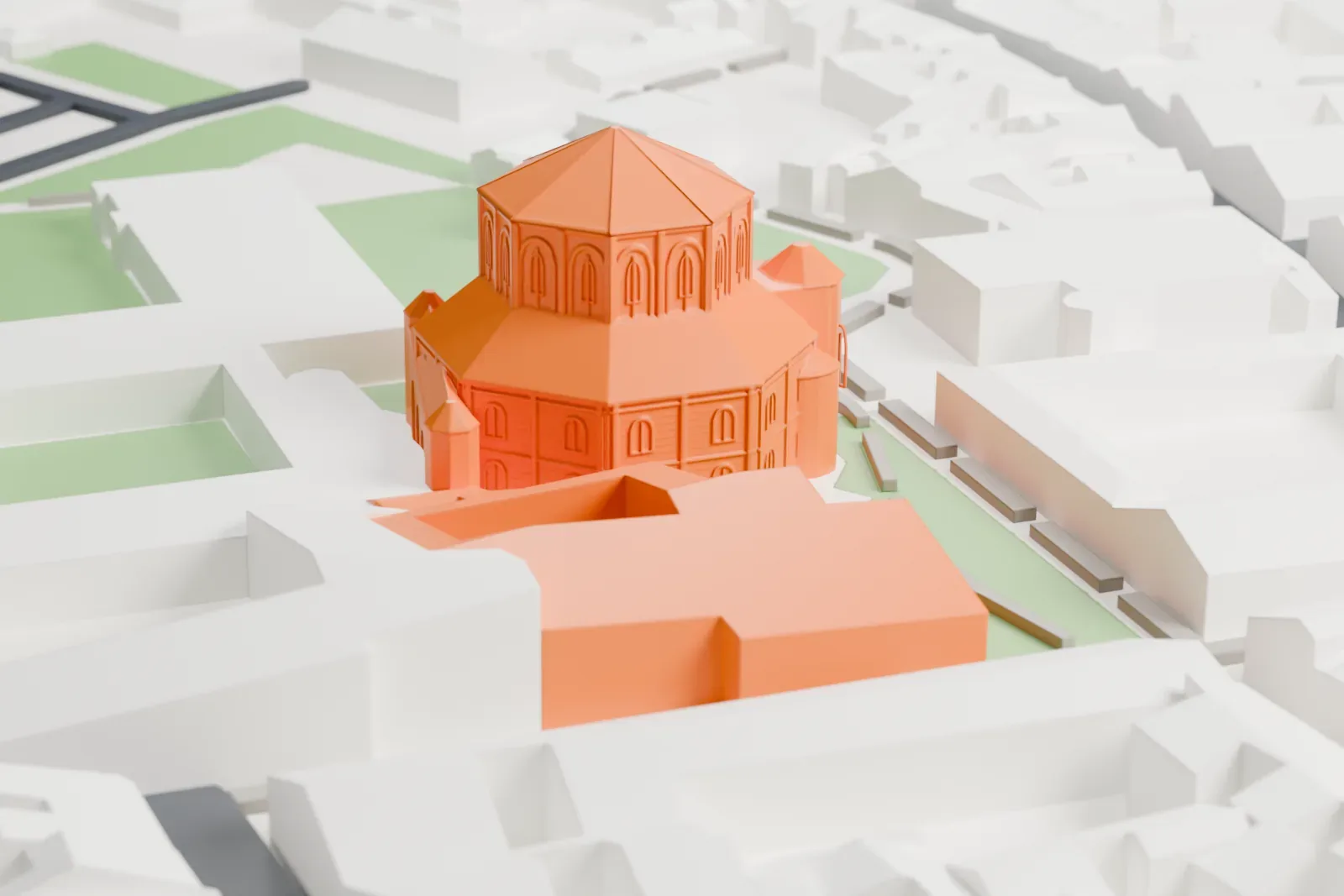
A free, printable model of the Basilica of San Vitale, its octagonal brick body and tiered roofs, with the lawns and buildings around it, generated from real map data in your browser.
Free, in your browser. Exports a slicer-ready 3MF.
About the Basilica of San Vitale
San Vitale, a church of late antiquity, stands in Ravenna, Italy. Built in the sixth century, it is a significant surviving example of early Byzantine architecture and art, and its mosaics rank among the works of Byzantine art that have been studied most. It is among eight Ravenna structures inscribed on the UNESCO World Heritage List. The inscription laid at its foundation calls it a basilica, yet its centrally planned design is atypical for that form.
Bishop Ecclesius of Ravenna ordered construction to begin in 526, when the Ostrogoths ruled the city. Bishop Maximian finished the work in 547, after Justinian I conquered Italy. Julius Argentarius, a local banker and architect, sponsored the construction. The total was 26,000 solidi; in gold that is 16.38 kg (36.11 lb). Its central vault was made with a western technique, in which hollow tubes fit into one another instead of bricks, marking the earliest recorded use of terracotta forms in a structure. Frescoes in the Baroque style, painted from 1778 to 1782, decorate the dome.
The main building is octagonal and mixes Roman and Byzantine features. Roman in style are the dome, the doorways and the stepped towers; Byzantine features include the polygonal apse, the capitals and the narrow bricks, along with early flying buttresses. The church is best known for its Byzantine mosaics, the largest and best-kept examples outside of Istanbul. Among major churches of Justinian I's period, it alone survives virtually intact. Famous mosaic panels of Justinian I and Empress Theodora, completed in 547, stand low on the side walls of the apse.
How it prints
Make this print opens the generator on a 600 m square around the landmark. Buildings print at close to true scale, so the landmark grows with the print size.
| Print size | Landmark height | Scale |
|---|---|---|
| 160 mm default | 9 mm | 1:3,750 |
| 200 mm | 12 mm | 1:3,000 |
| 256 mm | 15 mm | 1:2,344 |
-
 North
North
-
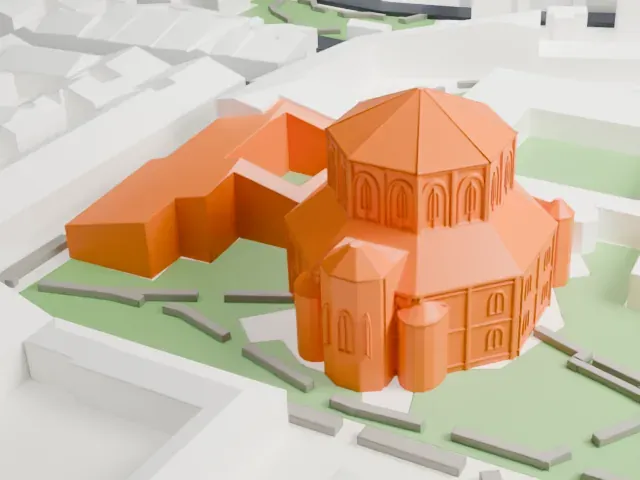 East
East
-
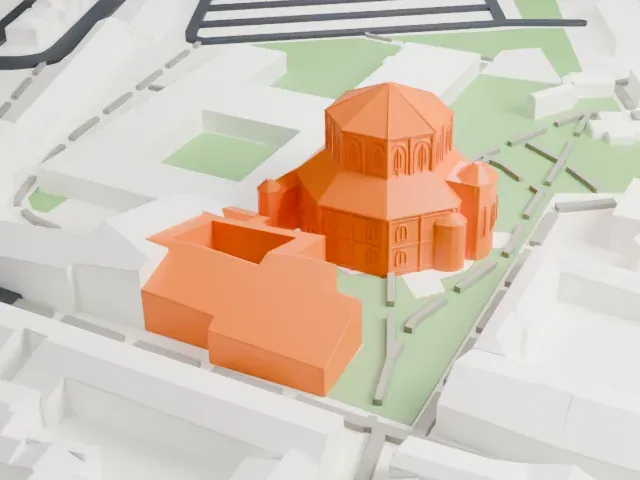 South
South
-
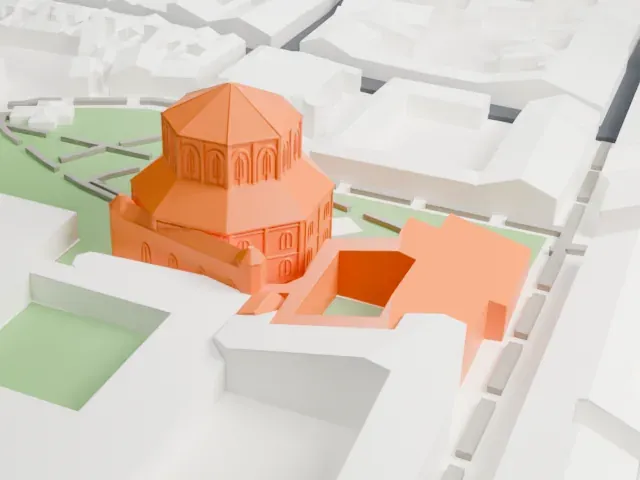 West
West
- Arched windows and brick courses
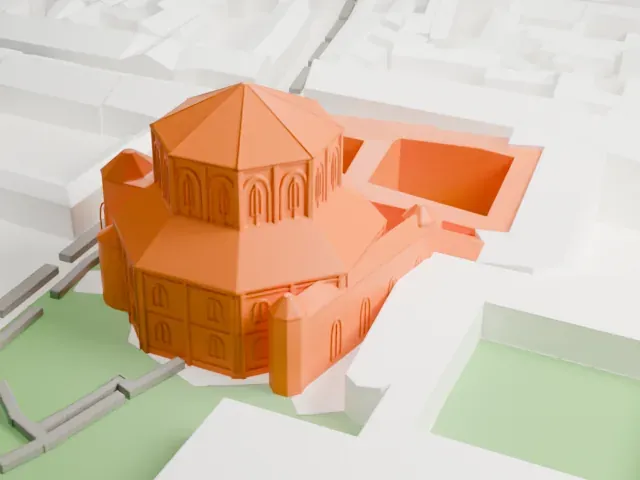
- The upper drum and walls carry rows of small arched windows and brick lines. A larger print keeps them readable; Print friendly adapts tiny details to your print scale, and Full detail keeps them.
- Small apses and tower caps
- Several small round apses and pointed tower caps cluster around the base. Layers of 0.12 to 0.16 mm keep these small curved shapes crisp.
- One piece with the ground
- The Basilica of San Vitale is joined to the ground in the exported file, and the four-side check found no floating parts, so nothing needs gluing.
- Pick the detail for your nozzle
- In the Buildings settings, set Landmark detail to Print friendly to adapt thin parts and small details to the print scale. Full detail keeps every modeled feature, for larger prints or a finer nozzle.
- Colors
- Buildings, roads, water and ground arrive as separate filament slots in the 3MF. The Basilica of San Vitale takes the building color.
- File format
- You get a 3MF for Bambu Studio, OrcaSlicer or PrusaSlicer. Any of them can save it as STL if you need one.
About this model
The Basilica of San Vitale is one of more than 2,300 landmark models in Mini Skyline. They are made with AI, and each one is checked from four sides in its real surroundings before release. Everything around it is built from OpenStreetMap and Overture map data. If you would rather print the shape from map data, turn off Landmark models in the Buildings settings.
Common questions
Is there a Basilica of San Vitale STL I can download?
Mini Skyline builds the file for you in your browser and exports 3MF, which every major slicer opens. If you need an STL, open the 3MF in your slicer and export it from there.
How big can I print it?
Any print size from 40 mm across. The Basilica of San Vitale grows with the print: about 9 mm tall on the default 160 mm print. For a model larger than your printer bed, Project Mode splits the area into tiles.
Is it free?
Yes. Generation runs in your browser, with no account and nothing behind a paywall.