3D print Beaver Stadium
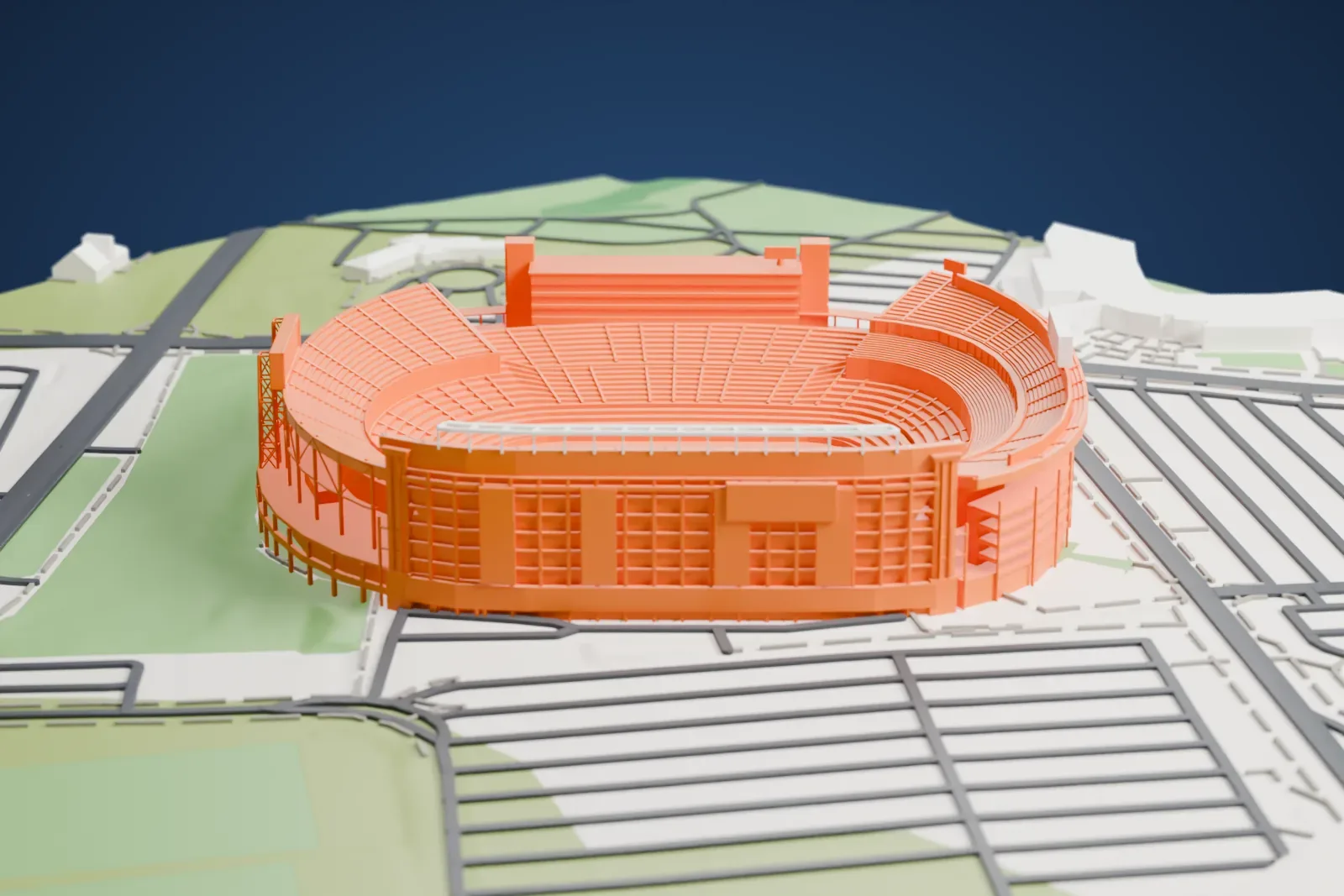
A free, printable model of Beaver Stadium and the campus roads, grass fields and parking areas around it, generated from real map data in your browser.
Free, in your browser. Exports a slicer-ready 3MF.
About Beaver Stadium
Penn State's Beaver Stadium, a college football venue, stands on the University Park campus of Pennsylvania State University. The Penn State Nittany Lions of the Big Ten Conference have played their home games there since 1960, though parts of the structure go back to 1909. It takes its name, as its predecessors did, from James A. Beaver, who lived from 1837 to 1914. He was a governor of Pennsylvania, the board of trustees president of the university and a native of nearby Millerstown.
The stadium officially seats 106,572 people, and its natural grass field runs northwest to southeast at about 350 m (1,150 ft) above sea level. Its origins lie in New Beaver Field, a 30,000-seat facility from 1909. During the 1959–60 offseason it was dismantled, carried half a mile to the campus's eastern edge, reassembled and bolted onto a modern upper grandstand. The result held 46,284 people and corresponds roughly to the lower level of today's stadium.
Six expansions followed, more than doubling its size. The 1978 expansion added 16,000 seats: crews cut the stadium into sections and lifted them on hydraulic jacks, creating room for seating along the inner ring where a track had been. An upper deck at the south end in 2001 raised the capacity to 107,282, and in 2011 it fell to 106,572, to meet Americans with Disabilities Act requirements. The first night game was played on September 25, 1982, and permanent lighting arrived in 1984.
How it prints
Make this print opens the generator on a 700 m square around the landmark. Buildings print at close to true scale, so the landmark grows with the print size.
| Print size | Landmark height | Scale |
|---|---|---|
| 160 mm default | 16 mm | 1:4,375 |
| 200 mm | 19 mm | 1:3,500 |
| 256 mm | 25 mm | 1:2,734 |
-
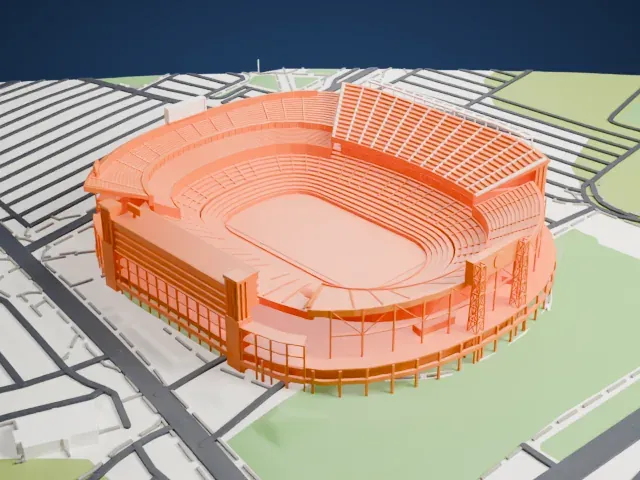 North
North
-
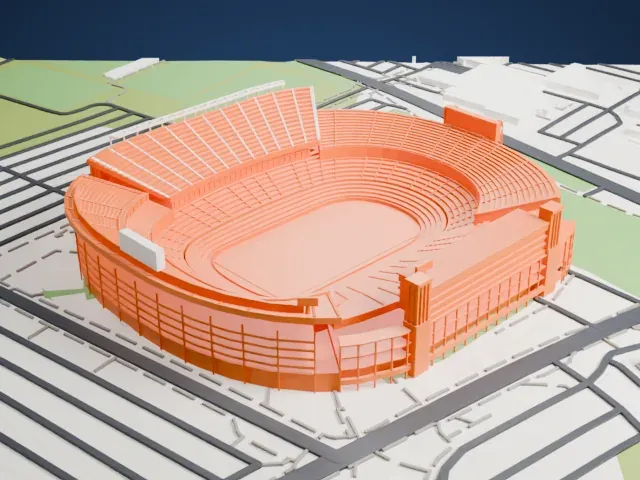 East
East
-
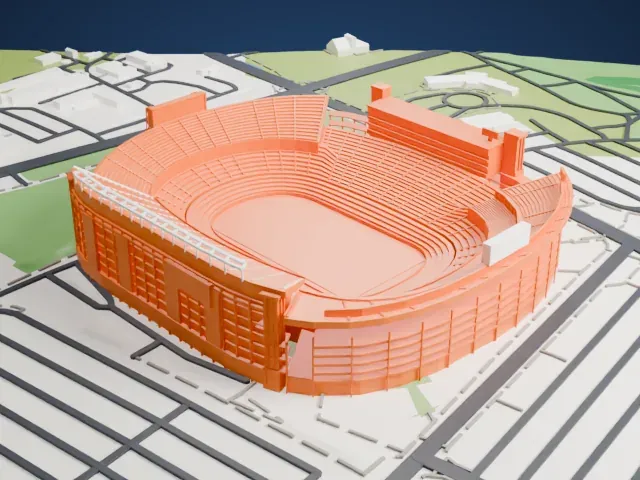 South
South
-
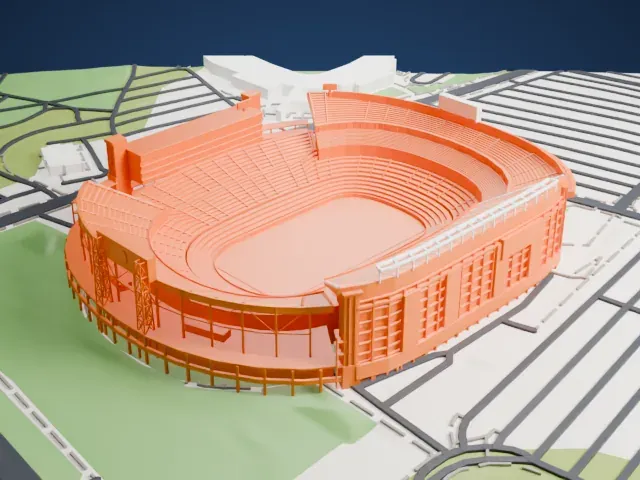 West
West
- Many stacked seating tiers
- The bowl is made of many thin tiers rising to tall upper decks. Layers of 0.12 to 0.16 mm keep the tiers distinct; Print friendly adapts the finest rows to the print scale, and Full detail keeps them on larger prints.
- Tall scoreboards and thin supports
- Tall scoreboard towers and slender steel supports stand around the bowl. Print friendly adapts these thin parts to the print scale, and a larger print size keeps them from disappearing.
- One piece with the ground
- Beaver Stadium is joined to the ground in the exported file, and the four-side check found no floating parts, so nothing needs gluing.
- Pick the detail for your nozzle
- In the Buildings settings, set Landmark detail to Print friendly to adapt thin parts and small details to the print scale. Full detail keeps every modeled feature, for larger prints or a finer nozzle.
- Colors
- Buildings, roads, water and ground arrive as separate filament slots in the 3MF. Beaver Stadium takes the building color.
- File format
- You get a 3MF for Bambu Studio, OrcaSlicer or PrusaSlicer. Any of them can save it as STL if you need one.
About this model
Beaver Stadium is one of more than 2,300 landmark models in Mini Skyline. They are made with AI, and each one is checked from four sides in its real surroundings before release. Everything around it is built from OpenStreetMap and Overture map data. If you would rather print the shape from map data, turn off Landmark models in the Buildings settings.
Common questions
Is there a Beaver Stadium STL I can download?
Mini Skyline builds the file for you in your browser and exports 3MF, which every major slicer opens. If you need an STL, open the 3MF in your slicer and export it from there.
How big can I print it?
Any print size from 40 mm across. Beaver Stadium grows with the print: about 16 mm tall on the default 160 mm print. For a model larger than your printer bed, Project Mode splits the area into tiles.
Is it free?
Yes. Generation runs in your browser, with no account and nothing behind a paywall.