3D print Biltmore Estate
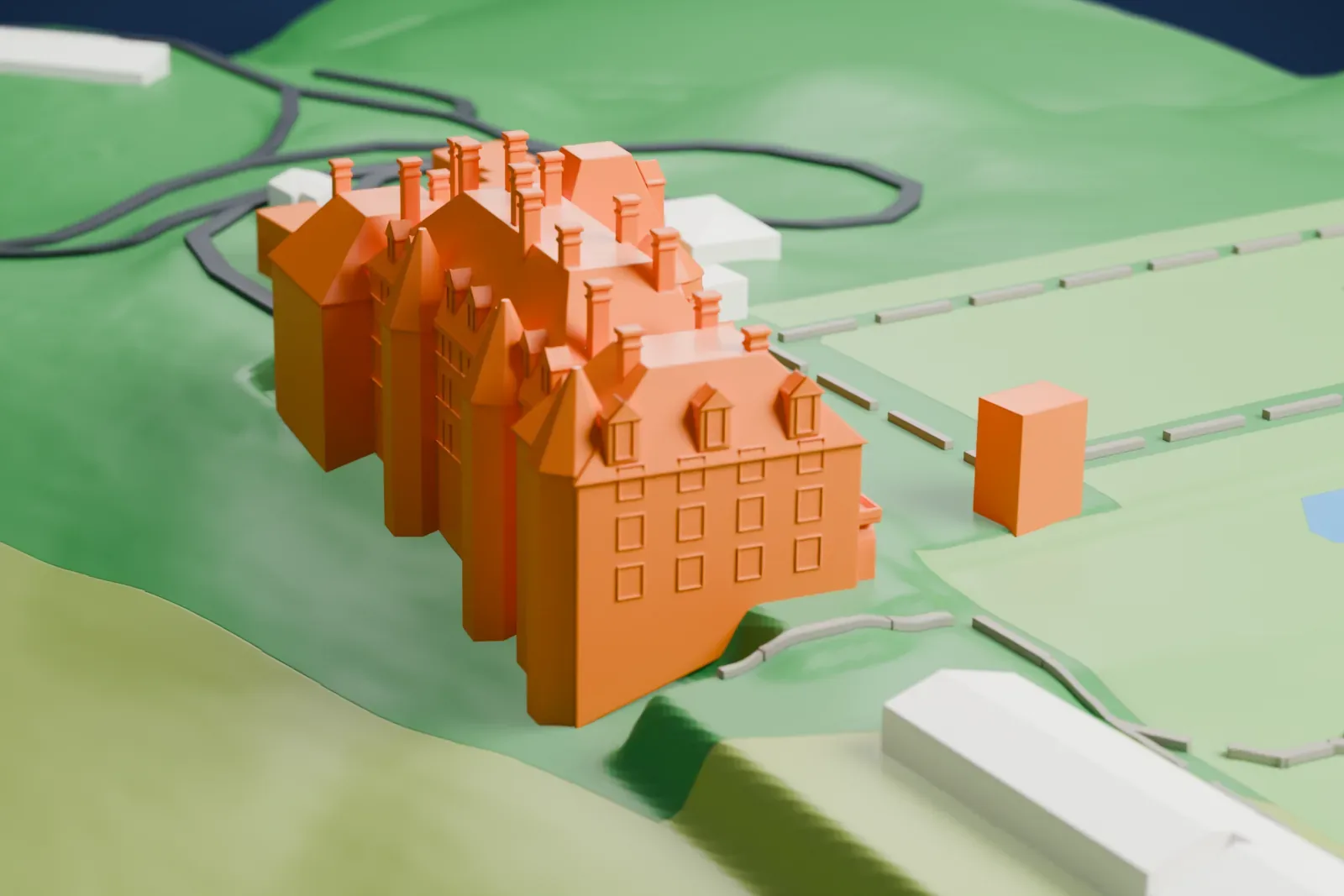
A free, printable model of Biltmore House with the lawns, ponds and winding drives of Biltmore Estate around it, generated from real map data in your browser.
Free, in your browser. Exports a slicer-ready 3MF.
About Biltmore Estate
Biltmore Estate in Asheville, North Carolina, is a tourist attraction and a historic house museum. Its main residence, Biltmore House, is a Châteauesque mansion that was built from 1889 to 1895 for George Washington Vanderbilt II. With 16,622.8 m² (178,926 sq ft) of floor space, it is the largest house in private hands in the United States, and it is still owned by Vanderbilt's descendants.
Vanderbilt coined the name Biltmore from De Bilt, the Dutch place his ancestors came from, plus more, a word for open, rolling land. Construction began in 1889, with a woodworking factory and a brick kiln on site and a railroad spur of 5 km (3 miles) to bring in materials. Roughly 1,000 workers and 60 stonemasons labored on the main house. Vanderbilt opened the estate on Christmas Eve of 1895, and it was opened to the public in March 1930.
The New York architect Richard Morris Hunt designed the house in the Châteauesque style, drawing on French Renaissance châteaux that he and Vanderbilt had visited in early 1889. Those buildings had steep roofs, turrets and sculptural ornament in common. Hunt placed the four-story house, built of Indiana limestone, facing east, with a facade 114 m (375 ft) long set against the mountainous land behind it. The estate became a National Historic Landmark in 1963.
How it prints
Make this print opens the generator on a 600 m square around the landmark. Buildings print at close to true scale, so the landmark grows with the print size.
| Print size | Landmark height | Scale |
|---|---|---|
| 160 mm default | 14 mm | 1:3,750 |
| 200 mm | 18 mm | 1:3,000 |
| 256 mm | 22 mm | 1:2,344 |
-
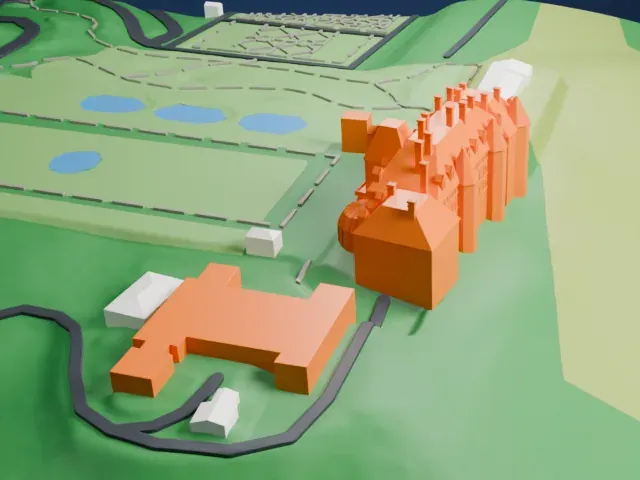 North
North
-
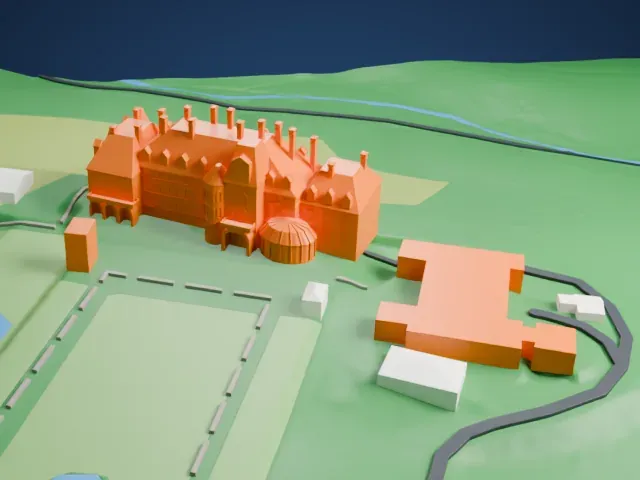 East
East
-
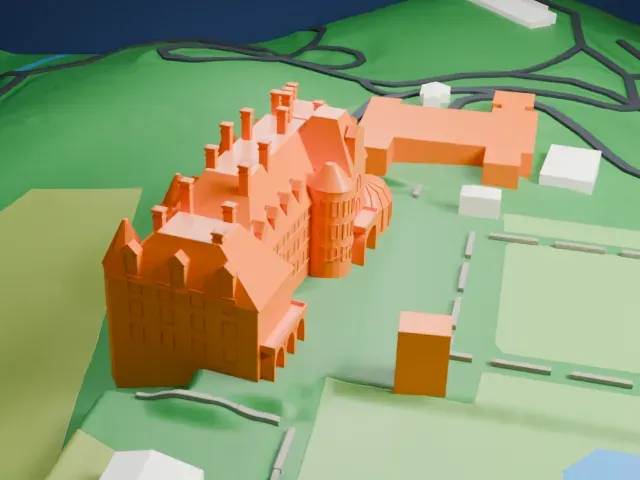 South
South
-
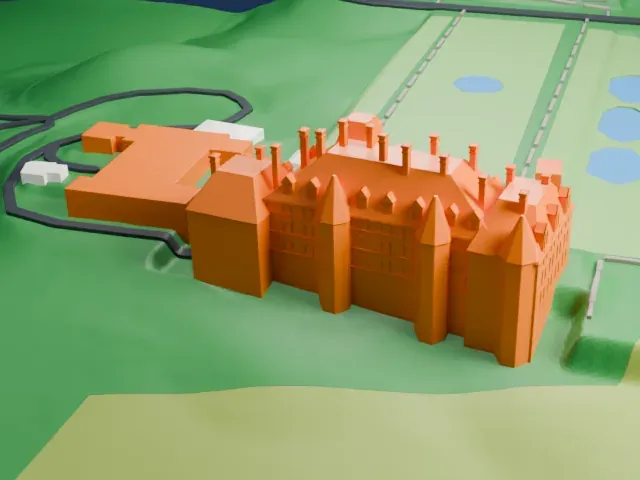 West
West
- Rows of slim chimneys
- The roofline carries many tall, thin chimneys and small dormers. Print friendly adapts them to the print scale; for crisp chimneys on a larger print, choose Full detail and 0.12–0.16 mm layers.
- A large estate, a small house
- The model covers wide grounds, so the house fills only part of the print. A larger print size keeps its windows, dormers and turrets legible.
- One piece with the ground
- Biltmore Estate is joined to the ground in the exported file, and the four-side check found no floating parts, so nothing needs gluing.
- Pick the detail for your nozzle
- In the Buildings settings, set Landmark detail to Print friendly to adapt thin parts and small details to the print scale. Full detail keeps every modeled feature, for larger prints or a finer nozzle.
- Colors
- Buildings, roads, water and ground arrive as separate filament slots in the 3MF. Biltmore Estate takes the building color.
- File format
- You get a 3MF for Bambu Studio, OrcaSlicer or PrusaSlicer. Any of them can save it as STL if you need one.
About this model
Biltmore Estate is one of more than 2,300 landmark models in Mini Skyline. They are made with AI, and each one is checked from four sides in its real surroundings before release. Everything around it is built from OpenStreetMap and Overture map data. If you would rather print the shape from map data, turn off Landmark models in the Buildings settings.
Common questions
Is there a Biltmore Estate STL I can download?
Mini Skyline builds the file for you in your browser and exports 3MF, which every major slicer opens. If you need an STL, open the 3MF in your slicer and export it from there.
How big can I print it?
Any print size from 40 mm across. Biltmore Estate grows with the print: about 14 mm tall on the default 160 mm print. For a model larger than your printer bed, Project Mode splits the area into tiles.
Is it free?
Yes. Generation runs in your browser, with no account and nothing behind a paywall.