3D print the Church of St. Casimir, Vilnius
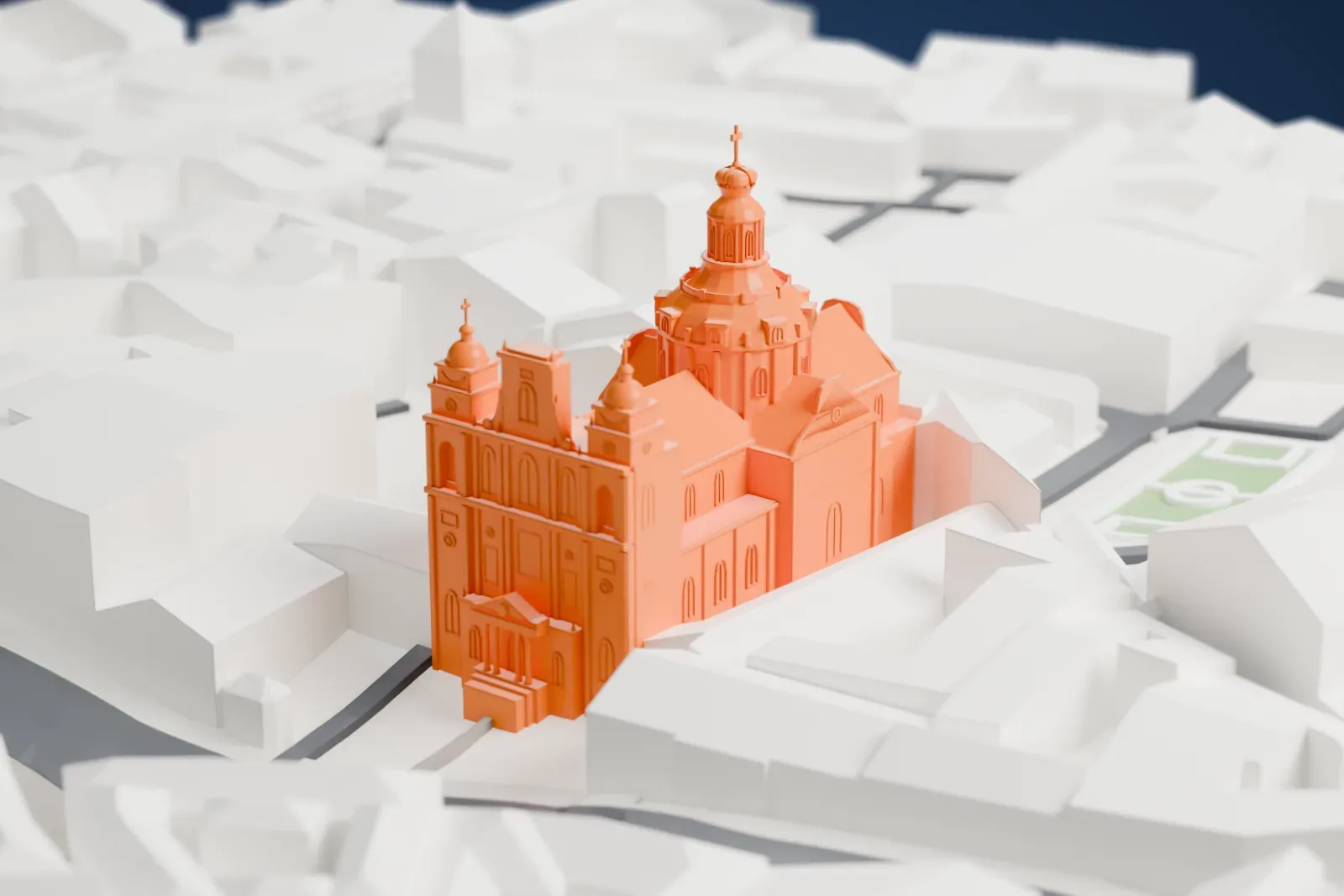
A free, printable model of the Church of St. Casimir, a large church with a central dome and two domed front towers, among nearby streets and buildings, generated from real map data in your browser.
-
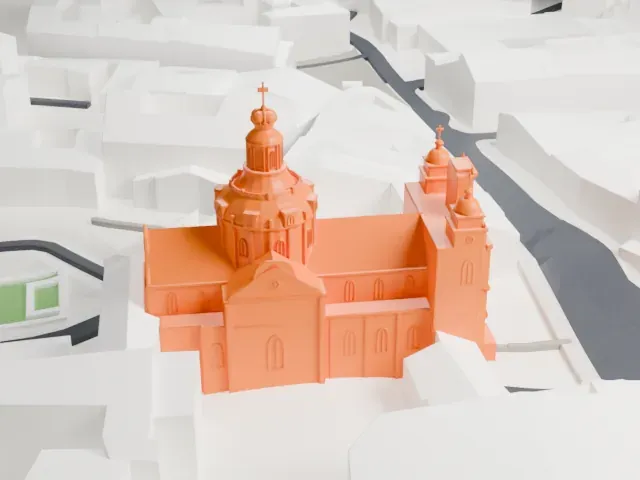 North
-
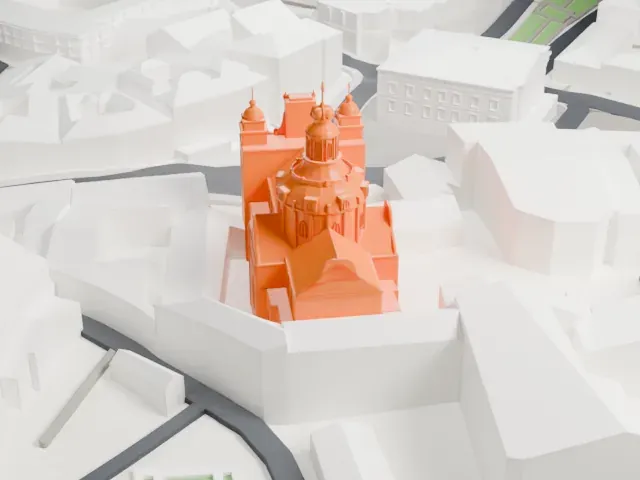 East
-
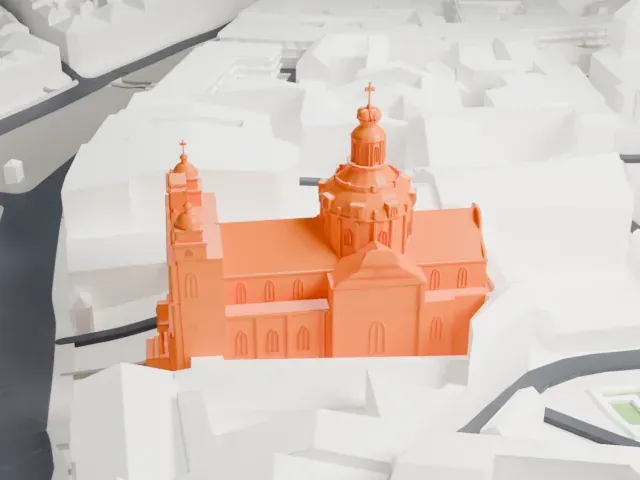 South
-
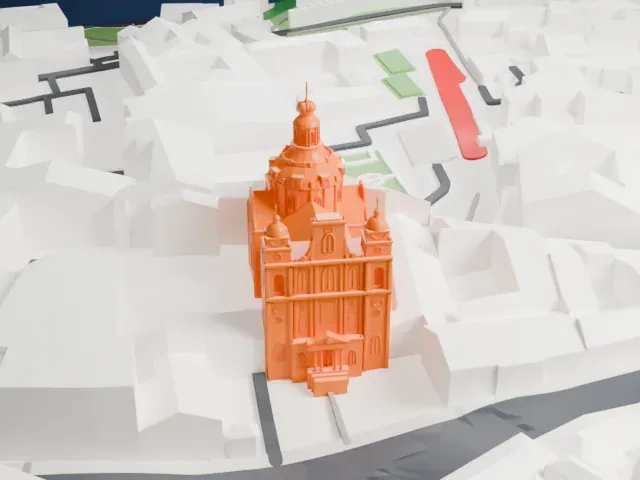 West
The model you print
Church of St. Casimir, Vilnius in 3D
The landmark on its own, at its size on a 160 mm print. Print friendly thickens thin parts for a 0.4 mm nozzle; Full detail keeps every part.
- Real height
- 55 m
- On a 160 mm print
- 16 mm
- Scale
- 1:3,750
55 m of the Church of St. Casimir, Vilnius, 16 mm on your shelf
Make this print opens the generator on a 600 m square around the landmark. Buildings print at close to true scale, so the landmark grows with the print size.
- Cupola, lantern and cross
The central dome carries a small lantern and cross, which are the thinnest parts. Print friendly adapts them to the print scale; Full detail keeps them on a larger print.
- Two domed front towers
The front towers end in small domes with crosses. Print slowly with good cooling, and use a layer height of 0.12–0.16 mm to keep the tops crisp.
- One piece with the ground
The Church of St. Casimir, Vilnius is joined to the ground in the exported file, and the four-side check found no floating parts, so nothing needs gluing.
- Pick the detail for your nozzle
In the Buildings settings, set Landmark detail to Print friendly to adapt thin parts and small details to the print scale. Full detail keeps every modeled feature, for larger prints or a finer nozzle.
- Colors
Buildings, roads, water and ground arrive as separate filament slots in the 3MF. The Church of St. Casimir, Vilnius takes the building color.
- File format
You get a 3MF for Bambu Studio, OrcaSlicer or PrusaSlicer. Any of them can save it as STL if you need one.
About the Church of St. Casimir, Vilnius
The Church of St. Casimir is a Roman Catholic church in Lithuania, in Vilnius's Old Town. It stands on Didžioji Street, near Vilnius Town Hall. Vilnius's first Baroque church, it is among the earliest examples of Baroque architecture in what used to be Grand Duchy of Lithuania territory. Of the Baroque-style buildings in Vilnius it is the largest. Among preserved churches named for Saint Casimir, it is the oldest.
Work started on May 12, 1604, to honor the memory of Saint Casimir, canonized that same year, and the Jesuits built the church. King Sigismund III Vasa initiated and financially supported it, and his son Cardinal Karol Ferdynand Vasa helped pay for it. The building was completed in 1616, and its interior followed in 1618. The layout and facade follow the line of the Il Gesù church in Rome, but this church has two towers on its main facade.
Around the mid-18th century, the Jesuit architect Thomas Zebrowski reconstructed the church and raised a lantern cupola in steps, topped by a stylized Cap of Gediminas, which is unique within that former Grand Duchy territory. The cupola is 55 meters high and 17 meters in diameter. The church is also known for its excellent acoustics and for organ concerts.
About this model
The Church of St. Casimir, Vilnius is one of more than 6,500 landmark models in Mini Skyline. They are made with AI, and each one is checked in its real surroundings before release. Each model is written as code from public descriptions, plans, photographs and aerial views used only as references; no image or third-party model is copied into it. Everything around it is built from OpenStreetMap and Overture map data. Rights in the building itself, its name and any brands on it are not granted by Mini Skyline; clear them separately before you sell prints. If you would rather print the shape from map data, turn off Landmark models in the Buildings settings.
Mini Skyline is not affiliated with, or endorsed by, the owners of this building or its names and marks.
Same skyline