3D print Key Tower
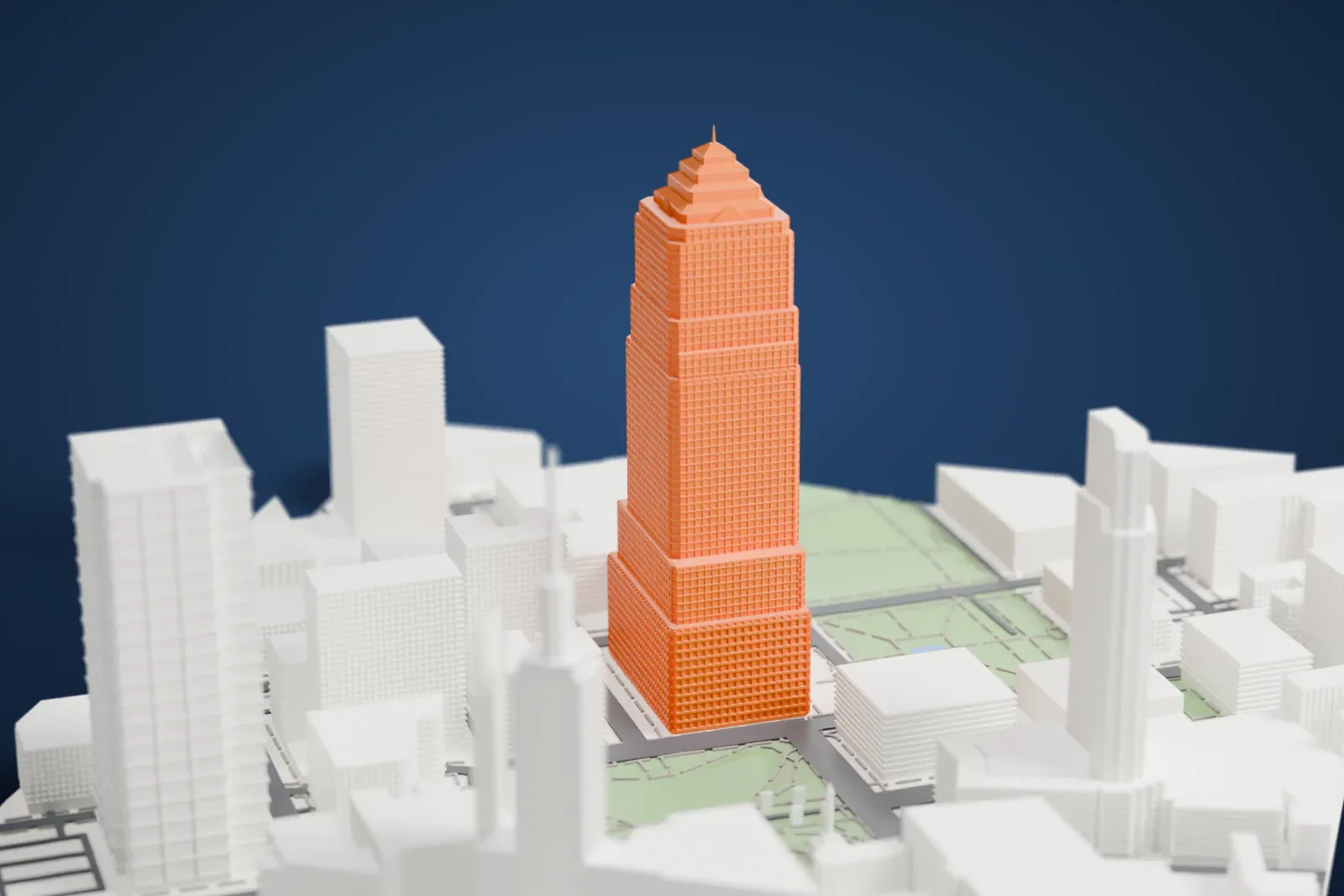
A free, printable model of Key Tower, a tall stepped skyscraper topped with a pyramid, rising among the buildings and green squares of downtown Cleveland, generated from real map data in your browser.
Free, in your browser. Exports a slicer-ready 3MF.
About Key Tower
Key Tower rises 57 stories above Public Square in downtown Cleveland, Ohio. It was originally the Society Center. César Pelli was its architect, and it was finished in 1991. Standing 289 m (947 ft) tall, it is the tallest building in the state of Ohio. Visible from up to 32 km (20 miles) away, the tower holds roughly 139,355 m² (1.5 million sq ft) of office space.
It was first the home office of Society Corporation, a bank based in Cleveland. Society had earlier bought AmeriTrust and scrapped AmeriTrust's plan for a still taller tower of 61 stories on Public Square. When the tower opened, the Terminal Tower lost the title of Ohio's tallest building after holding it for 60 years. It became Key Tower once Society merged with KeyCorp and adopted the KeyCorp name. The Richard E. Jacobs Group developed it, and Turner Construction built it. The design was first meant for Minneapolis, as the Norwest Center, but a late change of site led Pelli to draw up a new tower there.
From its 1991 completion until 2007 it was the tallest building located between New York City and Chicago, a title that passed to Philadelphia's Comcast Center, at 297 m (975 ft). The Chamber of Commerce Building occupied the site from 1898 until 1955. In October 2005, Key Bank had four illuminated logos installed at the base of the crowning pyramid, each 4.6 m (15 feet) long and weighing 680 kg (1,500 pounds).
How it prints
Make this print opens the generator on a 600 m square around the landmark. Buildings print at close to true scale, so the landmark grows with the print size.
| Print size | Landmark height | Scale |
|---|---|---|
| 160 mm default | 77 mm | 1:3,750 |
| 200 mm | 97 mm | 1:3,000 |
| 256 mm | 124 mm | 1:2,344 |
-
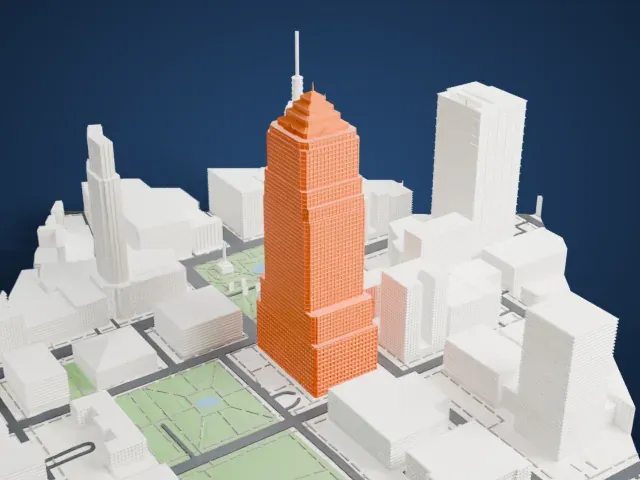 North
North
-
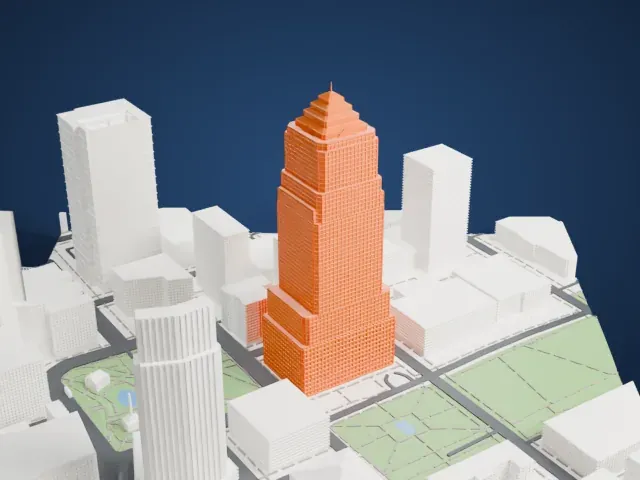 East
East
-
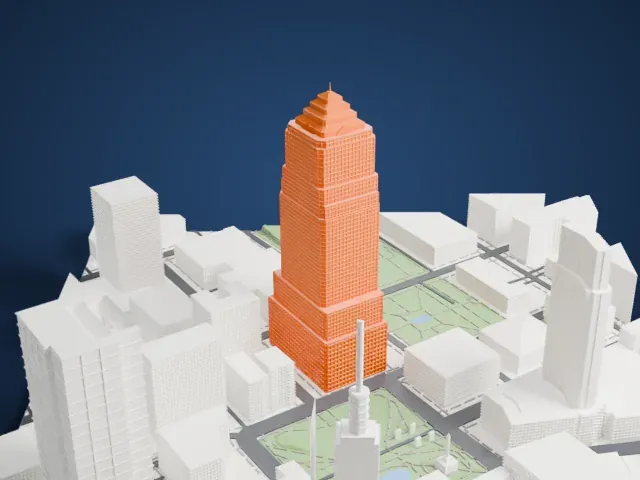 South
South
-
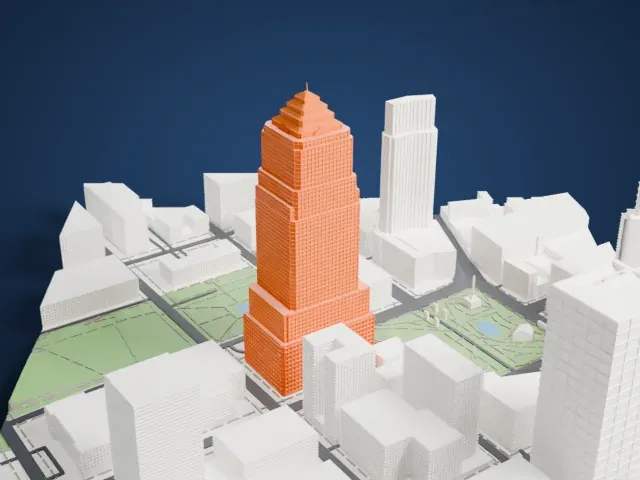 West
West
- A stepped crown and thin spire
- The tower steps back in tiers and ends in a pyramid with a thin spire. Print friendly adapts the spire to the print scale; Full detail keeps it, best on a larger print, printed slowly with good cooling.
- A dense window grid
- Every face is covered in a fine grid of window openings. Layers of 0.12–0.16 mm keep the grid crisp.
- One piece with the ground
- Key Tower is joined to the ground in the exported file, and the four-side check found no floating parts, so nothing needs gluing.
- Pick the detail for your nozzle
- In the Buildings settings, set Landmark detail to Print friendly to adapt thin parts and small details to the print scale. Full detail keeps every modeled feature, for larger prints or a finer nozzle.
- Colors
- Buildings, roads, water and ground arrive as separate filament slots in the 3MF. Key Tower takes the building color.
- File format
- You get a 3MF for Bambu Studio, OrcaSlicer or PrusaSlicer. Any of them can save it as STL if you need one.
About this model
Key Tower is one of more than 2,300 landmark models in Mini Skyline. They are made with AI, and each one is checked from four sides in its real surroundings before release. Everything around it is built from OpenStreetMap and Overture map data. If you would rather print the shape from map data, turn off Landmark models in the Buildings settings.
Common questions
Is there a Key Tower STL I can download?
Mini Skyline builds the file for you in your browser and exports 3MF, which every major slicer opens. If you need an STL, open the 3MF in your slicer and export it from there.
How big can I print it?
Any print size from 40 mm across. Key Tower grows with the print: about 77 mm tall on the default 160 mm print. For a model larger than your printer bed, Project Mode splits the area into tiles.
Is it free?
Yes. Generation runs in your browser, with no account and nothing behind a paywall.