3D print Kyle Field
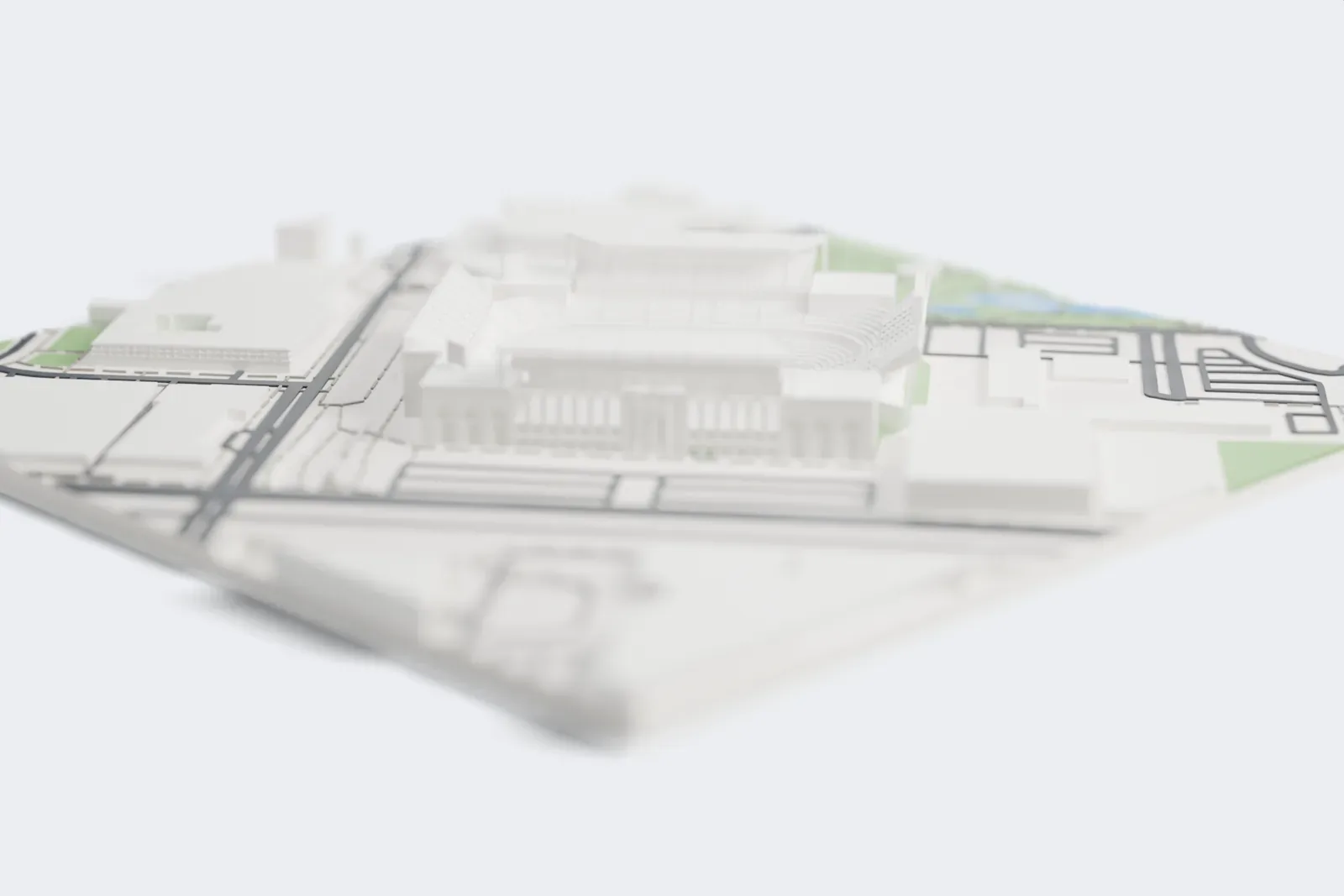
A free, printable model of Kyle Field's stepped seating decks and arched walls, with the roads, park land and buildings around it in College Station, generated from real map data in your browser.
Free, in your browser. Exports a slicer-ready 3MF.
About Kyle Field
Kyle Field is a stadium for American football, on the Texas A&M University campus in College Station, Texas. The Aggies, Texas A&M's football team, have played on the site since 1904, first in rudimentary form and, since 1927, in a permanent concrete stadium. It began with Edwin Jackson Kyle, a professor of horticulture and an 1899 graduate, who fenced off part of the campus and used $650 of his own money to buy a roofed grandstand from the Bryan fairgrounds.
The first football game there was played in 1905, and in 1906 the Corps of Cadets informally gave the field the name Kyle Field, in his honor. A third deck was added in 1980, bringing the capacity to 70,000, and the Bernard C. Richardson Zone followed in 1999 for $32.9 million. On May 1, 2013, the Board of Regents signed off on a $485 million rebuild, finished by the start of the 2015 season, which brought the official capacity to 102,733.
The rebuild lowered the field itself by approximately 7 feet and moved it approximately 18 feet to the south, making room for six more rows of seating. The oldest surviving part is the east side's second deck, built in 1967. The largest game attendance was 110,633, on October 11, 2014, when Texas A&M lost to Ole Miss 35–20. That crowd was the largest for a football game in Texas and in SEC history at the time.
How it prints
Make this print opens the generator on a 650 m square around the landmark. Buildings print at close to true scale, so the landmark grows with the print size.
| Print size | Landmark height | Scale |
|---|---|---|
| 160 mm default | 16 mm | 1:4,063 |
| 200 mm | 20 mm | 1:3,250 |
| 256 mm | 25 mm | 1:2,539 |
-
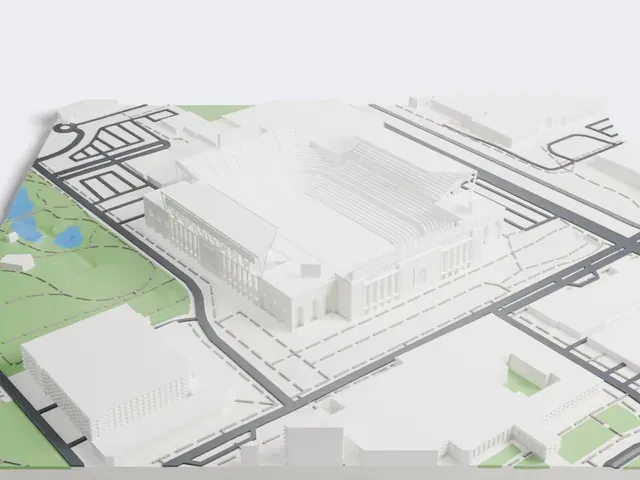 North
North
-
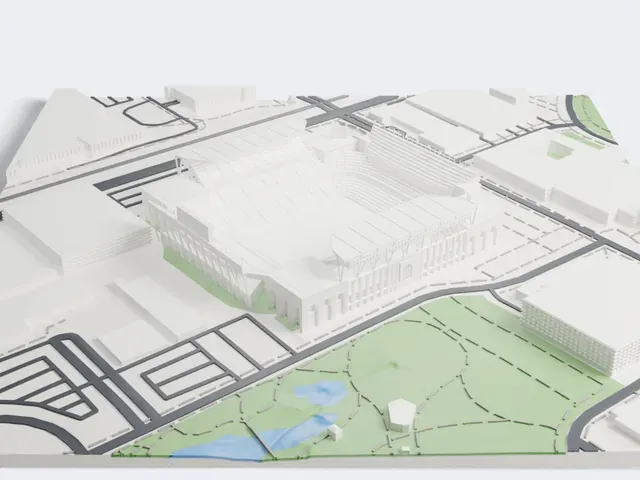 East
East
-
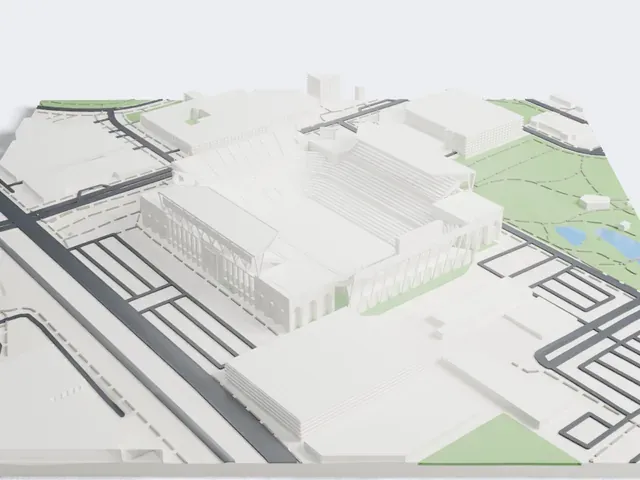 South
South
-
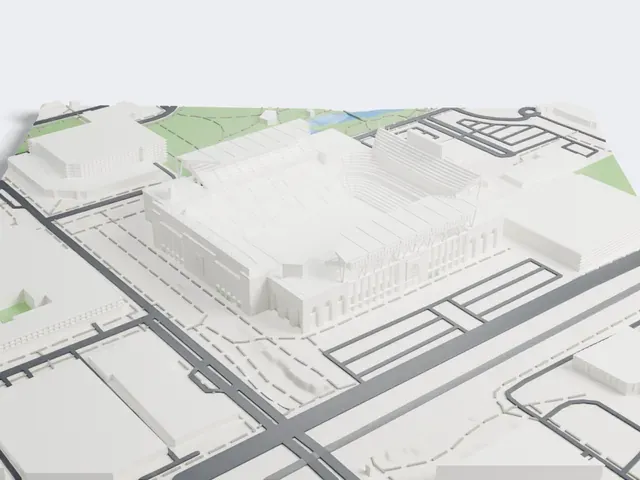 West
West
- Columns, arches and braces
- The outer walls carry arched openings, slim columns and thin diagonal braces. Layers of 0.12 to 0.16 mm keep them crisp, and Print friendly adapts the thinnest ones to the print scale.
- Many narrow seating rows
- Narrow rows of seating step up inside the bowl. A larger print size keeps more of them, and Full detail keeps every modeled row.
- One piece with the ground
- Kyle Field is joined to the ground in the exported file, and the four-side check found no floating parts, so nothing needs gluing.
- Pick the detail for your nozzle
- In the Buildings settings, set Landmark detail to Print friendly to adapt thin parts and small details to the print scale. Full detail keeps every modeled feature, for larger prints or a finer nozzle.
- Colors
- Buildings, roads, water and ground arrive as separate filament slots in the 3MF. Kyle Field takes the building color.
- File format
- You get a 3MF for Bambu Studio, OrcaSlicer or PrusaSlicer. Any of them can save it as STL if you need one.
About this model
Kyle Field is one of more than 2,300 landmark models in Mini Skyline. They are made with AI, and each one is checked from four sides in its real surroundings before release. Everything around it is built from OpenStreetMap and Overture map data. If you would rather print the shape from map data, turn off Landmark models in the Buildings settings.
Common questions
Is there a Kyle Field STL I can download?
Mini Skyline builds the file for you in your browser and exports 3MF, which every major slicer opens. If you need an STL, open the 3MF in your slicer and export it from there.
How big can I print it?
Any print size from 40 mm across. Kyle Field grows with the print: about 16 mm tall on the default 160 mm print. For a model larger than your printer bed, Project Mode splits the area into tiles.
Is it free?
Yes. Generation runs in your browser, with no account and nothing behind a paywall.