3D print Lakehurst Hangar No. 1
A free, printable model of the huge arched hangar and the roads, lawns and low buildings of the base around it, generated from real map data in your browser.
Free, in your browser. Exports a slicer-ready 3MF.
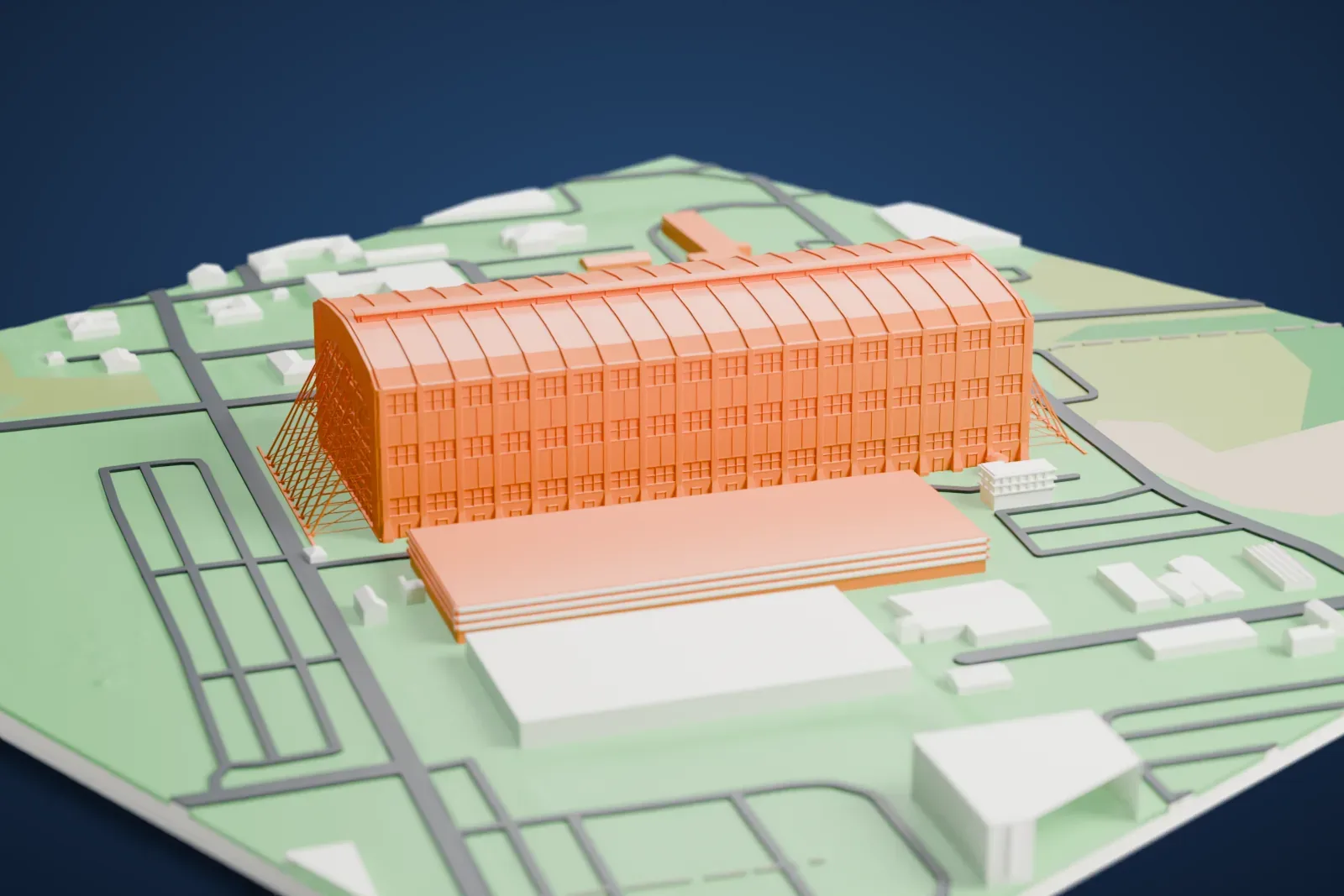
About Lakehurst Hangar No. 1
The airship hangar called Hangar No. 1 stands in Ocean County, New Jersey, within Manchester Township, on the grounds of Naval Air Engineering Station Lakehurst. The rigid airship LZ 129 Hindenburg was bound for it when it burned during landing on May 6, 1937. The hangar dates from 1921, making it among the oldest surviving structures tied to lighter-than-air flight in its day. It received National Historic Landmark status in 1968.
Lord Construction Company finished the work in 1921, and Bethlehem Steel Company put up the trusses. The hangar is 294 m (966 feet) long, 110 m (350 feet) wide and 68 m (224 feet) tall. At each end, two pairs of massive steel doors run on railroad tracks. A single door, balanced with counterweights, weighs 1,350 tons, and two motors of 20 horsepower each move it.
No major facility at Lakehurst came before it, and it was made for the huge helium-filled dirigibles. Inside, there was space for two rigid airships and some non-rigid ones (blimps). Builders assembled the USS Shenandoah (ZR-1) there between 1922 and 1923. Service and storage were also provided there for the Graf Zeppelin (LZ 127), the USS Macon and USS Akron, and the Hindenburg.
How it prints
Make this print opens the generator on a 600 m square around the landmark. Buildings print at close to true scale, so the landmark grows with the print size.
| Print size | Landmark height | Scale |
|---|---|---|
| 160 mm default | 18 mm | 1:3,750 |
| 200 mm | 23 mm | 1:3,000 |
| 256 mm | 29 mm | 1:2,344 |
-
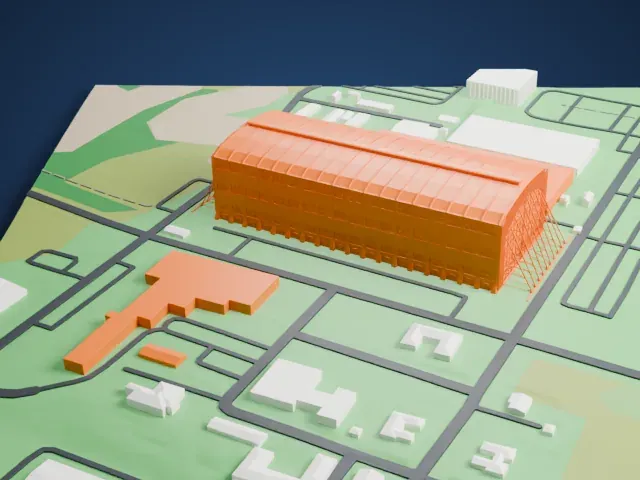 North
North
-
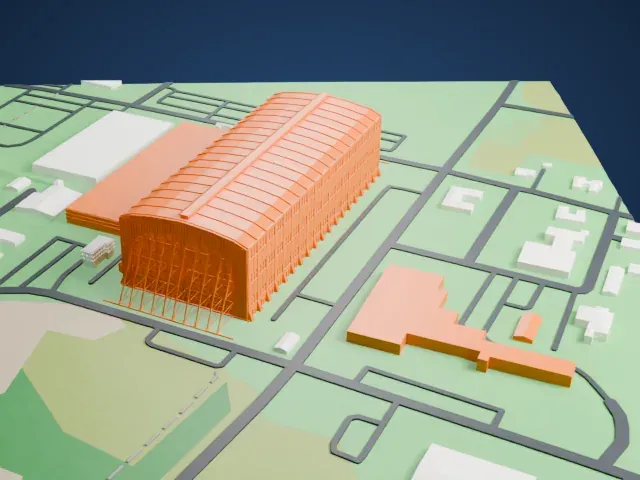 East
East
-
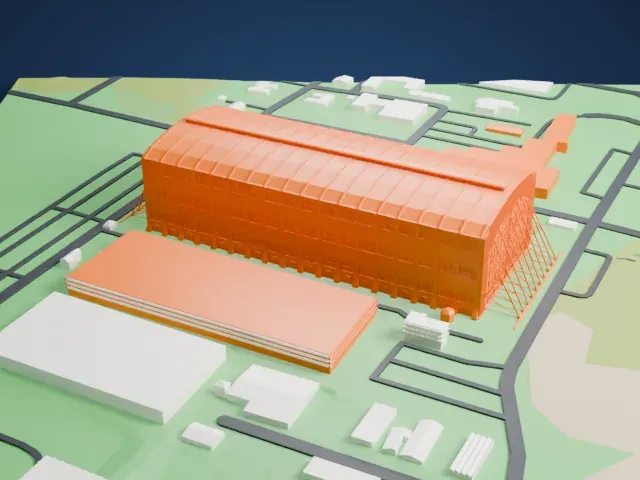 South
South
-
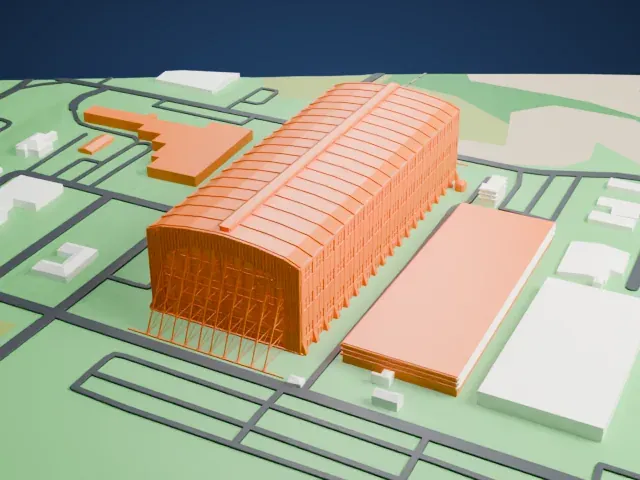 West
West
- Ribbed barrel roof
- A long barrel roof carries closely spaced ribs along its length. Layers of 0.12-0.16 mm and a larger print size keep the rib lines crisp.
- Very long, tall walls
- The hangar is a huge, simple block, so small flaws on its flat sides show. Slower speed and steady cooling help keep them smooth.
- One piece with the ground
- Lakehurst Hangar No. 1 is joined to the ground in the exported file, and the four-side check found no floating parts, so nothing needs gluing.
- Pick the detail for your nozzle
- In the Buildings settings, set Landmark detail to Print friendly to adapt thin parts and small details to the print scale. Full detail keeps every modeled feature, for larger prints or a finer nozzle.
- Colors
- Buildings, roads, water and ground arrive as separate filament slots in the 3MF. Lakehurst Hangar No. 1 takes the building color.
- File format
- You get a 3MF for Bambu Studio, OrcaSlicer or PrusaSlicer. Any of them can save it as STL if you need one.
About this model
Lakehurst Hangar No. 1 is one of more than 2,300 landmark models in Mini Skyline. They are made with AI, and each one is checked from four sides in its real surroundings before release. Everything around it is built from OpenStreetMap and Overture map data. If you would rather print the shape from map data, turn off Landmark models in the Buildings settings.
Common questions
Is there a Lakehurst Hangar No. 1 STL I can download?
Mini Skyline builds the file for you in your browser and exports 3MF, which every major slicer opens. If you need an STL, open the 3MF in your slicer and export it from there.
How big can I print it?
Any print size from 40 mm across. Lakehurst Hangar No. 1 grows with the print: about 18 mm tall on the default 160 mm print. For a model larger than your printer bed, Project Mode splits the area into tiles.
Is it free?
Yes. Generation runs in your browser, with no account and nothing behind a paywall.