3D print the London Eye
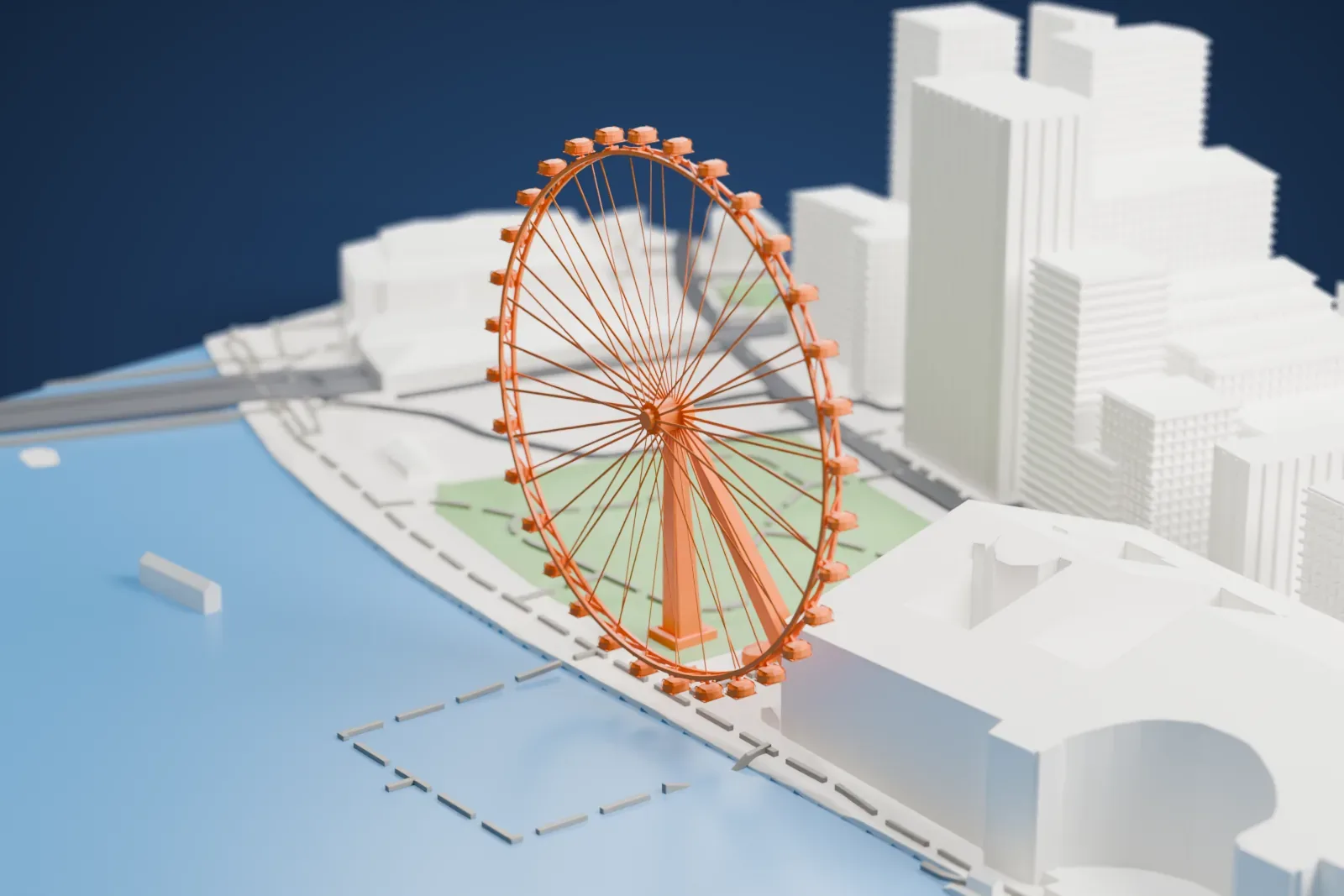
A free, printable model of the London Eye, the river bank, the park beside it and the buildings around it, generated from real map data in your browser.
Free, in your browser. Exports a slicer-ready 3MF.
About the London Eye
The London Eye is a cantilevered observation wheel beside the Thames on London’s South Bank, and it was first called the Millennium Wheel. It stands at the western end of Jubilee Gardens, between Westminster Bridge and Hungerford Bridge, next to County Hall in the borough of Lambeth. The structure is 135 meters (443 ft) tall and the wheel measures 120 meters (394 ft) across. A single A-frame on one side carries all the weight. Of all cantilevered observation wheels, it is the tallest in the world.
Architects David Marks and Julia Barfield conceived the wheel for a 1993 competition, run by The Sunday Times newspaper with the Architecture Foundation, that sought a landmark for the start of the third millennium. They developed the idea alongside Jane Wernick, a structural engineer at Arup. The competition ended without a winner, but planning permission was granted in 1996. The wheel was built in sections, floated upriver by barge, and assembled lying flat on platforms in the water before a strand jack system raised it upright. Its major components came from six countries.
Prime Minister Tony Blair formally opened the wheel on December 31, 1999, although a capsule clutch problem delayed rides for the paying public until March 9, 2000. At that public opening it was the tallest Ferris wheel in the world, a title it kept until the Star of Nanchang in China, at 160 meters (525 ft), passed it in 2006. It was also London’s highest public viewing point until 2013, when the View from The Shard, at 245 meters (804 ft), overtook it. Its 32 sealed capsules ride the rim, and one full turn takes about 30 minutes.
How it prints
Make this print opens the generator on a 600 m square around the landmark. Buildings print at close to true scale, so the landmark grows with the print size.
| Print size | Landmark height | Scale |
|---|---|---|
| 160 mm default | 37 mm | 1:3,750 |
| 200 mm | 47 mm | 1:3,000 |
| 256 mm | 60 mm | 1:2,344 |
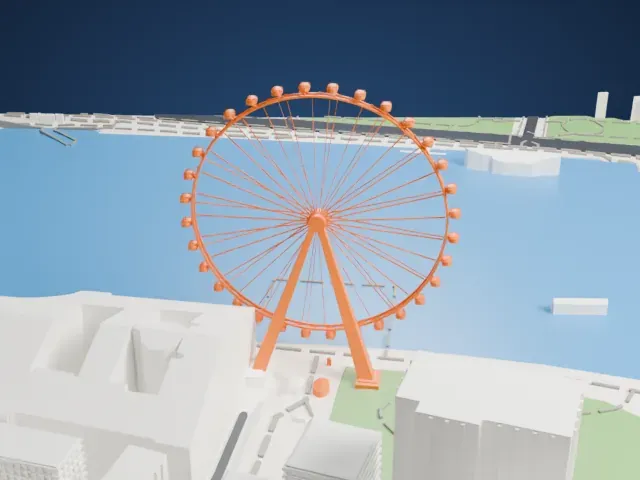
-
 North
North
-
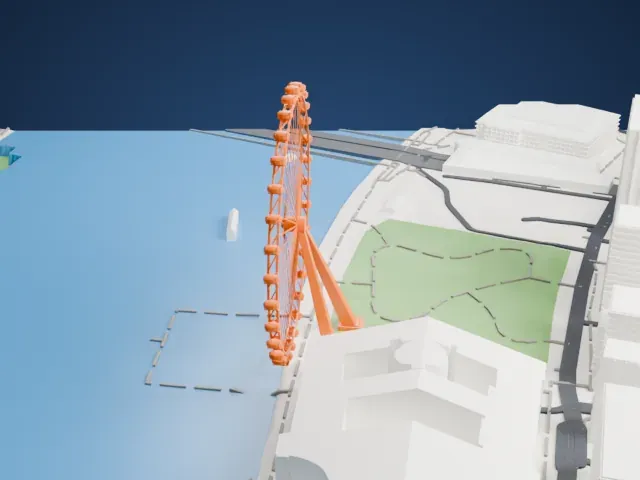
 East
East
-
 South
South
-
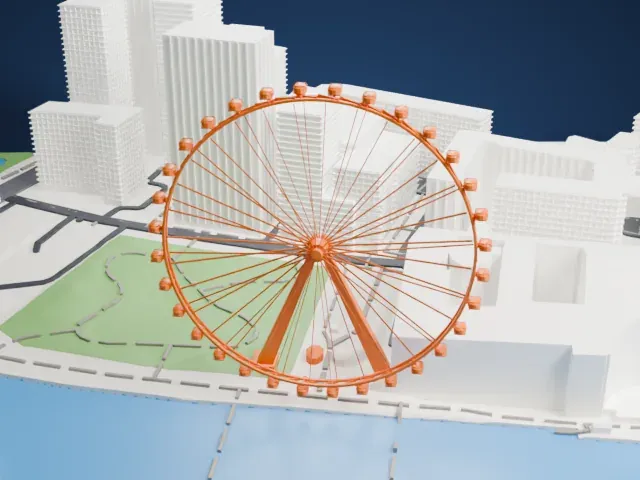 West
West
- A wheel of thin spokes
- Dozens of fine spokes run from the hub to the rim, with small capsules around the edge. Print friendly adapts them to the print scale, while Full detail keeps every spoke for a larger print or a fine nozzle.
- One side leans on an A-frame
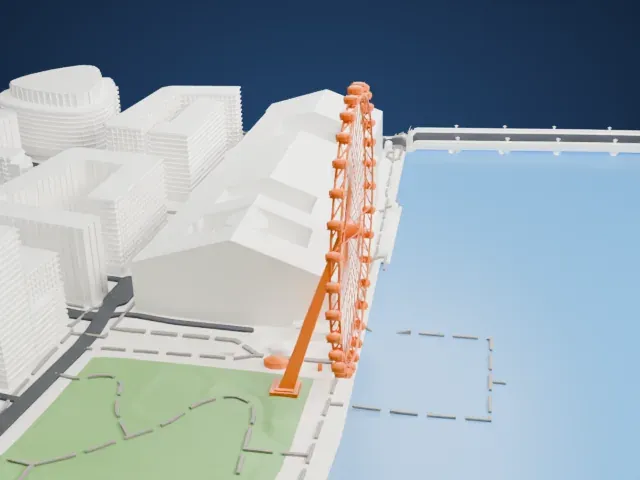
- The wheel is held from one side by a leaning A-frame, and the rim reaches out over the water. Layers of 0.12 to 0.16 mm and a slower print speed help the slender legs stay crisp.
- One piece with the ground
- The London Eye is joined to the ground in the exported file, and the four-side check found no floating parts, so nothing needs gluing.
- Pick the detail for your nozzle
- In the Buildings settings, set Landmark detail to Print friendly to adapt thin parts and small details to the print scale. Full detail keeps every modeled feature, for larger prints or a finer nozzle.
- Colors
- Buildings, roads, water and ground arrive as separate filament slots in the 3MF. The London Eye takes the building color.
- File format
- You get a 3MF for Bambu Studio, OrcaSlicer or PrusaSlicer. Any of them can save it as STL if you need one.
About this model
The London Eye is one of more than 2,300 landmark models in Mini Skyline. They are made with AI, and each one is checked from four sides in its real surroundings before release. Everything around it is built from OpenStreetMap and Overture map data. If you would rather print the shape from map data, turn off Landmark models in the Buildings settings.
Common questions
Is there a London Eye STL I can download?
Mini Skyline builds the file for you in your browser and exports 3MF, which every major slicer opens. If you need an STL, open the 3MF in your slicer and export it from there.
How big can I print it?
Any print size from 40 mm across. The London Eye grows with the print: about 37 mm tall on the default 160 mm print. For a model larger than your printer bed, Project Mode splits the area into tiles.
Is it free?
Yes. Generation runs in your browser, with no account and nothing behind a paywall.