3D print Mission San José de Tumacácori
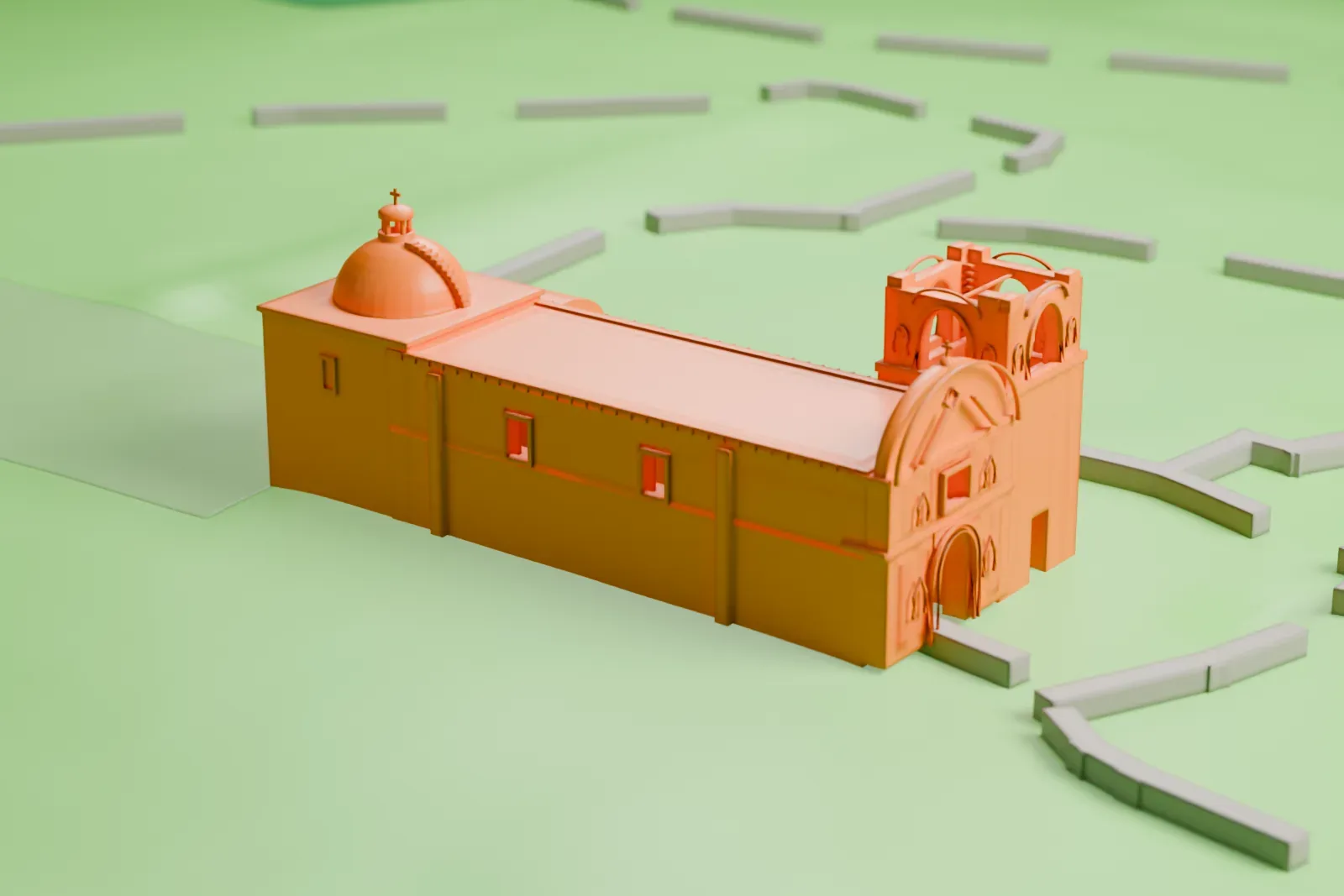
A free, printable model of Mission San José de Tumacácori, its bell tower and domes, on the open grounds around it, generated from real map data in your browser.
Free, in your browser. Exports a slicer-ready 3MF.
About Mission San José de Tumacácori
Near Nogales, Arizona, stands the historic Spanish mission of San José de Tumacácori. Its O'odham name, Cemagĭ Gakolig, means "crooked limestone place". In 1691 Jesuits founded Mission San Cayetano del Tumacácori, close to a Sobaipuri village on the Santa Cruz River's east side. The O'odham rebellion of 1751 left the mission abandoned for a time.
The village was reestablished in 1752, and in 1753 work began on the church of Mission San José de Tumacácori, on the river's west side. The first church building was ready for use in 1757, and its architectural style is Spanish Colonial. By order of King Carlos III on February 3, 1768, the Jesuits had to leave colonial New Spain, and Franciscan missionaries took their place.
After a petition, the intendant-governor of Arizpe, Alejo García Conde, officially gave the land of the mission to the O'odham who lived there; the grant was made on December 17, 1806. The deed was lost in 1841. In 1843 the mission was declared abandoned, and in 1844 it was auctioned. The mission lies within Tumacácori National Historical Park, which covers 360 acres (1.5 km2) in three separate sections.
How it prints
Make this print opens the generator on a 600 m square around the landmark. Buildings print at close to true scale, so the landmark grows with the print size.
| Print size | Landmark height | Scale |
|---|---|---|
| 160 mm default | 4 mm | 1:3,750 |
| 200 mm | 5 mm | 1:3,000 |
| 256 mm | 6 mm | 1:2,344 |
-
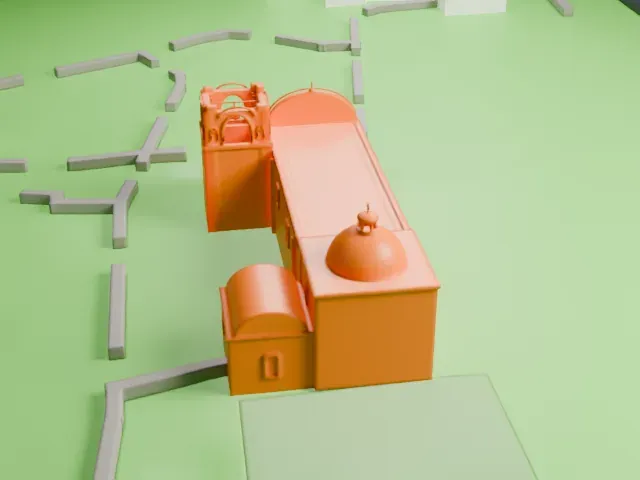 North
North
-
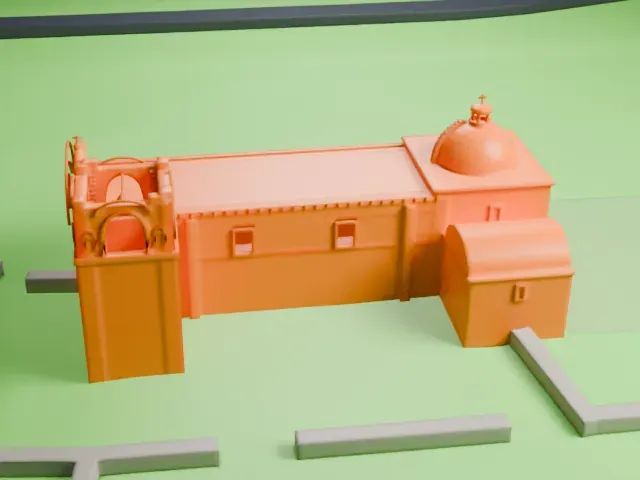 East
East
-
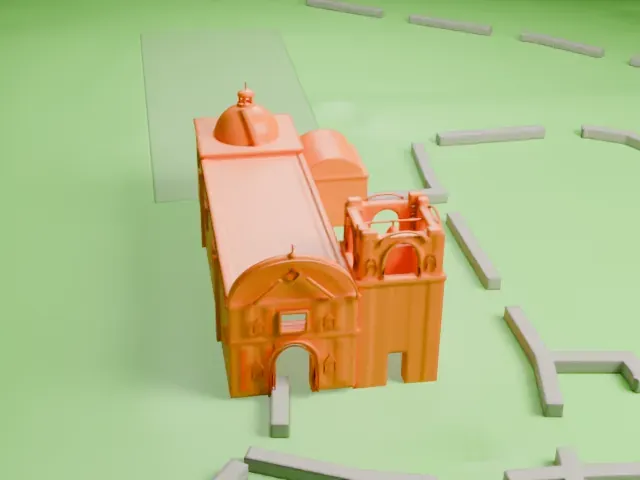 South
South
-
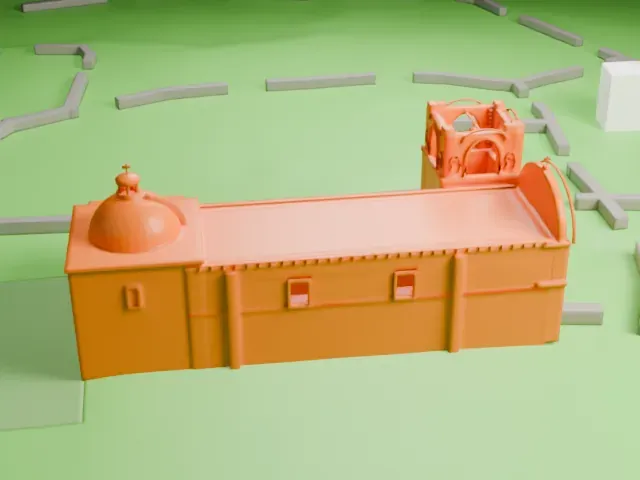 West
West
- Tiny domes and crosses
- The model shows two domes, a bell tower and small crosses, all very small at the size shown. Print friendly adapts the smallest parts to the print scale; Full detail suits larger prints and a finer layer height.
- One piece with the ground
- Mission San José de Tumacácori is joined to the ground in the exported file, and the four-side check found no floating parts, so nothing needs gluing.
- Pick the detail for your nozzle
- In the Buildings settings, set Landmark detail to Print friendly to adapt thin parts and small details to the print scale. Full detail keeps every modeled feature, for larger prints or a finer nozzle.
- Colors
- Buildings, roads, water and ground arrive as separate filament slots in the 3MF. Mission San José de Tumacácori takes the building color.
- File format
- You get a 3MF for Bambu Studio, OrcaSlicer or PrusaSlicer. Any of them can save it as STL if you need one.
About this model
Mission San José de Tumacácori is one of more than 2,300 landmark models in Mini Skyline. They are made with AI, and each one is checked from four sides in its real surroundings before release. Everything around it is built from OpenStreetMap and Overture map data. If you would rather print the shape from map data, turn off Landmark models in the Buildings settings.
Common questions
Is there a Mission San José de Tumacácori STL I can download?
Mini Skyline builds the file for you in your browser and exports 3MF, which every major slicer opens. If you need an STL, open the 3MF in your slicer and export it from there.
How big can I print it?
Any print size from 40 mm across. Mission San José de Tumacácori grows with the print: about 4 mm tall on the default 160 mm print. For a model larger than your printer bed, Project Mode splits the area into tiles.
Is it free?
Yes. Generation runs in your browser, with no account and nothing behind a paywall.