3D print the Capitoline Museums
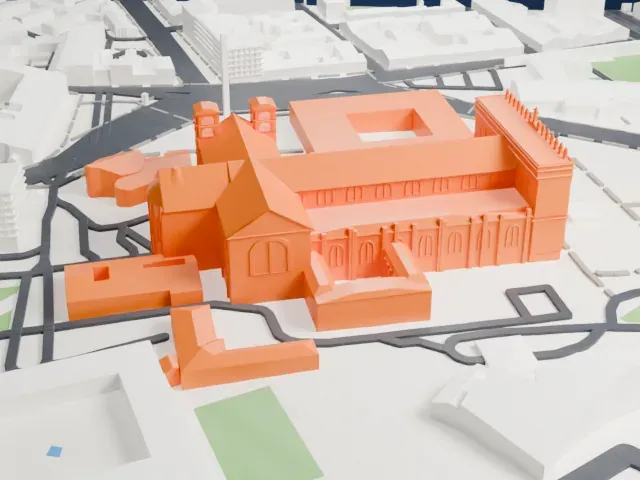
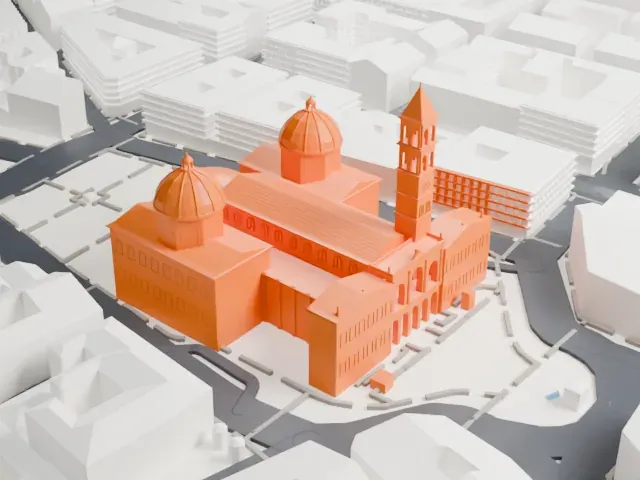
A free, printable model of the Capitoline Museums' palaces and the green hillside, winding paths and large buildings around them in Rome, generated from real map data in your browser.
Free, in your browser. Exports a slicer-ready 3MF.
About the Capitoline Museums
Rome's main civic museum complex is the Capitoline Museums, a cluster of art and archaeology museums on the Capitoline Hill. Two palaces form its core, the Palazzo Nuovo and the Palazzo dei Conservatori, and they stand opposite one another on Piazza del Campidoglio. Michelangelo designed this square in 1536, and later centuries saw it finished.
Ancient Roman art and history are the main subject, with Roman sculpture getting special emphasis. Famous pieces include the Dying Gaul, the Capitoline Wolf and the Equestrian Statue of Marcus Aurelius, plus inscriptions and coins that reflect civic and religious life in Rome. Renaissance and Baroque paintings are also on show, and frescoes cover the walls of the Conservators' Apartment, showing episodes from Rome's early history.
The collection goes back to 1471, when Pope Sixtus IV handed ancient bronzes from the Lateran over to the people of Rome. In 1734 Pope Clement XII made the museum open to the public. In 1797 the Treaty of Tolentino, imposed by Napoleon Bonaparte, sent some of the best-known pieces to the Louvre. Antonio Canova brought several back in 1815, among them the Dying Gaul, the Capitoline Brutus and the Boy with Thorn. Rodolfo Lanciani reorganized the collections in 1903.
How it prints
Make this print opens the generator on a 600 m square around the landmark. Buildings print at close to true scale, so the landmark grows with the print size.
| Print size | Landmark height | Scale |
|---|---|---|
| 160 mm default | 8 mm | 1:3,750 |
| 200 mm | 10 mm | 1:3,000 |
| 256 mm | 13 mm | 1:2,344 |
-
 North
North
-
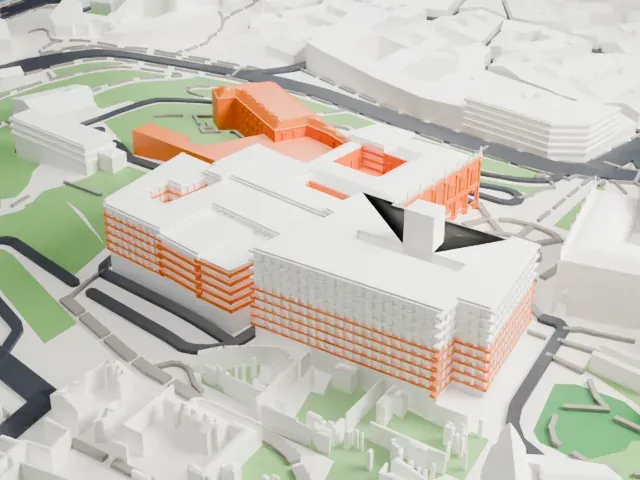 East
East
-
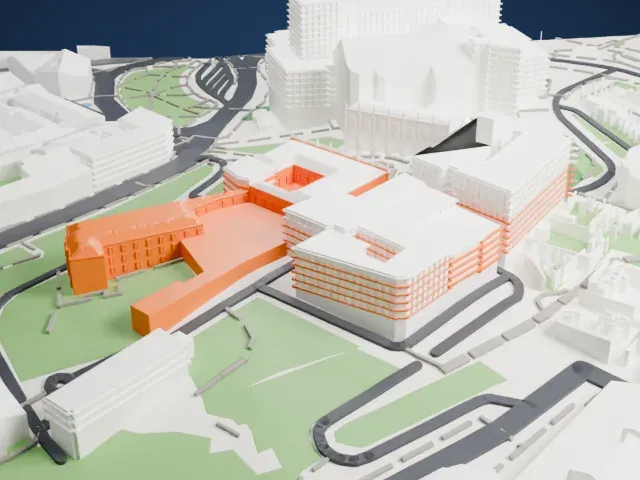 South
South
-
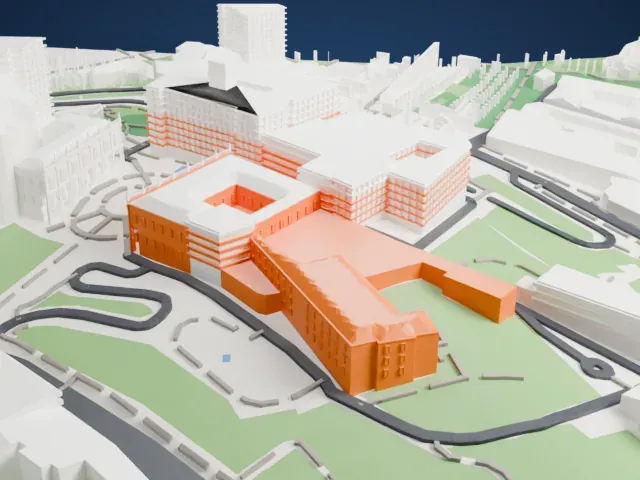 West
West
- Windows, arches and a balustrade
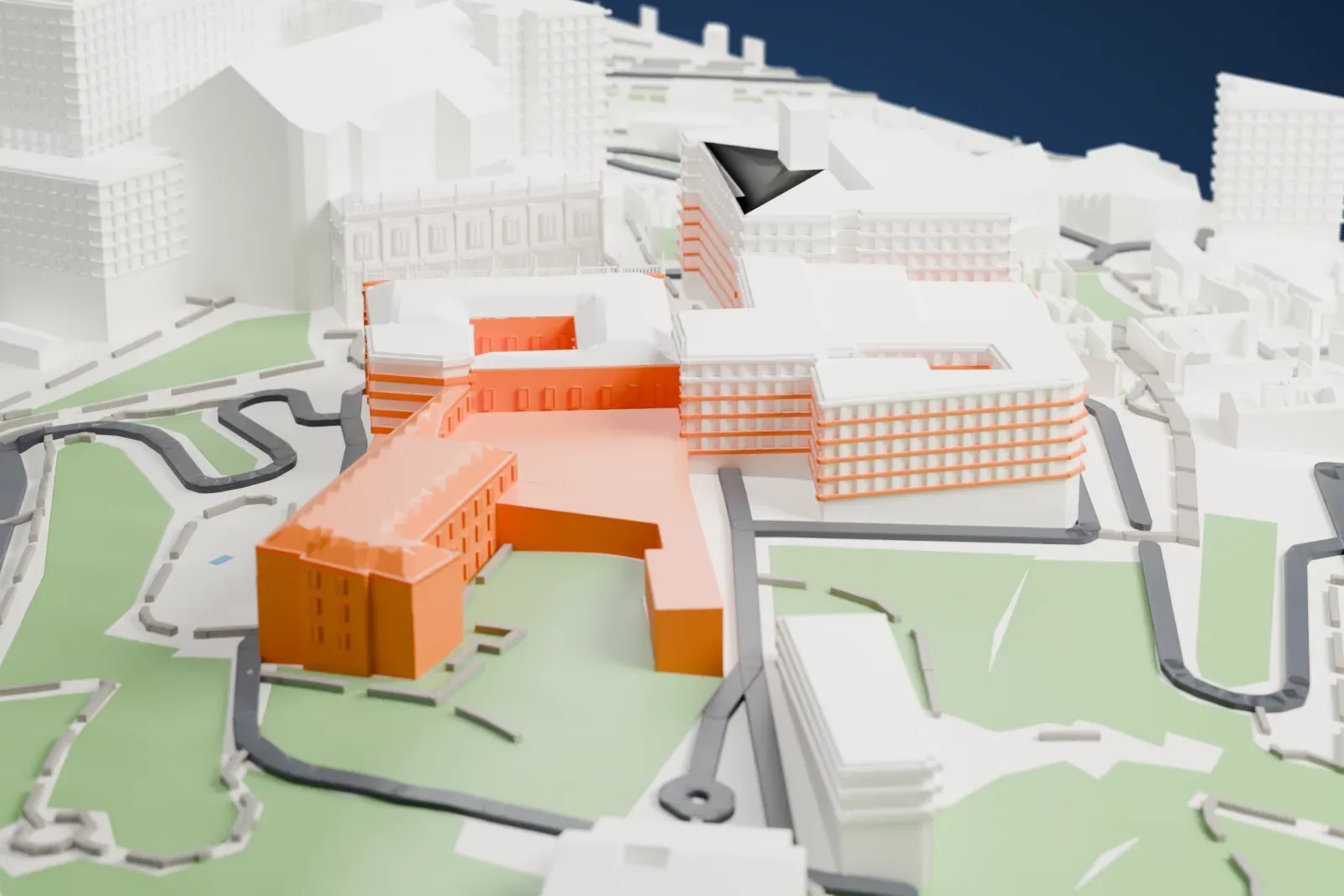
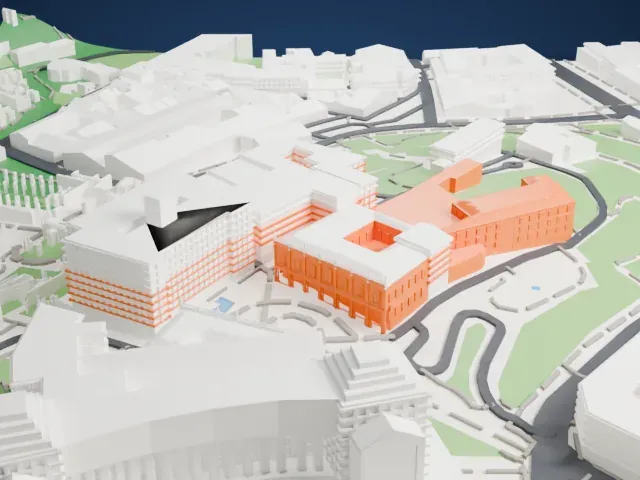
- The palace fronts carry rows of small windows and arches, with a delicate balustrade along one roofline. Print friendly adapts them to the print scale, while Full detail keeps them all, which suits a larger print.
- A small inner courtyard
- One palace wraps around a small open courtyard. A larger print size keeps it open, and layers of 0.12 to 0.16 mm keep the walls crisp.
- One piece with the ground
- The Capitoline Museums is joined to the ground in the exported file, and the four-side check found no floating parts, so nothing needs gluing.
- Pick the detail for your nozzle
- In the Buildings settings, set Landmark detail to Print friendly to adapt thin parts and small details to the print scale. Full detail keeps every modeled feature, for larger prints or a finer nozzle.
- Colors
- Buildings, roads, water and ground arrive as separate filament slots in the 3MF. The Capitoline Museums takes the building color.
- File format
- You get a 3MF for Bambu Studio, OrcaSlicer or PrusaSlicer. Any of them can save it as STL if you need one.
About this model
The Capitoline Museums is one of more than 2,300 landmark models in Mini Skyline. They are made with AI, and each one is checked from four sides in its real surroundings before release. Everything around it is built from OpenStreetMap and Overture map data. If you would rather print the shape from map data, turn off Landmark models in the Buildings settings.
Common questions
Is there a Capitoline Museums STL I can download?
Mini Skyline builds the file for you in your browser and exports 3MF, which every major slicer opens. If you need an STL, open the 3MF in your slicer and export it from there.
How big can I print it?
Any print size from 40 mm across. The Capitoline Museums grows with the print: about 8 mm tall on the default 160 mm print. For a model larger than your printer bed, Project Mode splits the area into tiles.
Is it free?
Yes. Generation runs in your browser, with no account and nothing behind a paywall.