3D print the Royal Palace of Amsterdam
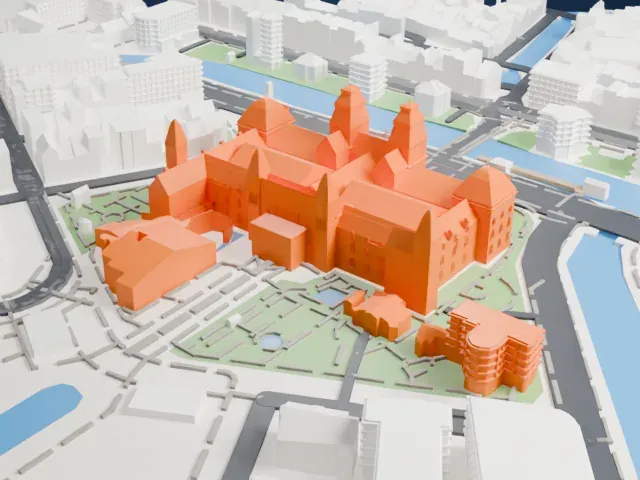
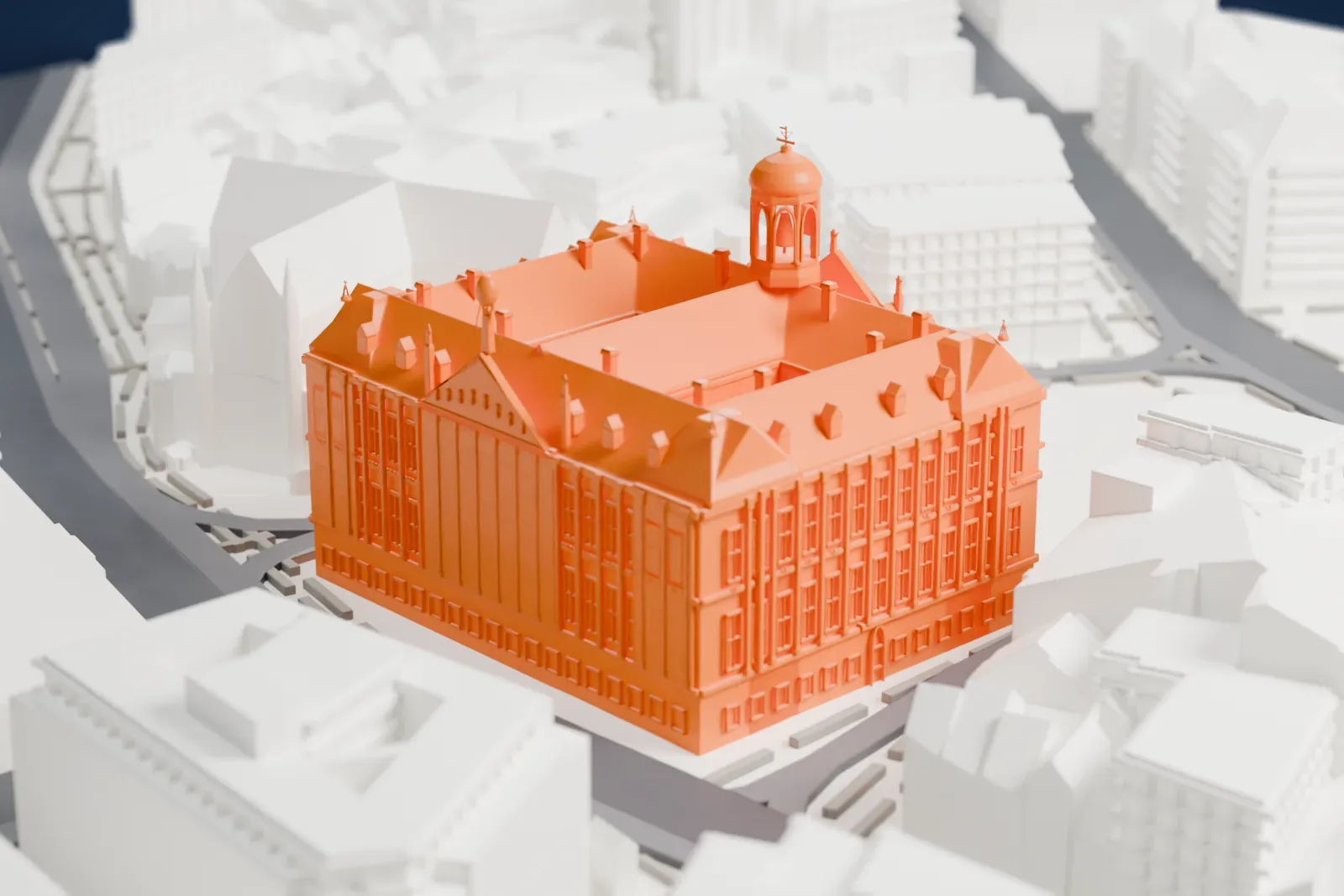
A free, printable model of the palace with its pitched roofs and domed cupola, with the square, streets and dense city buildings around it, generated from real map data in your browser.
Free, in your browser. Exports a slicer-ready 3MF.
About the Royal Palace of Amsterdam
The Royal Palace of Amsterdam (Koninklijk Paleis van Amsterdam, also called Paleis op de Dam) lies in the center of Amsterdam, on the western side of Dam Square. It faces the War Memorial across the square and stands beside the Nieuwe Kerk. Three palaces in the Netherlands are at the monarch's disposal by Act of Parliament, and this is one of them.
The building dates from the mid-seventeenth century, when Amsterdam had it built as a replacement city hall, and it did not become a royal palace until 1808. Burgemeester Nicolaes Tulp commissioned it as a large-scale project even before the old city hall burned down in 1652. Jacob van Campen was the main architect and took control of the construction in 1648. The building rests on 13,659 wooden piles. In 1808 King Louis I of Holland, Louis Bonaparte, moved to Amsterdam and turned the city hall into his royal palace.
After the Kingdom of the Netherlands was created in 1815, the building passed to the Dutch Royal House as a palace. The Kingdom of the Netherlands took it into ownership in 1936. The monarch uses it for entertaining and official functions, such as state visits and New Year receptions. Having been designed as a city hall, it has no grand entrance, which most royal palaces do have. A 6-meter-tall statue of Atlas, who carries the Globe on his shoulders, stands astride the rear of the building.
How it prints
Make this print opens the generator on a 600 m square around the landmark. Buildings print at close to true scale, so the landmark grows with the print size.
| Print size | Landmark height | Scale |
|---|---|---|
| 160 mm default | 16 mm | 1:3,750 |
| 200 mm | 20 mm | 1:3,000 |
| 256 mm | 26 mm | 1:2,344 |
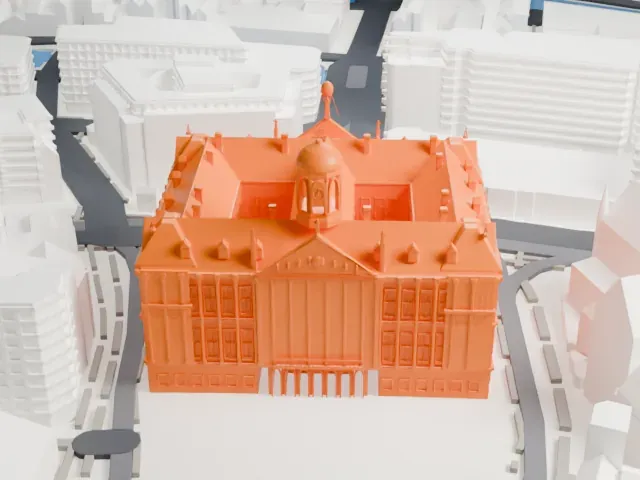
-
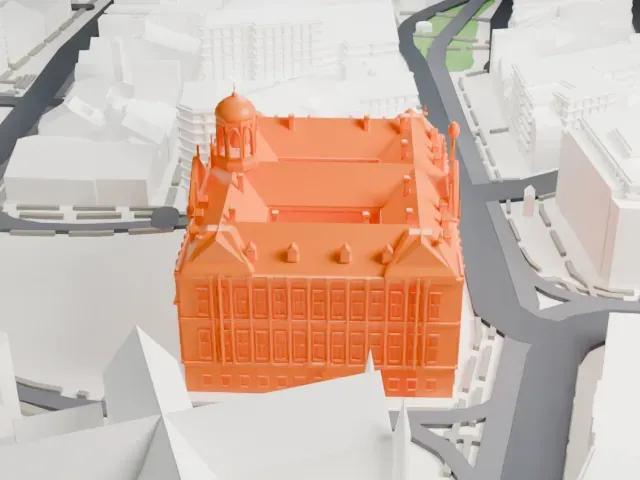 North
North
-
 East
East
-
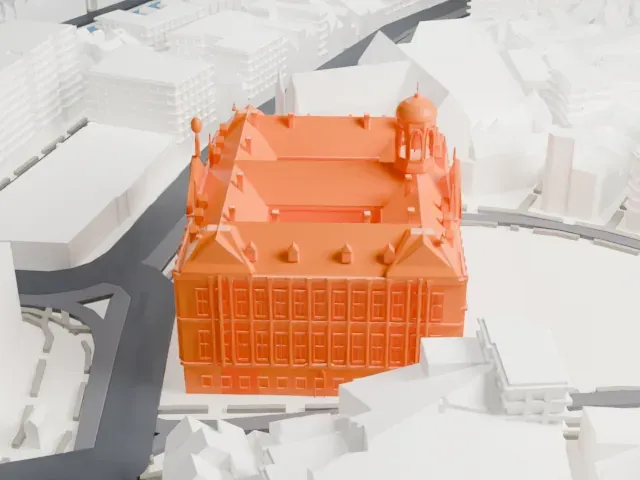 South
South
-
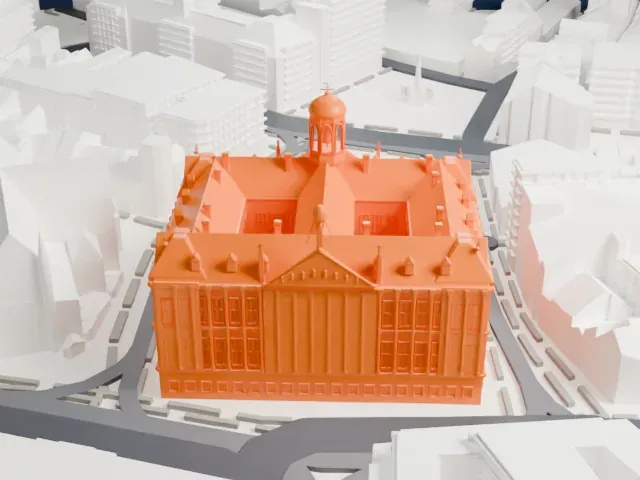 West
West
- Cupola with a slim finial
- The small domed cupola on the roof is topped by a slim finial. Print friendly adapts thin tips like this to your print scale; Full detail keeps them, best on a larger print.
- Dormers, chimneys and tall windows
- The roofs carry many small dormers and chimneys, and the walls have rows of tall windows. A larger print keeps more of them, and layers of 0.12 to 0.16 mm keep their edges crisp.
- One piece with the ground
- The Royal Palace of Amsterdam is joined to the ground in the exported file, and the four-side check found no floating parts, so nothing needs gluing.
- Pick the detail for your nozzle
- In the Buildings settings, set Landmark detail to Print friendly to adapt thin parts and small details to the print scale. Full detail keeps every modeled feature, for larger prints or a finer nozzle.
- Colors
- Buildings, roads, water and ground arrive as separate filament slots in the 3MF. The Royal Palace of Amsterdam takes the building color.
- File format
- You get a 3MF for Bambu Studio, OrcaSlicer or PrusaSlicer. Any of them can save it as STL if you need one.
About this model
The Royal Palace of Amsterdam is one of more than 2,300 landmark models in Mini Skyline. They are made with AI, and each one is checked from four sides in its real surroundings before release. Everything around it is built from OpenStreetMap and Overture map data. If you would rather print the shape from map data, turn off Landmark models in the Buildings settings.
Common questions
Is there a Royal Palace of Amsterdam STL I can download?
Mini Skyline builds the file for you in your browser and exports 3MF, which every major slicer opens. If you need an STL, open the 3MF in your slicer and export it from there.
How big can I print it?
Any print size from 40 mm across. The Royal Palace of Amsterdam grows with the print: about 16 mm tall on the default 160 mm print. For a model larger than your printer bed, Project Mode splits the area into tiles.
Is it free?
Yes. Generation runs in your browser, with no account and nothing behind a paywall.