3D print the Royal Palace of Caserta
A free, printable model of the Royal Palace of Caserta and its four inner courts, with the lawns, avenues and nearby buildings around it, generated from real map data in your browser.
Free, in your browser. Exports a slicer-ready 3MF.
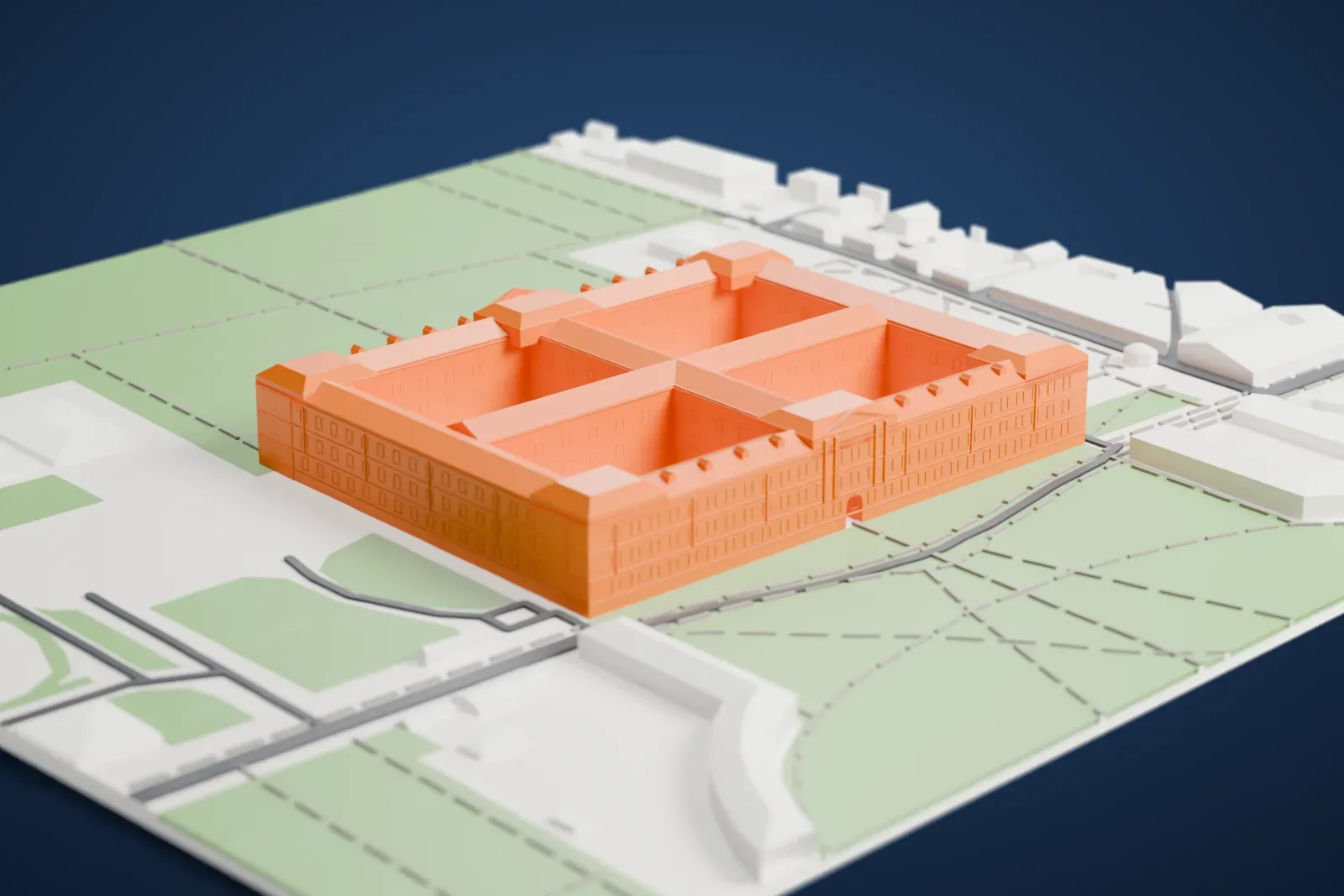
About the Royal Palace of Caserta
The House of Bourbon-Two Sicilies built the Royal Palace of Caserta to serve as the principal home of the Kings of Naples. A former royal palace, it stands in Caserta, in Campania in southern Italy, 35 km (22 mi) north of Naples. It has 130,000 square meters of floor space across five floors, and it counts among the largest palaces built in Europe in the 18th century. It also ranks among the biggest of the world's former royal residences. UNESCO designated it a World Heritage Site in 1997.
Work started in 1752 on behalf of Charles VII of Naples, later known as Charles III of Spain; he worked closely with Luigi Vanvitelli, his architect. Charles never slept there, since he abdicated in 1759 on becoming King of Spain, and the project reached only partial completion under his successor, Ferdinand IV of Naples. Vanvitelli died in 1773; his son Carlo and other architects continued the work, but the two frontal wings of the original plan, resembling the colonnades of Bernini at St. Peter's Square, were never completed. On April 29, 1945, the surrender of the German forces in Italy was signed at the palace.
Its rectangular plan measures 247 m by 190 m (810 ft by 623 ft), with two orthogonal arms joining its four sides and forming four inner courts. Inside are 1,200 rooms, 1,742 windows, 34 staircases and 1,026 fireplaces, plus a theater modeled on the Teatro San Carlo of Naples and a large library. The park behind it covers 120 hectares (300 acres), with some of it on hills, and its construction began in 1753. Fountains and cascades line a broad, straight canal running out to the horizon.
How it prints
Make this print opens the generator on a 600 m square around the landmark. Buildings print at close to true scale, so the landmark grows with the print size.
| Print size | Landmark height | Scale |
|---|---|---|
| 160 mm default | 12 mm | 1:3,750 |
| 200 mm | 15 mm | 1:3,000 |
| 256 mm | 19 mm | 1:2,344 |
-
 North
North
-
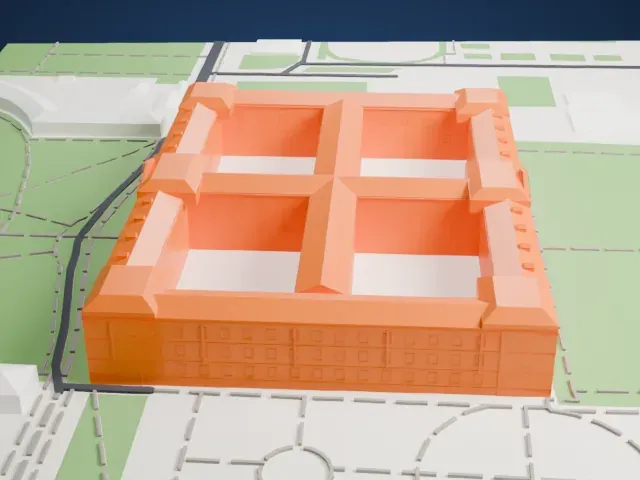 East
East
-
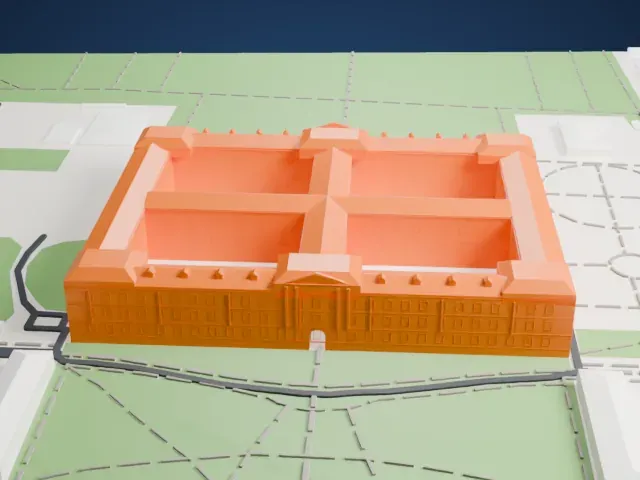 South
South
-
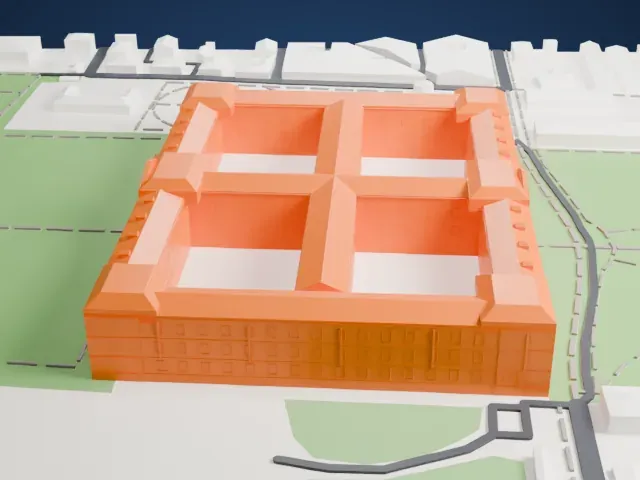 West
West
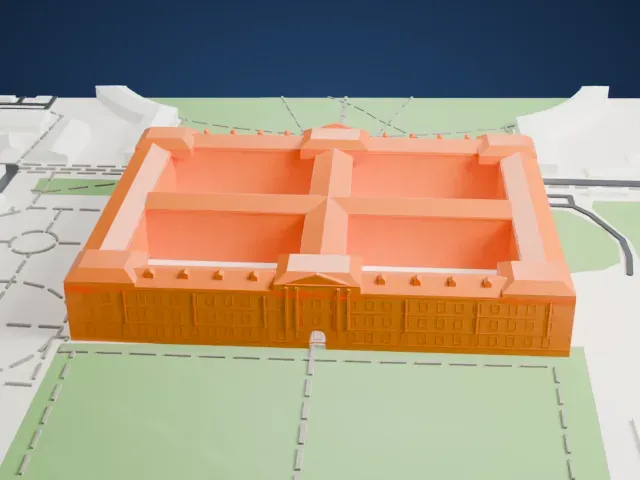
- Four courts around crossing wings
- The long rectangular block has four inner courts divided by a cross of wings. A larger print keeps the courts open; at small sizes the gaps between the wings can fill in.
- Rows of small windows
- The long facades carry rows of small windows and a central entrance bay. Print friendly adapts these small details; Full detail keeps them on larger prints, and 0.12 to 0.16 mm layers keep them crisp.
- One piece with the ground
- The Royal Palace of Caserta is joined to the ground in the exported file, and the four-side check found no floating parts, so nothing needs gluing.
- Pick the detail for your nozzle
- In the Buildings settings, set Landmark detail to Print friendly to adapt thin parts and small details to the print scale. Full detail keeps every modeled feature, for larger prints or a finer nozzle.
- Colors
- Buildings, roads, water and ground arrive as separate filament slots in the 3MF. The Royal Palace of Caserta takes the building color.
- File format
- You get a 3MF for Bambu Studio, OrcaSlicer or PrusaSlicer. Any of them can save it as STL if you need one.
About this model
The Royal Palace of Caserta is one of more than 2,300 landmark models in Mini Skyline. They are made with AI, and each one is checked from four sides in its real surroundings before release. Everything around it is built from OpenStreetMap and Overture map data. If you would rather print the shape from map data, turn off Landmark models in the Buildings settings.
Common questions
Is there a Royal Palace of Caserta STL I can download?
Mini Skyline builds the file for you in your browser and exports 3MF, which every major slicer opens. If you need an STL, open the 3MF in your slicer and export it from there.
How big can I print it?
Any print size from 40 mm across. The Royal Palace of Caserta grows with the print: about 12 mm tall on the default 160 mm print. For a model larger than your printer bed, Project Mode splits the area into tiles.
Is it free?
Yes. Generation runs in your browser, with no account and nothing behind a paywall.