3D print Coors Field
A free, printable model of Coors Field and the street grid and buildings around it in Denver, generated from real map data in your browser.
Free, in your browser. Exports a slicer-ready 3MF.
About Coors Field
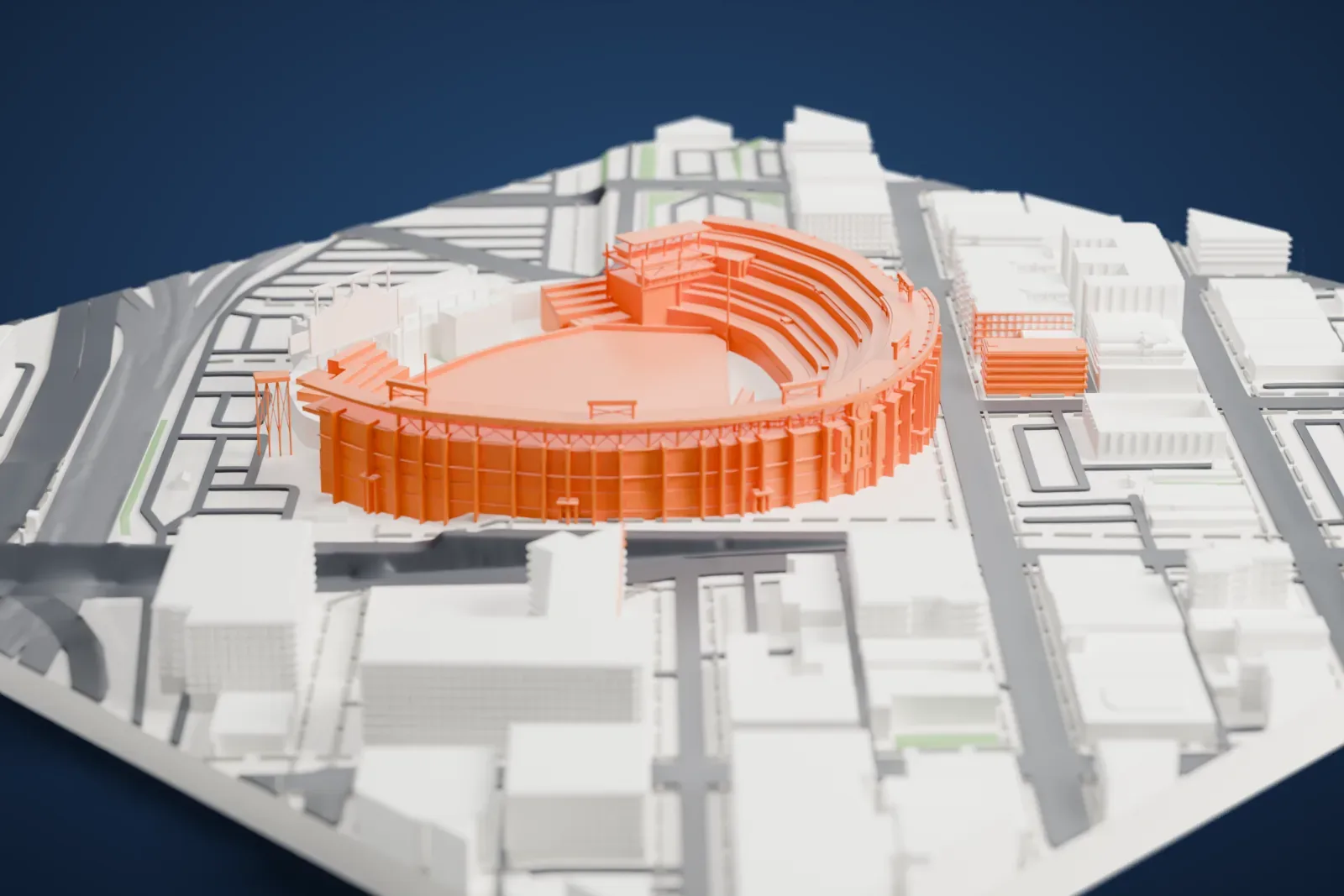
Two blocks from Union Station, in the Lower Downtown area of Denver, stands Coors Field, a stadium built for baseball. It opened in 1995 and is where Major League Baseball's Colorado Rockies play. The Rockies entered the league as an expansion team in 1993 and spent two opening seasons at Mile High Stadium; the new park, which cost $300 million, was built in that period. Baseball capacity is 50,144, and there are 63 luxury suites, plus 4,526 club seats.
The park is known as a hitter's park, since Denver's high elevation and its semi-arid climate affect how far batted balls travel. The park lies 1,580 meters (5,200 feet) above sea level, far and away the highest ballpark in the majors. To offset the effect, the outfield fences sit well back from home plate, giving Major League Baseball's largest outfield, and the baseballs are kept in a humidor. Most seats are dark green, but the 20th upper-deck row is purple, marking a height of one mile, or 1,609 meters (5,280 feet), above sea level.
Plans first called for only 43,800 seats. Once the Rockies had drawn nearly 4.5 million fans in the club's first year at Mile High Stadium, the plans were altered during construction. Workers digging the grounds uncovered dinosaur fossils, which turned out to be small fragments, and the discoveries later led to a triceratops, Dinger, becoming the team's mascot. The park has hosted the 1998 and 2021 MLB All-Star Games, along with an outdoor hockey game in the 2016 NHL Stadium Series.
How it prints
Make this print opens the generator on a 600 m square around the landmark. Buildings print at close to true scale, so the landmark grows with the print size.
| Print size | Landmark height | Scale |
|---|---|---|
| 160 mm default | 14 mm | 1:3,750 |
| 200 mm | 17 mm | 1:3,000 |
| 256 mm | 22 mm | 1:2,344 |
-
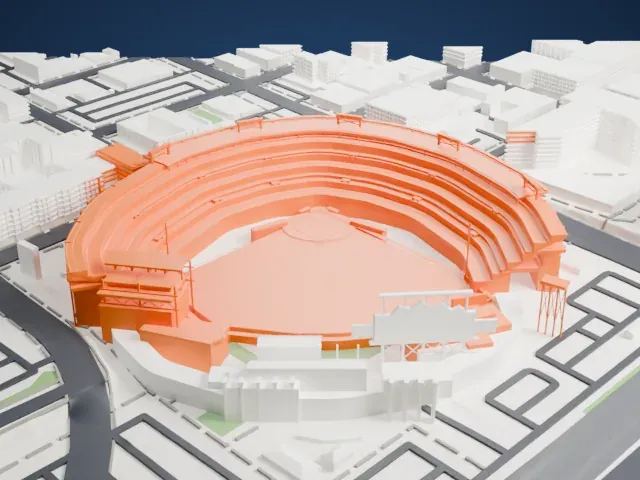 North
North
-
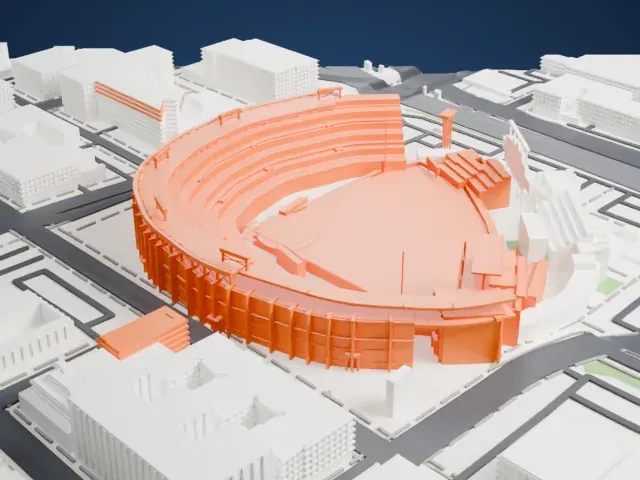 East
East
-
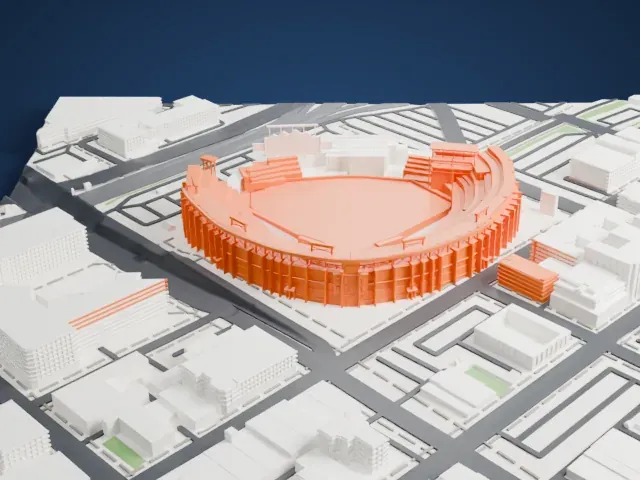 South
South
-
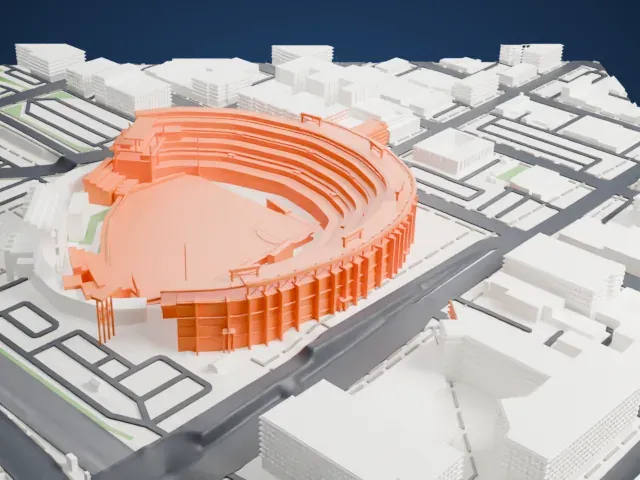 West
West
- Tiered stands and thin piers
- Decks of seating curve around the field, with slim piers along the outer wall. Print friendly adapts them to the print scale, while Full detail keeps each one, which suits a larger print or a fine nozzle.
- Slender posts at the edge
- A few tall, thin posts rise beside the stands. Layers of 0.12 to 0.16 mm and a slower print speed help them stay crisp.
- One piece with the ground
- Coors Field is joined to the ground in the exported file, and the four-side check found no floating parts, so nothing needs gluing.
- Pick the detail for your nozzle
- In the Buildings settings, set Landmark detail to Print friendly to adapt thin parts and small details to the print scale. Full detail keeps every modeled feature, for larger prints or a finer nozzle.
- Colors
- Buildings, roads, water and ground arrive as separate filament slots in the 3MF. Coors Field takes the building color.
- File format
- You get a 3MF for Bambu Studio, OrcaSlicer or PrusaSlicer. Any of them can save it as STL if you need one.
About this model
Coors Field is one of more than 2,300 landmark models in Mini Skyline. They are made with AI, and each one is checked from four sides in its real surroundings before release. Everything around it is built from OpenStreetMap and Overture map data. If you would rather print the shape from map data, turn off Landmark models in the Buildings settings.
Common questions
Is there a Coors Field STL I can download?
Mini Skyline builds the file for you in your browser and exports 3MF, which every major slicer opens. If you need an STL, open the 3MF in your slicer and export it from there.
How big can I print it?
Any print size from 40 mm across. Coors Field grows with the print: about 14 mm tall on the default 160 mm print. For a model larger than your printer bed, Project Mode splits the area into tiles.
Is it free?
Yes. Generation runs in your browser, with no account and nothing behind a paywall.