3D print the Museum of Arts and Design
A free, printable model of the Museum of Arts and Design, a boxy tower with a slanted crown, and the tall buildings, streets and water features around it, generated from real map data in your browser.
Free, in your browser. Exports a slicer-ready 3MF.
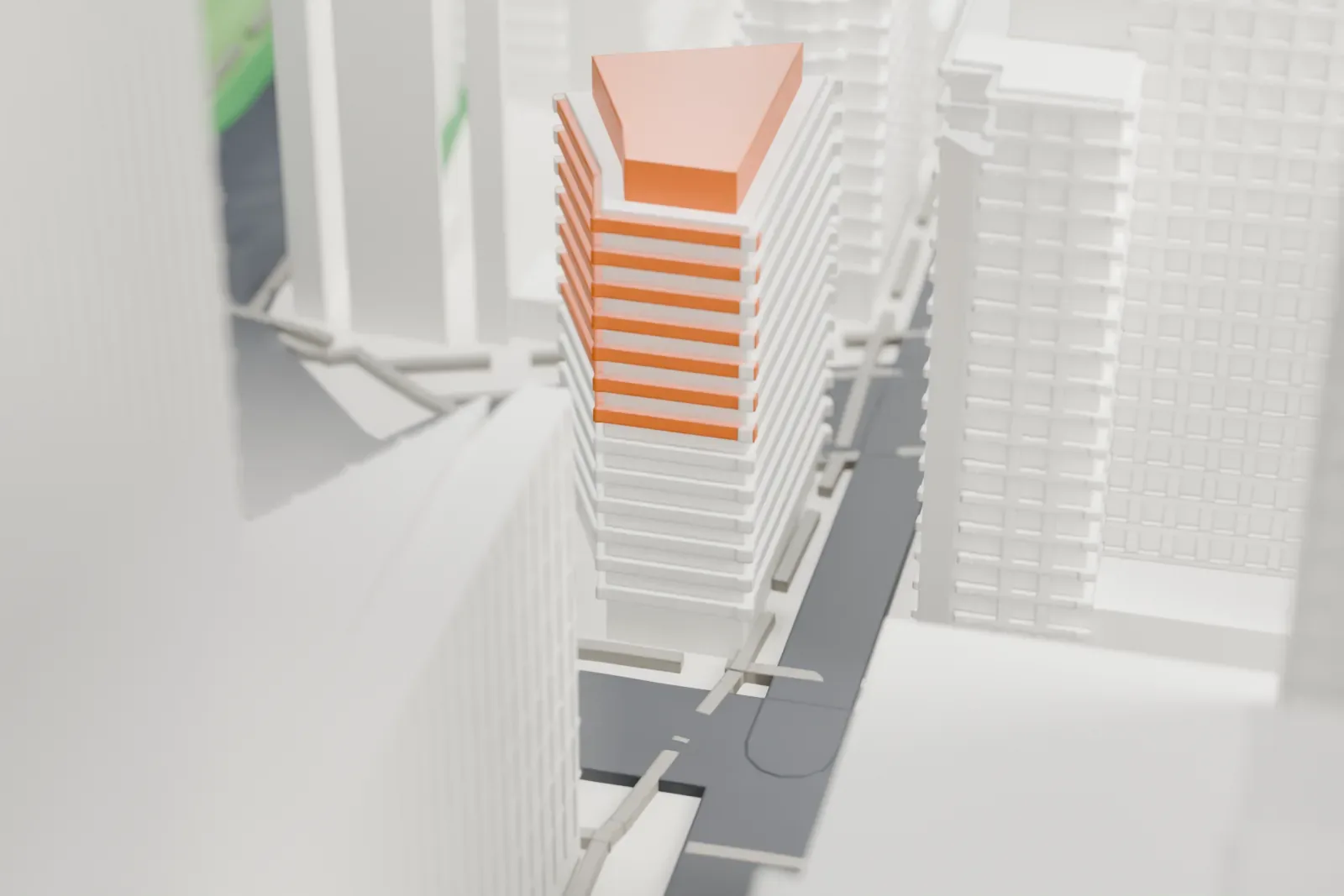
About the Museum of Arts and Design
The Museum of Arts and Design, known as MAD, is based in Manhattan and collects, displays and interprets objects documenting innovation in craft, art and design, both contemporary and historic. Its doors first opened in 1956, under the name Museum of Contemporary Crafts, with the original aim of recognizing the work of contemporary American artists. Aileen Osborn Webb, a philanthropist and craft patron, supported its early development.
In 1979 it reopened under the name American Craft Museum, and in 1986 it moved to 40 West 53rd Street, where it stayed until 2008. In 2002 it took the name Museum of Arts and Design, reflecting more interdisciplinary collections and programming. That same year it was the winning bidder, via the city's Economic Development Corporation, for the building at 2 Columbus Circle, originally designed by Edward Durell Stone. Proposed changes to that building set off a preservation debate.
Brad Cloepfil of Allied Works Architecture designed the new building, the Jerome and Simona Chazen Building. Glazed terra-cotta tiles and panels of fritted glass give its facade a textured look. With 5,000 m2 (over 54,000 square feet) of space, it more than tripled the museum's earlier space, with four floors of galleries, a 150-seat auditorium and a restaurant.
How it prints
Make this print opens the generator on a 600 m square around the landmark. Buildings print at close to true scale, so the landmark grows with the print size.
| Print size | Landmark height | Scale |
|---|---|---|
| 160 mm default | 13 mm | 1:3,750 |
| 200 mm | 17 mm | 1:3,000 |
| 256 mm | 21 mm | 1:2,344 |
-
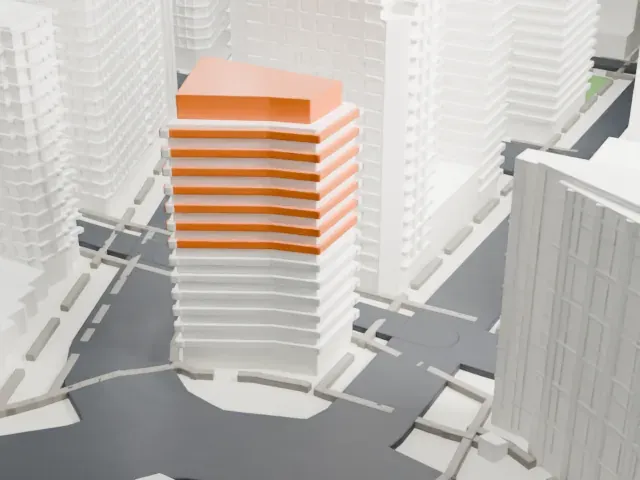 North
North
-
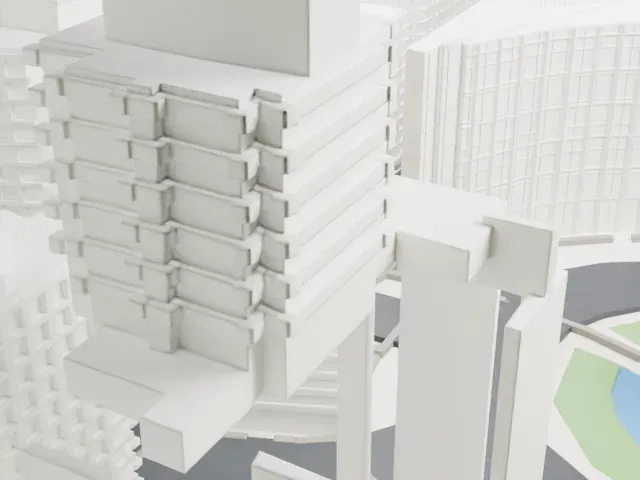 East
East
-
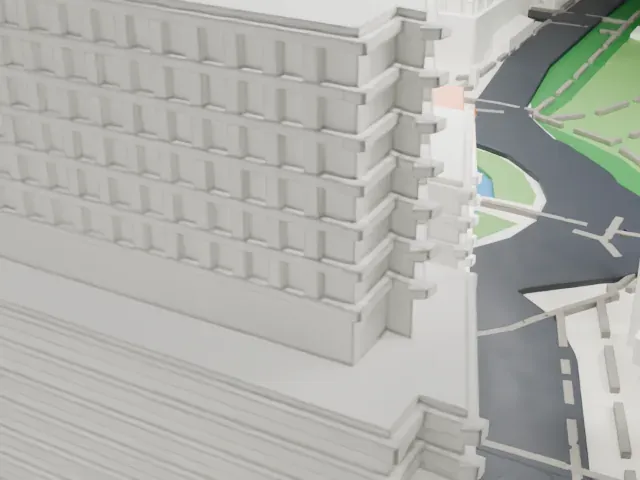 South
South
-
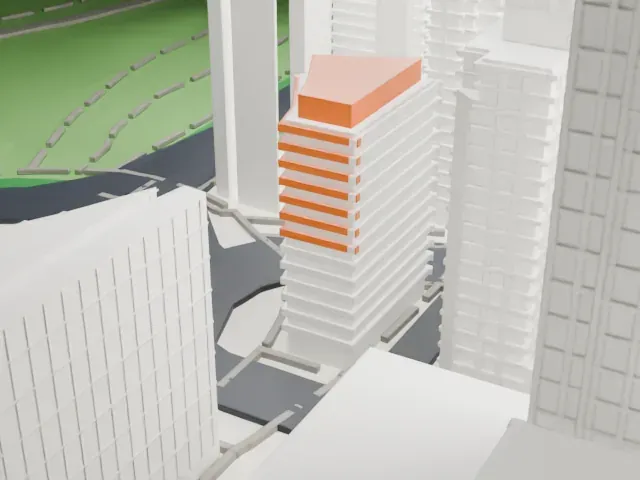 West
West
- Slanted crown
- The top of the building is cut at an angle, with a narrow vertical slot running down one side. Print friendly adapts the slot to the print scale; Full detail keeps it on larger prints.
- Fine facade grid
- Thin lines across the facade suggest the tile and glass panels. Printing at a larger size, with a layer height of 0.12–0.16 mm, keeps those lines crisp.
- One piece with the ground
- The Museum of Arts and Design is joined to the ground in the exported file, and the four-side check found no floating parts, so nothing needs gluing.
- Pick the detail for your nozzle
- In the Buildings settings, set Landmark detail to Print friendly to adapt thin parts and small details to the print scale. Full detail keeps every modeled feature, for larger prints or a finer nozzle.
- Colors
- Buildings, roads, water and ground arrive as separate filament slots in the 3MF. The Museum of Arts and Design takes the building color.
- File format
- You get a 3MF for Bambu Studio, OrcaSlicer or PrusaSlicer. Any of them can save it as STL if you need one.
About this model
The Museum of Arts and Design is one of more than 2,300 landmark models in Mini Skyline. They are made with AI, and each one is checked from four sides in its real surroundings before release. Everything around it is built from OpenStreetMap and Overture map data. If you would rather print the shape from map data, turn off Landmark models in the Buildings settings.
Common questions
Is there a Museum of Arts and Design STL I can download?
Mini Skyline builds the file for you in your browser and exports 3MF, which every major slicer opens. If you need an STL, open the 3MF in your slicer and export it from there.
How big can I print it?
Any print size from 40 mm across. The Museum of Arts and Design grows with the print: about 13 mm tall on the default 160 mm print. For a model larger than your printer bed, Project Mode splits the area into tiles.
Is it free?
Yes. Generation runs in your browser, with no account and nothing behind a paywall.





