3D print SoFi Stadium
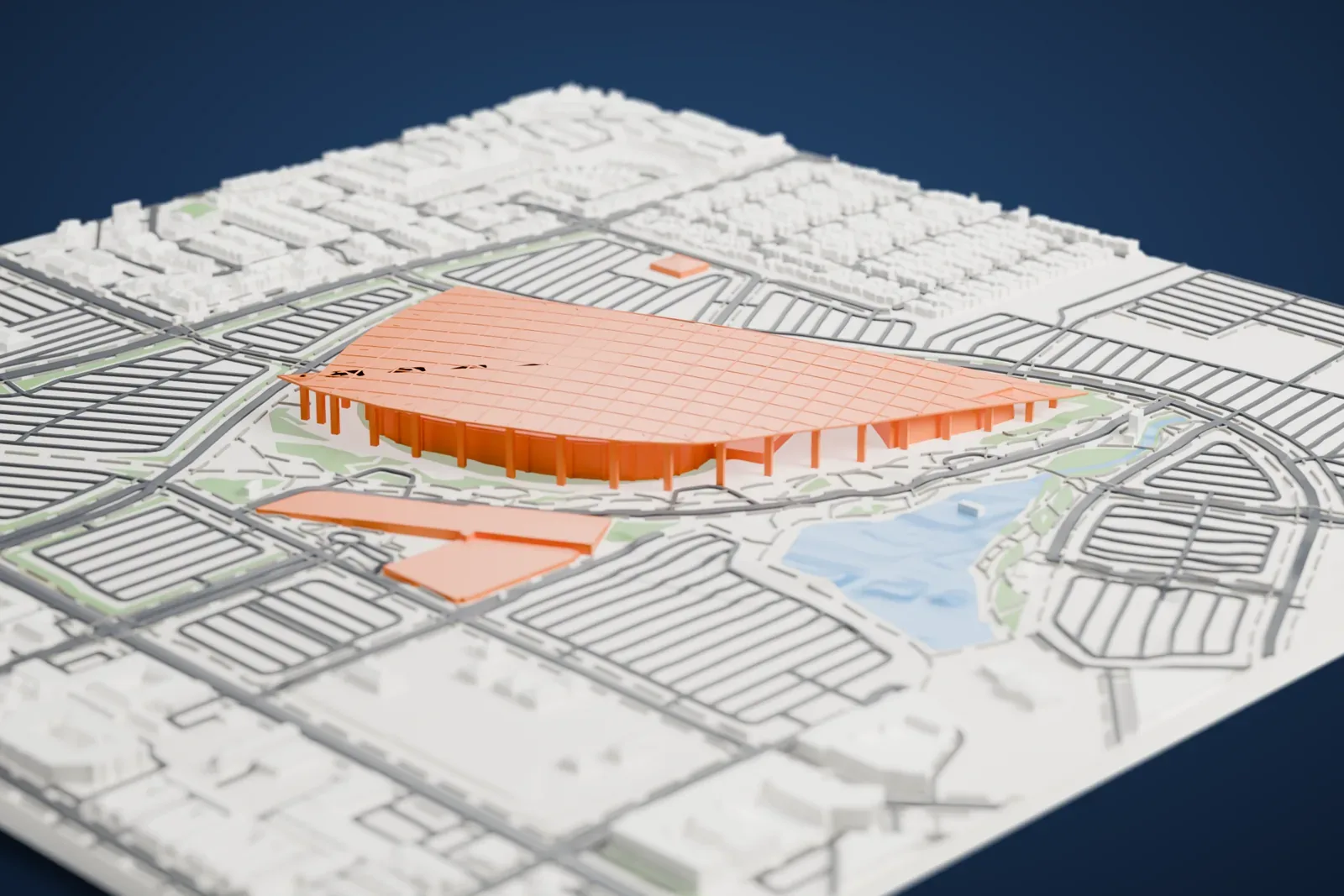
A free, printable model of SoFi Stadium's wide roof canopy and the parking lots, roads and lake around it in Inglewood, generated from real map data in your browser.
Free, in your browser. Exports a slicer-ready 3MF.
About SoFi Stadium
SoFi Stadium is a multi-purpose stadium in Inglewood, a suburb of Los Angeles, California, United States. It occupies land that previously held the Hollywood Park Racetrack, beside the Kia Forum and Intuit Dome. The stadium opened in September 2020 with room for 70,240 spectators, a figure that can grow past 100,000 on big occasions. It is the home field of two NFL teams, the Los Angeles Rams and the Los Angeles Chargers, and it was the first stadium complex beyond metropolitan New York to have two NFL teams at once.
HKS designed the complex, which combines the stadium itself with a plaza for pedestrians and a performance venue. Over all three sits an independently supported translucent canopy, a million-square-foot roof of 302 ETFE panels held by a cable net, with 46 of the panels able to open for ventilation. The canopy also carries 27,000 embedded LED pucks that can display images and video. The stadium bowl itself has open sides.
Suspended from the roof above the field is the Infinity Screen, an oval, double-sided 4K video board weighing 1,000 t (2.2 million pounds), with 80 million pixels. Because the stadium was meant from the start to serve two NFL teams, the designers chose not to install natural grass. SoFi hosted Super Bowl LVI in 2022 and WrestleMania 39 in 2023, and the attached YouTube Theater has 6,000 seats.
How it prints
Make this print opens the generator on a 1250 m square around the landmark. Buildings print at close to true scale, so the landmark grows with the print size.
| Print size | Landmark height | Scale |
|---|---|---|
| 160 mm default | 6 mm | 1:7,813 |
| 200 mm | 8 mm | 1:6,250 |
| 256 mm | 10 mm | 1:4,883 |
-
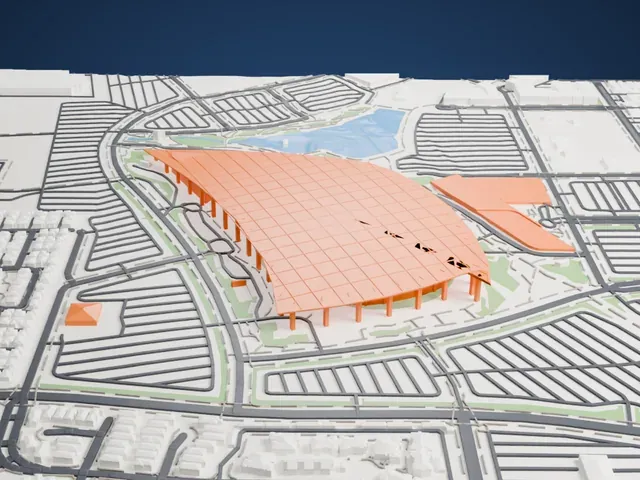 North
North
-
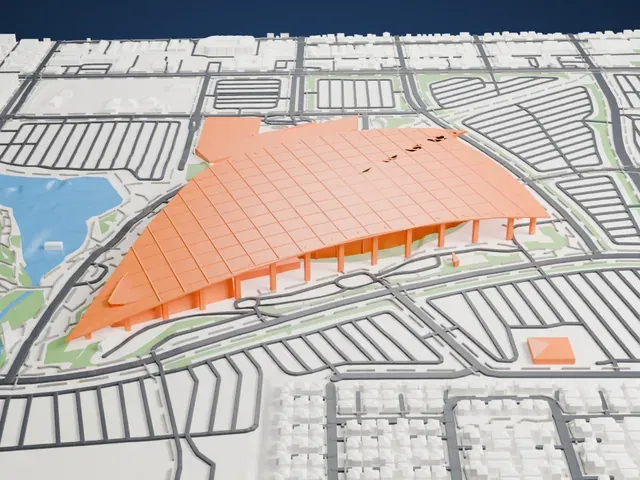 East
East
-
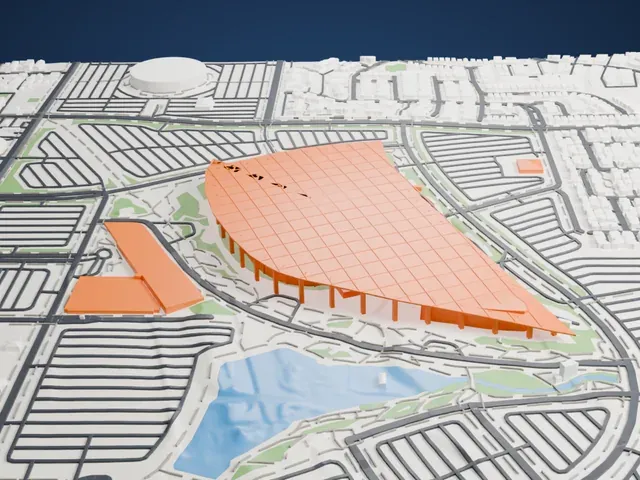 South
South
-
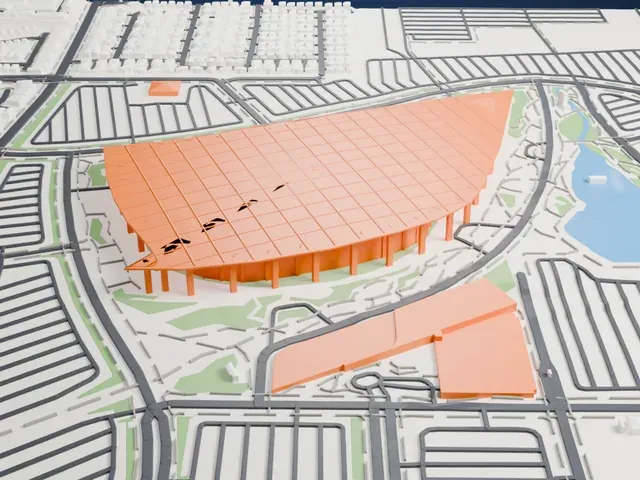 West
West
- Wide roof on slender columns
- The canopy is a broad, thin sheet held up by rows of slim columns. Print friendly adapts these supports to your print scale, and a larger print keeps more of them.
- Shallow grid on the roof
- A fine grid of ribs crosses the roof. Layers of 0.12 to 0.16 mm keep the lines crisp, and Full detail preserves every one on a large print.
- One piece with the ground
- SoFi Stadium is joined to the ground in the exported file, and the four-side check found no floating parts, so nothing needs gluing.
- Pick the detail for your nozzle
- In the Buildings settings, set Landmark detail to Print friendly to adapt thin parts and small details to the print scale. Full detail keeps every modeled feature, for larger prints or a finer nozzle.
- Colors
- Buildings, roads, water and ground arrive as separate filament slots in the 3MF. SoFi Stadium takes the building color.
- File format
- You get a 3MF for Bambu Studio, OrcaSlicer or PrusaSlicer. Any of them can save it as STL if you need one.
About this model
SoFi Stadium is one of more than 2,300 landmark models in Mini Skyline. They are made with AI, and each one is checked from four sides in its real surroundings before release. Everything around it is built from OpenStreetMap and Overture map data. If you would rather print the shape from map data, turn off Landmark models in the Buildings settings.
Common questions
Is there a SoFi Stadium STL I can download?
Mini Skyline builds the file for you in your browser and exports 3MF, which every major slicer opens. If you need an STL, open the 3MF in your slicer and export it from there.
How big can I print it?
Any print size from 40 mm across. SoFi Stadium grows with the print: about 6 mm tall on the default 160 mm print. For a model larger than your printer bed, Project Mode splits the area into tiles.
Is it free?
Yes. Generation runs in your browser, with no account and nothing behind a paywall.