3D print Stenbock House
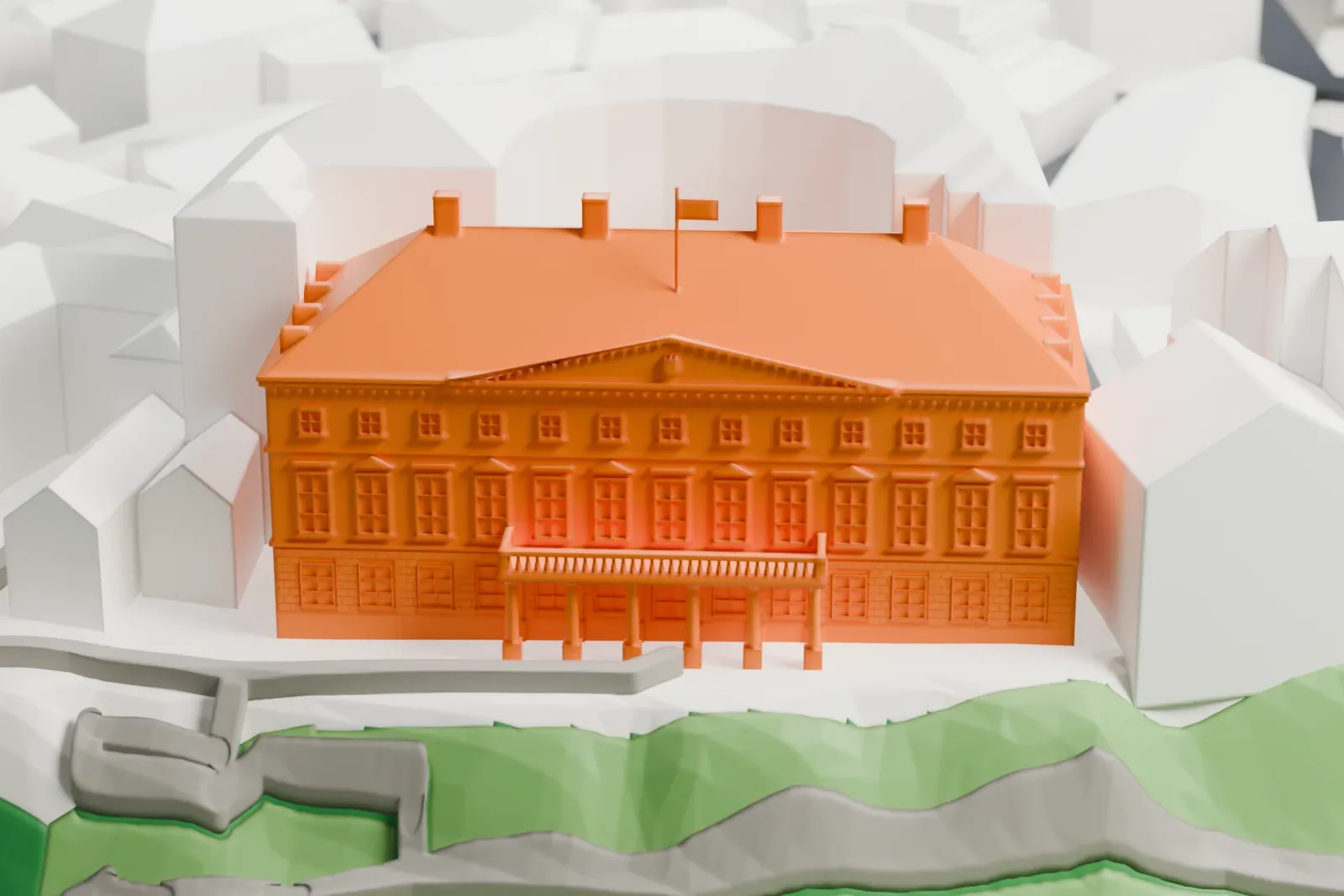
A free, printable model of the building, with its hipped roof, chimneys and columned balcony, and the surrounding buildings, green slopes and paths, generated from real map data in your browser.
-
 North
North
-
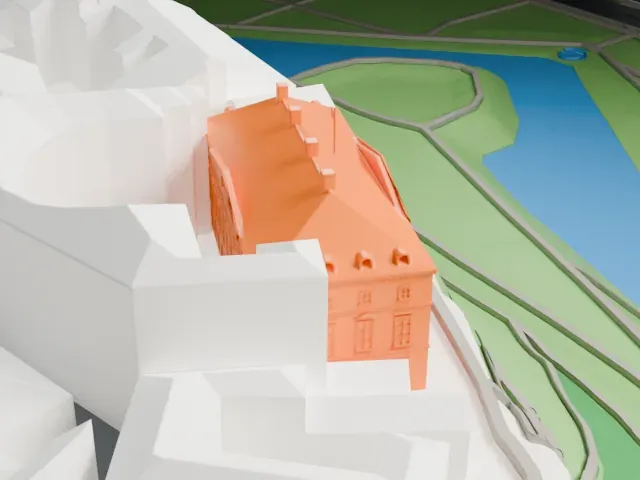 East
East
-
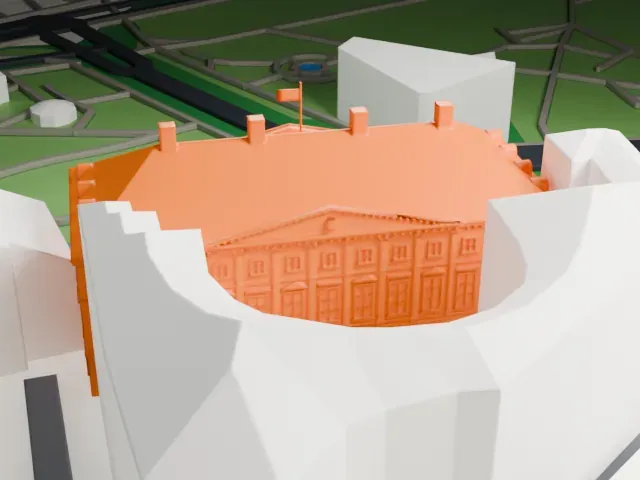 South
South
-
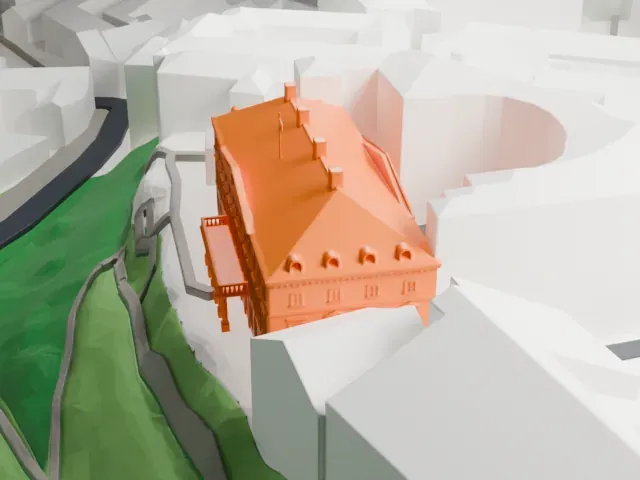 West
West
The model you print
Stenbock House in 3D
The landmark on its own, at its size on a 160 mm print. Print friendly thickens thin parts for a 0.4 mm nozzle; Full detail keeps every part.
- On a 160 mm print
- 7 mm
- Scale
- 1:3,750
7 mm tall on a 160 mm print
Make this print opens the generator on a 600 m square around the landmark. Buildings print at close to true scale, so the landmark grows with the print size.
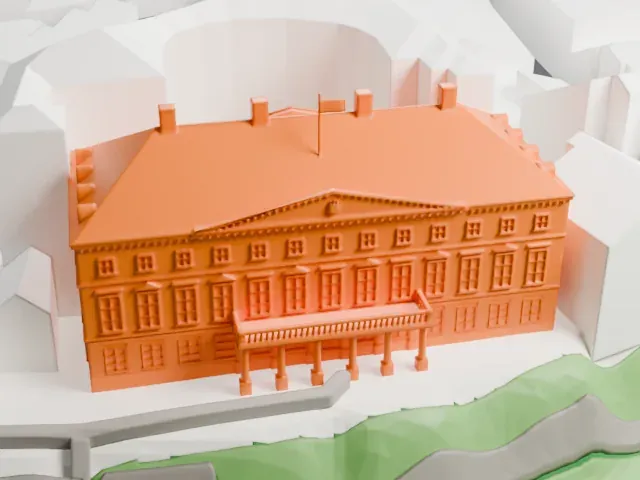
- Columned sea-side balcony
A balcony with an open balustrade rests on a row of slim columns. Print friendly adapts these thin columns to the print scale; Full detail keeps them on a larger print.
- Chimneys and flagpole
Square chimneys and a thin flagpole stand on the long hipped roof. Printing slowly and using a layer height of 0.12–0.16 mm helps the flagpole and the facade details print cleanly.
- One piece with the ground
Stenbock House is joined to the ground in the exported file, and the four-side check found no floating parts, so nothing needs gluing.
- Pick the detail for your nozzle
In the Buildings settings, set Landmark detail to Print friendly to adapt thin parts and small details to the print scale. Full detail keeps every modeled feature, for larger prints or a finer nozzle.
- Colors
Buildings, roads, water and ground arrive as separate filament slots in the 3MF. Stenbock House takes the building color.
- File format
You get a 3MF for Bambu Studio, OrcaSlicer or PrusaSlicer. Any of them can save it as STL if you need one.
About Stenbock House
Stenbock House is a prominent neo-classical building on Toompea hill in Tallinn, and the Government of Estonia has its official base there. Its story begins in the 1780s. The administration of the Governorate of Estonia, part of the Russian Empire, set out to put up new administrative buildings. The plan was for a courthouse. The tender was won by Count Jakob Pontus Stenbock, a powerful local aristocrat with a large estate on Hiiumaa, and the architect was Johann Caspar Mohr.
Building began in 1787, but the Russian state soon ran short of money because of the Russo-Turkish War. The province fell into debt to Stenbock, and the unfinished house became his, serving as his Tallinn residence. It was used as a courthouse from 1899, through both the first period of Estonian independence and the Soviet occupation. By 1991 the entire building faced a risk of collapse. A full renovation ran from 1996 to 2000, and it reopened in 2000 as the seat of the national government.
The style is a fairly simple neo-classicism. The front facade has six pilasters and two semi-pilasters of dolomite from Saaremaa, below a dentiled pediment, and faces a semi-circular courtyard flanked by plainer outbuildings. The best-known view is of the back, which stands at the edge of Toompea hill with an open view of the sea and a big balcony standing on Doric columns.
About this model
Stenbock House is one of more than 4,900 landmark models in Mini Skyline. They are made with AI, and each one is checked from four sides in its real surroundings before release. Everything around it is built from OpenStreetMap and Overture map data. If you would rather print the shape from map data, turn off Landmark models in the Buildings settings.
Same skyline