3D print the Biblioteca Joanina
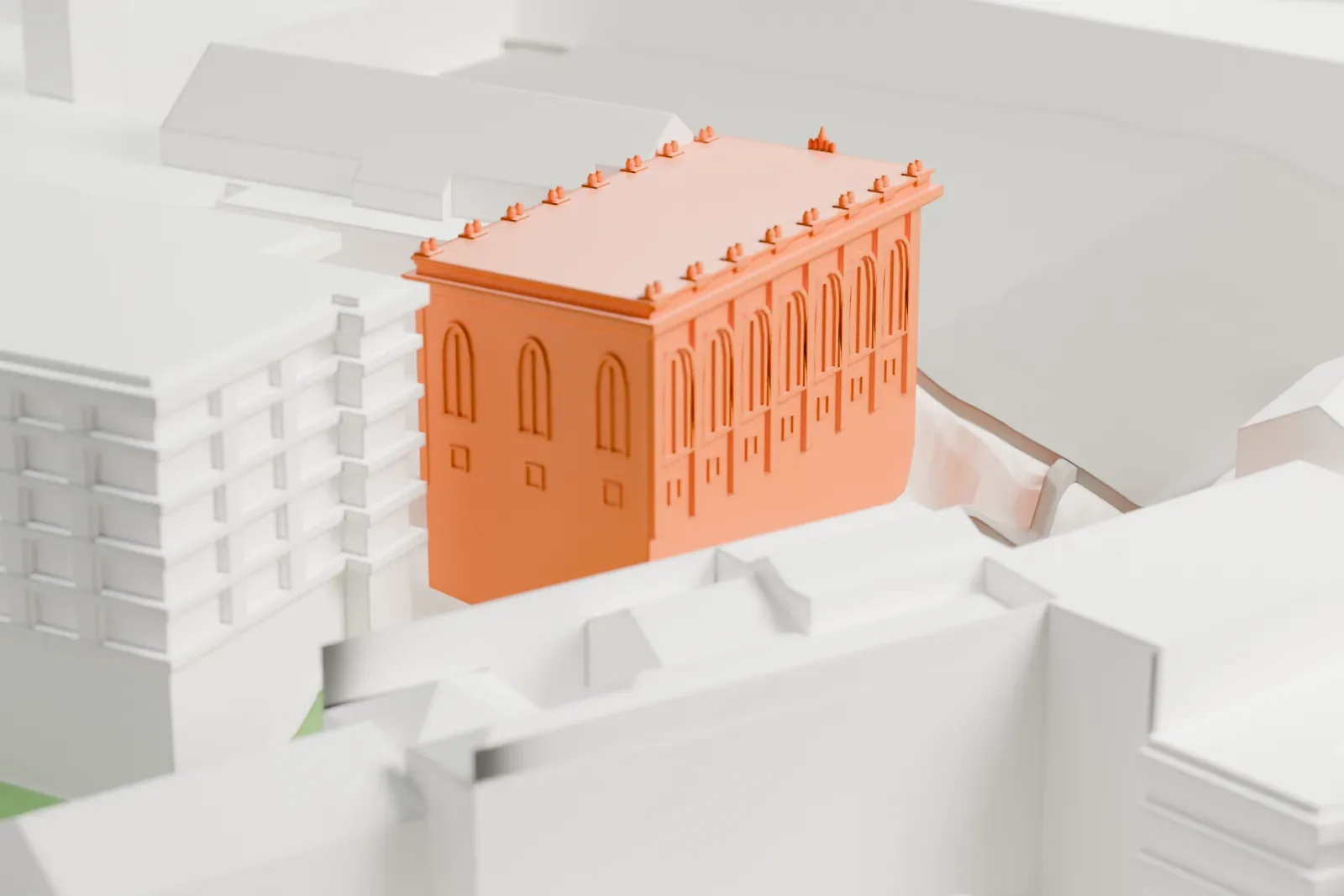
A free, printable model of the Biblioteca Joanina in Coimbra, a boxy building with tall arched windows, a columned portal and small rooftop ornaments among neighboring buildings, generated from real map data in your browser.
-
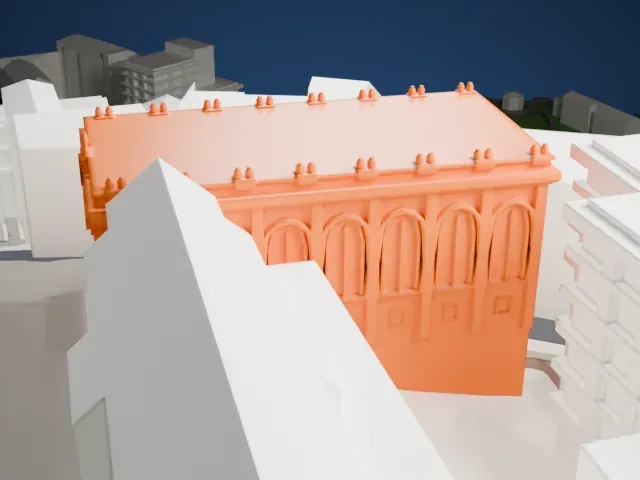 North
-
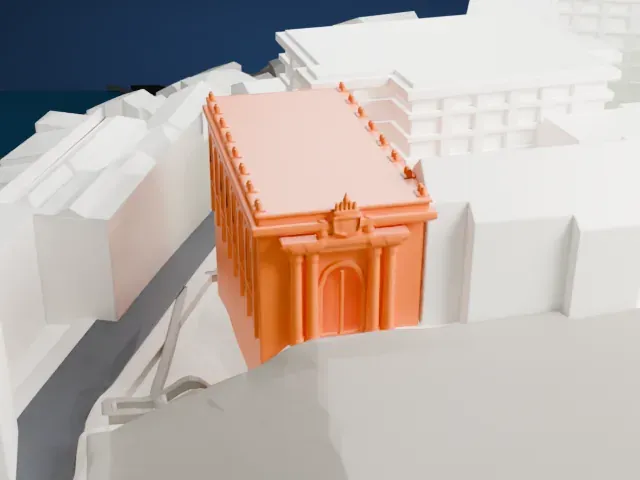 East
-
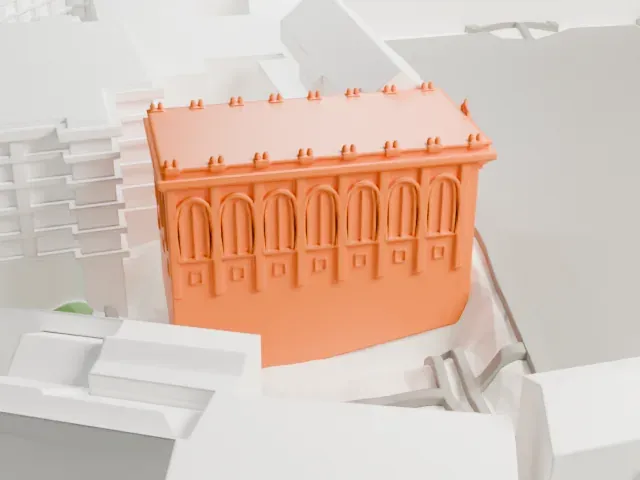 South
-
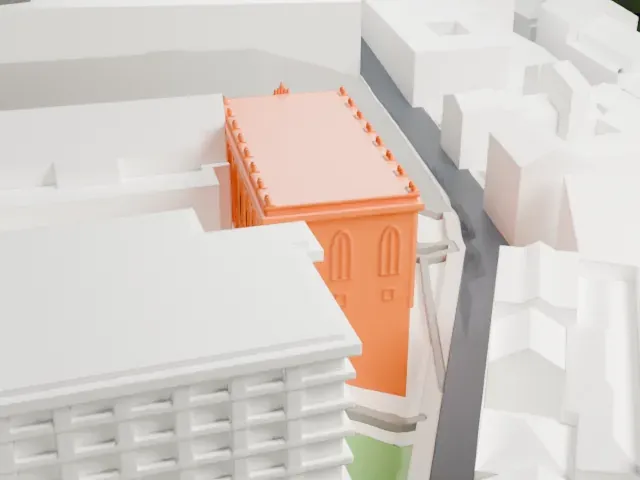 West
The model you print
Biblioteca Joanina in 3D
The landmark on its own, at its size on a 160 mm print. Print friendly thickens thin parts for a 0.4 mm nozzle; Full detail keeps every part.
- On a 160 mm print
- 8 mm
- Scale
- 1:3,750
8 mm tall on a 160 mm print
Make this print opens the generator on a 600 m square around the landmark. Buildings print at close to true scale, so the landmark grows with the print size.
- Small ornaments along the roof edge
Small urn-like ornaments sit in pairs along the roof edge. A larger print keeps them; Print friendly adapts the smallest ones, and a layer height of 0.12–0.16 mm keeps them crisp.
- Columned portal and arched windows
The entrance has slim columns under a coat of arms, and the long walls have tall arched windows. Full detail keeps them on larger prints or with a fine nozzle.
- One piece with the ground
The Biblioteca Joanina is joined to the ground in the exported file, and the four-side check found no floating parts, so nothing needs gluing.
- Pick the detail for your nozzle
In the Buildings settings, set Landmark detail to Print friendly to adapt thin parts and small details to the print scale. Full detail keeps every modeled feature, for larger prints or a finer nozzle.
- Colors
Buildings, roads, water and ground arrive as separate filament slots in the 3MF. The Biblioteca Joanina takes the building color.
- File format
You get a 3MF for Bambu Studio, OrcaSlicer or PrusaSlicer. Any of them can save it as STL if you need one.
About the Biblioteca Joanina
The Biblioteca Joanina (called the Joanine Library in English) is a library in the Baroque style, located in Coimbra, Portugal, in the middle of the University of Coimbra. Its name comes from King John V of Portugal, the founder, who began building in 1717. It is often ranked among the most beautiful libraries anywhere in the world. It holds registration as a National Monument.
Known at first as the Casa da Livraria, or House of the Library, it received its first books in 1750, and its construction was completed between 1717 and 1728. The building has three floors. Its exterior walls are around 2.11 meters (83 in) thick, and a teak door helps keep the temperature steady between 18 and 20 °C (64–68 °F). The oak used in the structure is dense and gives off an odor that repels paper-eating insects.
Painted chinoiserie motifs on exotic South American wood were all executed by Portuguese artists, with one notable exception: the huge portrait of King John V by Domenico Duprà from 1725. Inside, three great rooms are divided by decorated arches. Shelves in two stories, gilded or painted in exotic woods, line the walls. The library is also noted as one of two in the world, with the Mafra palace library, where a colony of bats protects the books from insects.
About this model
The Biblioteca Joanina is one of more than 6,500 landmark models in Mini Skyline. They are made with AI, and each one is checked in its real surroundings before release. Each model is written as code from public descriptions, plans, photographs and aerial views used only as references; no image or third-party model is copied into it. Everything around it is built from OpenStreetMap and Overture map data. Rights in the building itself, its name and any brands on it are not granted by Mini Skyline; clear them separately before you sell prints. If you would rather print the shape from map data, turn off Landmark models in the Buildings settings.
Mini Skyline is not affiliated with, or endorsed by, the owners of this building or its names and marks.
Keep exploring