3D print the 63 Building
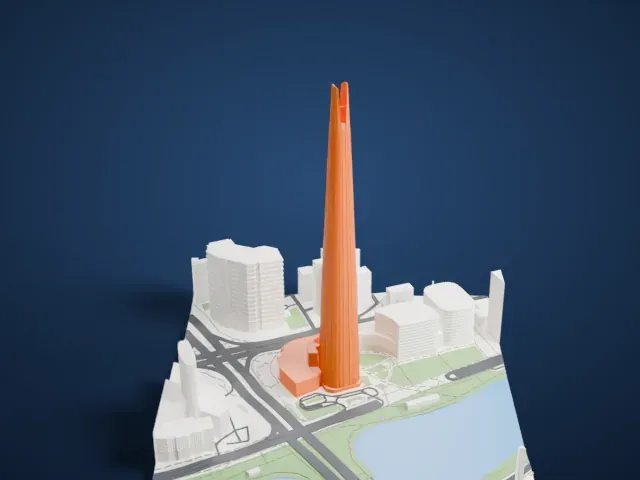
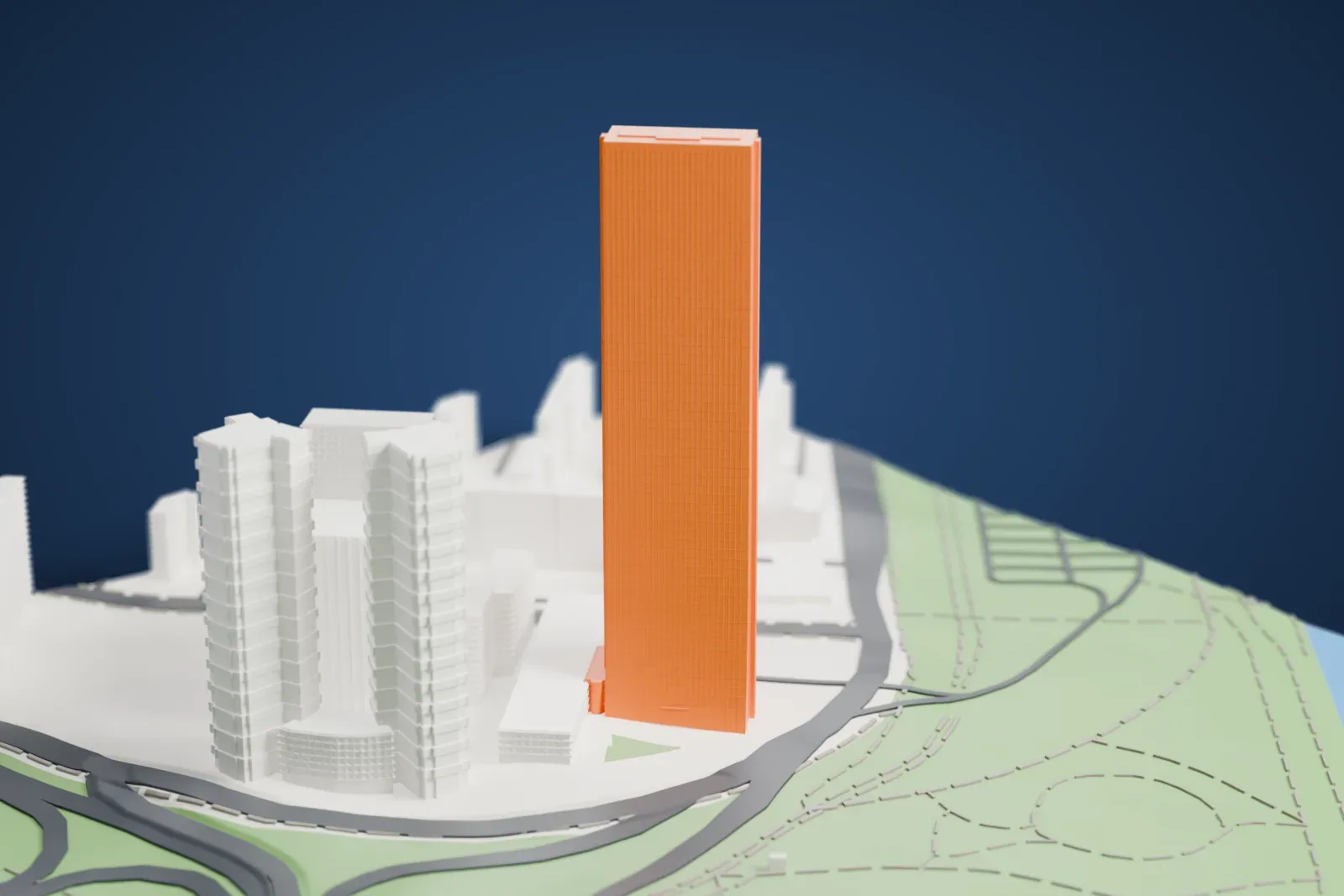
A free, printable model of the 63 Building, a very tall, slim tower, and the parkland, water and buildings around it, generated from real map data in your browser.
Free, in your browser. Exports a slicer-ready 3MF.
About the 63 Building
The 63 Building, officially called 63 SQUARE, is a skyscraper standing on the island of Yeouido, in Seoul, South Korea, with a view of the Han River. It is 249.6 m (819 ft) tall. The name suggests 63 floors, but only 60 are above ground level, and floors 61 to 63 are restricted areas. No building outside North America stood taller when it opened on July 27, 1985, and only Grand Lisboa in Macau is a taller gold-clad building.
Construction broke ground in February 1980 and finished in May 1985. It cost 180 billion won to build. As a landmark, it was built for the 1988 Summer Olympics. Its first name was the DLI 63 building, after Daehan Life Insurance, and Hanwha Group renamed it 63 City in 2000. In 2003 the Hyperion Tower surpassed it as South Korea's tallest building, and it was still the tallest commercial building in the country until 2009, when the Northeast Asia Trade Tower topped out.
The tower's form follows the Hanja character 人 (in), which means a person or human being. The designers built in a subtle reference to the insurance business of Daehan Life, which constructed the building. The 60th floor houses an art gallery described as the world's highest, along with an observation deck called the 63 Golden Tower, from which visitors can look out as far as Incheon when the day is clear.
How it prints
Make this print opens the generator on a 600 m square around the landmark. Buildings print at close to true scale, so the landmark grows with the print size.
| Print size | Landmark height | Scale |
|---|---|---|
| 160 mm default | 68 mm | 1:3,750 |
| 200 mm | 85 mm | 1:3,000 |
| 256 mm | 109 mm | 1:2,344 |
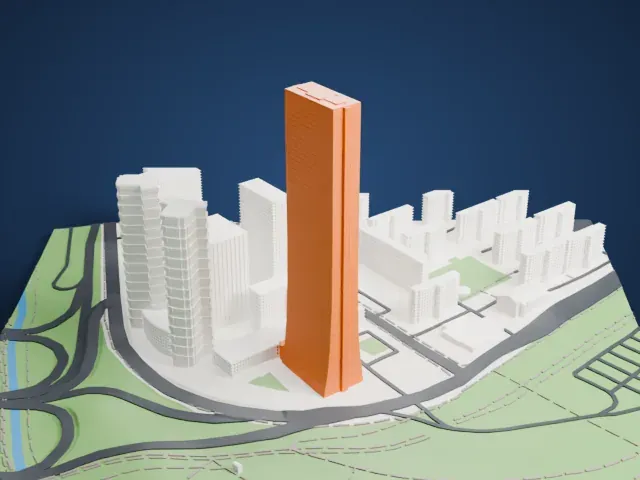
-
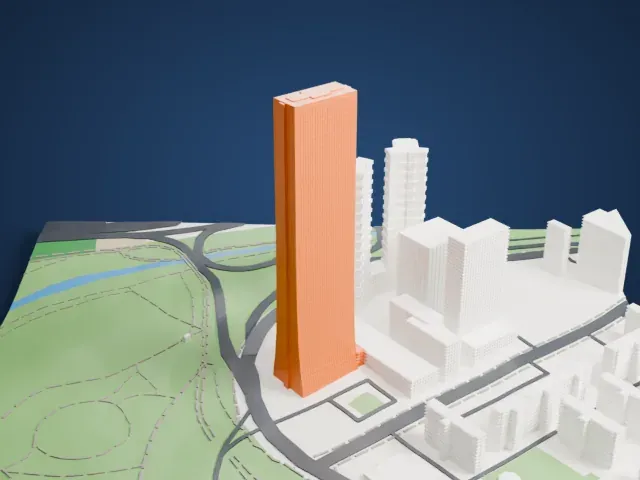 North
North
-
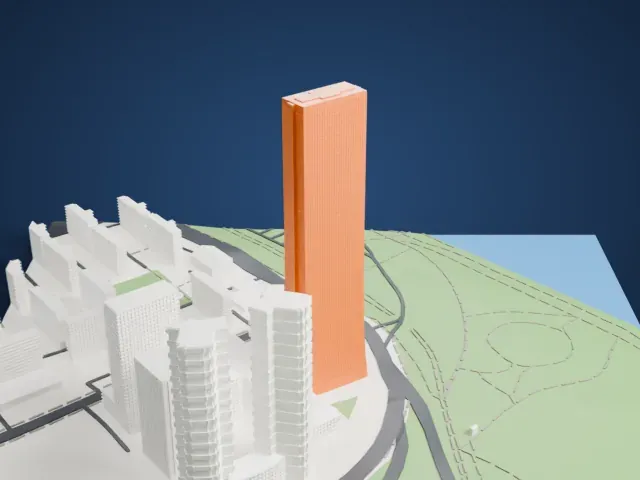
 East
East
-
 South
South
-
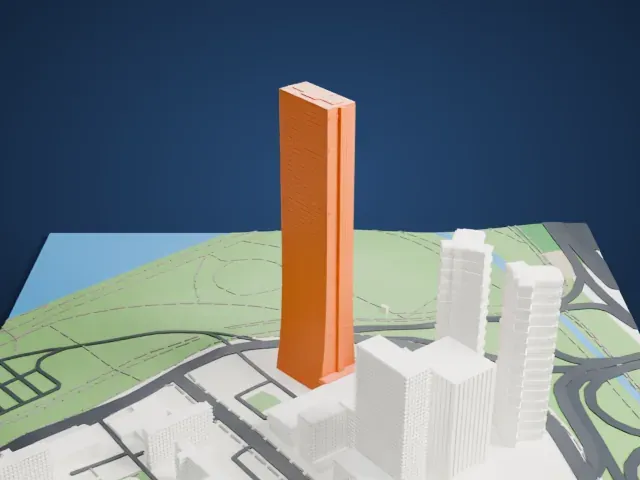 West
West
- A very tall, slim tower
- The tower is tall for its width, with a slightly flared base. Print slowly with good cooling for the upper section, and choose a larger print size for a sturdier shaft.
- Fine facade pattern
- The walls carry a fine pattern of small panels and narrow vertical strips. Print friendly adapts them to the print scale; Full detail keeps them on a larger print.
- One piece with the ground
- The 63 Building is joined to the ground in the exported file, and the four-side check found no floating parts, so nothing needs gluing.
- Pick the detail for your nozzle
- In the Buildings settings, set Landmark detail to Print friendly to adapt thin parts and small details to the print scale. Full detail keeps every modeled feature, for larger prints or a finer nozzle.
- Colors
- Buildings, roads, water and ground arrive as separate filament slots in the 3MF. The 63 Building takes the building color.
- File format
- You get a 3MF for Bambu Studio, OrcaSlicer or PrusaSlicer. Any of them can save it as STL if you need one.
About this model
The 63 Building is one of more than 2,300 landmark models in Mini Skyline. They are made with AI, and each one is checked from four sides in its real surroundings before release. Everything around it is built from OpenStreetMap and Overture map data. If you would rather print the shape from map data, turn off Landmark models in the Buildings settings.
Common questions
Is there a 63 Building STL I can download?
Mini Skyline builds the file for you in your browser and exports 3MF, which every major slicer opens. If you need an STL, open the 3MF in your slicer and export it from there.
How big can I print it?
Any print size from 40 mm across. The 63 Building grows with the print: about 68 mm tall on the default 160 mm print. For a model larger than your printer bed, Project Mode splits the area into tiles.
Is it free?
Yes. Generation runs in your browser, with no account and nothing behind a paywall.